What is Revise - 1
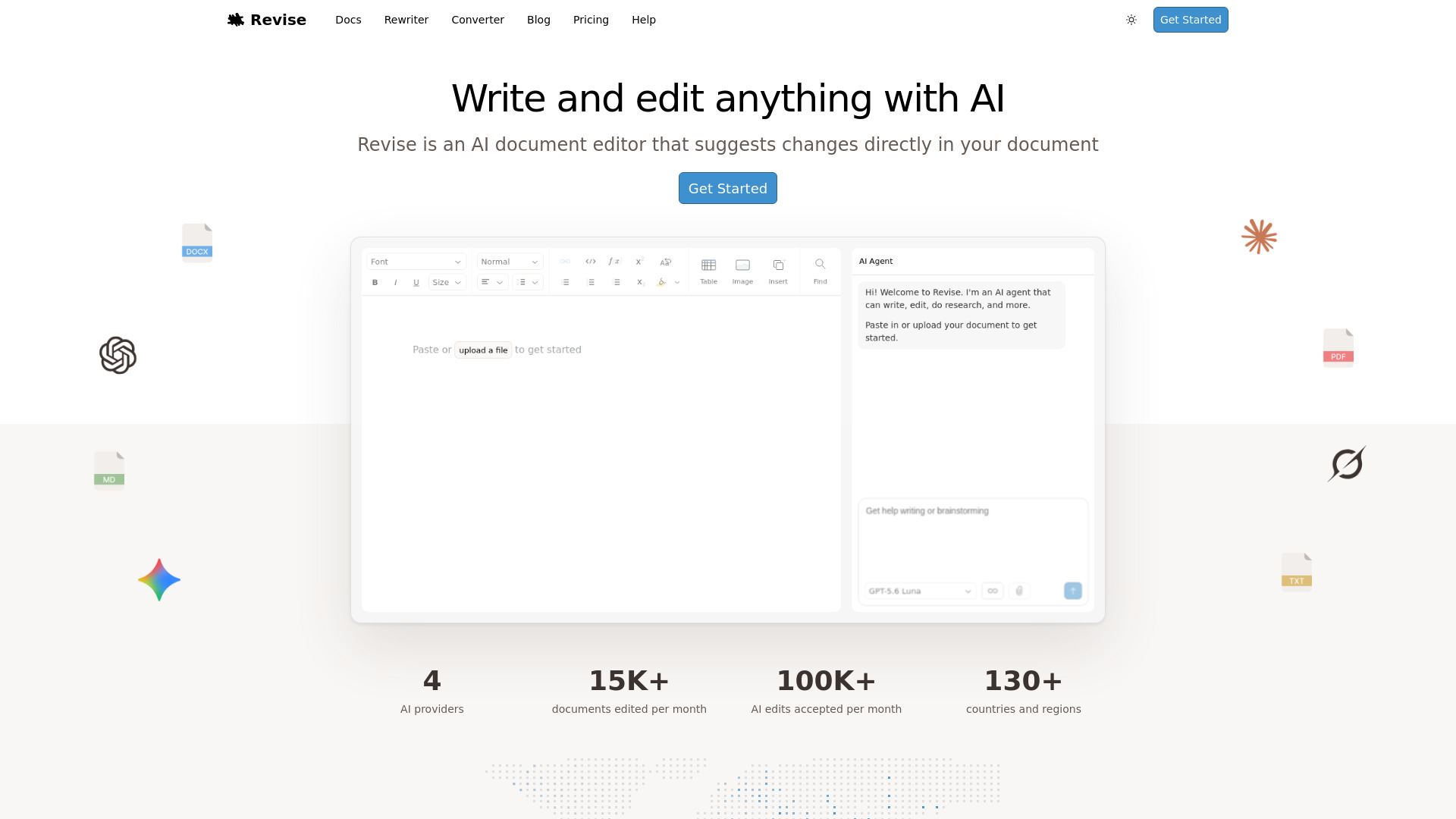
Revise is a free online word processor with a built-in AI agent. It allows you to write and format documents like you would in Google Docs or Word, while the AI drafts, edits, and proofreads alongside you — with every change tracked for review. It supports rich formatting, tables, images, real-time collaboration, and integrates leading AI models like GPT-5.6, Claude, Gemini, and Grok.
How to use Revise - 1
- Start a document: Paste or type your content into the editor, or upload a file (DOCX, PDF, TXT, MD).
- Format your document: Use the toolbar to apply headings, lists, tables, images, math equations, code blocks, and more.
- Use the AI agent: Open the AI chat panel, select a model (e.g., GPT-5.6 Luna), and ask for help writing, editing, or brainstorming. The AI suggests changes directly in your document.
- Review changes: All AI suggestions are tracked for review — you can accept or reject them.
- Export: Download your document as DOCX or PDF anytime.
Features of Revise - 1
- AI-powered writing assistant: Draft, edit, and proofread with GPT, Claude, Gemini, and Grok.
- Rich text editing: Headings, lists, tables, images, math equations, code blocks, Mermaid diagrams.
- Page layout controls: Margins, columns, page numbers for print-ready documents.
- Real-time collaboration: Work with others simultaneously.
- Import and export: Import Word, Google Docs, PDF files; export to DOCX or PDF.
- Voice dictation: Dictate text directly.
- Find and replace: Search within documents.
- Version history: Track changes and compare versions.
Use Cases of Revise - 1
- Writing essays and reports: Use AI to generate outlines, draft content, and polish writing.
- Editing and proofreading: Get AI suggestions for grammar, style, and clarity.
- Collaborative projects: Teams can work on documents in real time.
- Converting files: Convert between DOCX, PDF, and other formats.
- Creating technical documents: Include code blocks, math equations, and diagrams.
FAQ
What is Revise? Revise is a free online word processor with a built-in AI agent. You write and format documents like you would in Google Docs or Word, while the AI drafts, edits, and proofreads alongside you — with every change tracked for review.
Is Revise free to use? Yes. The free plan includes the full editor and a daily allowance of AI usage. Paid plans add higher AI usage limits.
Can Revise replace Microsoft Word or Google Docs? For most documents, yes. It's a full word processor with rich formatting, tables, images, and real-time collaboration — plus an integrated AI agent that neither offers. Import your Word, Google Docs, and PDF files to get started, and export to DOCX or PDF anytime.
Which AI models does Revise support? Revise gives you the leading AI models in one place — OpenAI GPT-5.6, Anthropic Claude, Google Gemini, and xAI Grok — and you can switch between them at any time.
What formatting and content does Revise support? Everything you'd expect from a modern word processor — headings, lists, tables, images, math equations, code blocks, and Mermaid diagrams. Page-layout controls like margins, columns, and page numbers keep long documents print-ready.
Is Revise secure? Yes. Your documents and AI conversations are private by default, visible only to you unless you choose to share. Everything is encrypted in transit and at rest, and you can delete anything at any time.