What is Sitelas
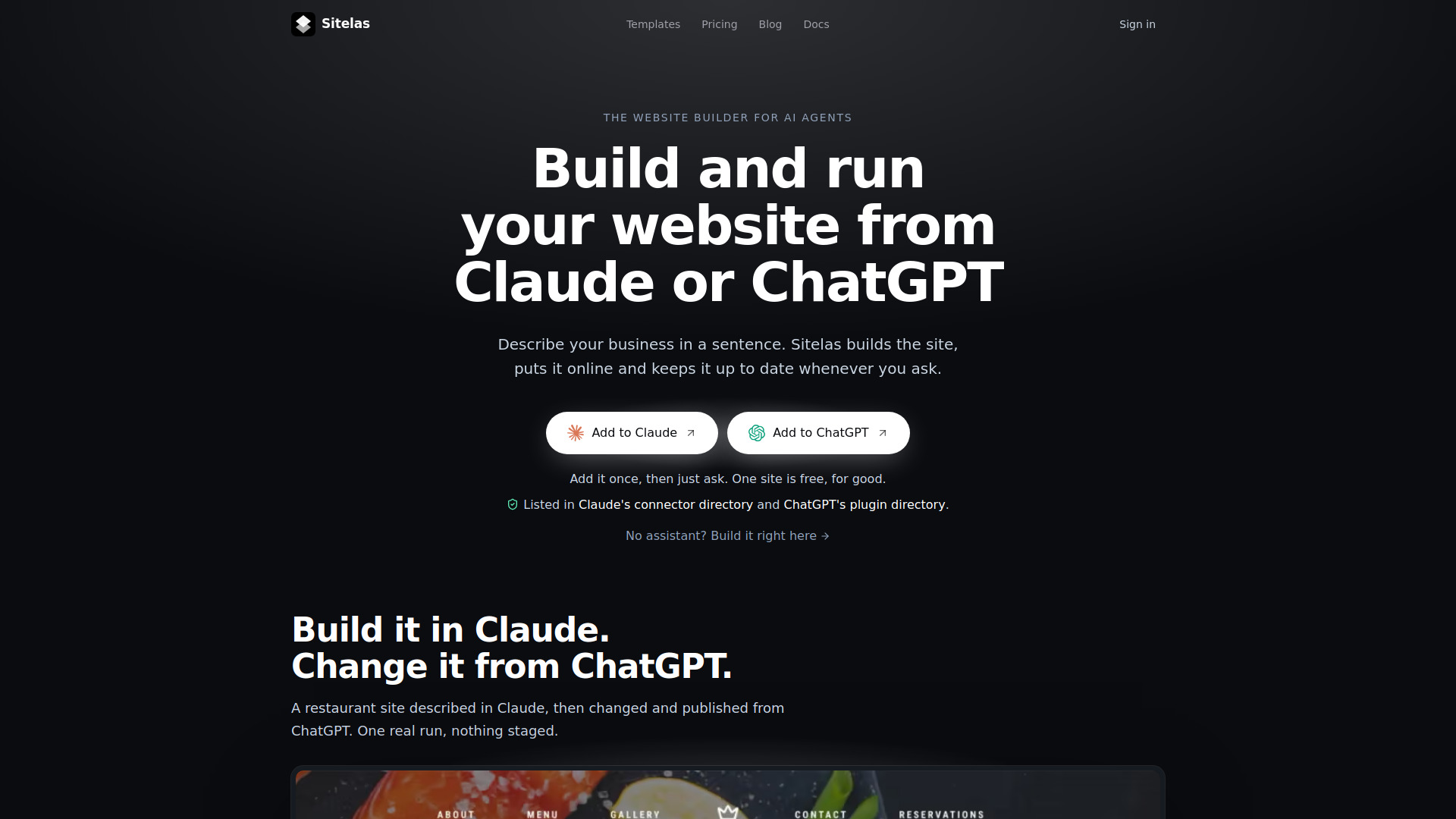
Sitelas is a website builder designed for AI agents. It enables users to build and run a real website directly from AI assistants like Claude or ChatGPT. By describing a business in a sentence, Sitelas builds the site, puts it online, and keeps it up to date upon request. It also offers a built-in editor with its own AI chat for those who prefer to build without an external assistant.
How to use Sitelas
- Connect your AI assistant: Add Sitelas to Claude or ChatGPT from their respective directories. For other MCP clients (e.g., Claude Code, Cursor, VS Code, Gemini CLI), use the MCP server address.
- Describe your site: Tell the assistant what kind of website you need, such as "Build a website for my plumbing business in Leeds."
- Request changes: Ask the assistant to modify content, like "Change Saturday hours to 9–2."
- Publish and manage: The site is published automatically. You can also ask the assistant to check form submissions or analytics.
- Alternative: Use the "Or build it right here" box on the Sitelas website to describe your site and start building directly in the browser editor.
Features of Sitelas
- Build and edit websites via AI assistants (Claude, ChatGPT) or the built-in editor AI.
- Manual editing: click any heading, photo, or section to change it by hand.
- Hosting included with HTTPS on a sitelas.com address.
- SEO settings: page titles, descriptions, sitemap, and business details.
- Contact forms that send messages to your site's inbox and email; replies go to the sender.
- Integration with Zapier, n8n, or custom apps for form messages.
- Stock photos from Pexels, replaceable with your own.
- Custom domain support (Pro plan) with automatic SSL certificate setup.
- Visitor analytics dashboard (Pro plan).
- Templates for various business types (e.g., plumber, handyman, solar installer, day spa, pet grooming, painter & decorator).
- Free custom design service for a limited time.
Use Cases of Sitelas
- Small businesses (plumbers, handymen, solar installers, day spas, pet groomers, painters) can quickly create a professional website.
- Users can build a site in one AI assistant and edit it in another (e.g., build in Claude, change in ChatGPT).
- Managing customer inquiries: read and respond to contact form messages directly from the AI assistant.
- Updating site content on the fly, such as changing business hours or adding new services.
Pricing
- Free: Build and host one live site on a sitelas.com address at no cost. Includes 1,000 AI credits ($10) for the built-in editor AI.
- Pro: $9 per month per site. Adds custom domain, removal of "Made with Sitelas" badge, analytics dashboard, and more resources.
- When building from your own AI assistant, its plan covers the AI usage, and Sitelas adds no extra charge.
FAQ
Do I need Claude or ChatGPT to use Sitelas?
No. You can describe your site in the "Or build it right here" box and it opens in the editor. The editor has its own AI chat, and every account starts with 1,000 credits ($10). Connecting an assistant is optional.
Which AI assistants work with Sitelas?
Claude and ChatGPT connect from their directories. Claude Code, Cursor, VS Code, Gemini CLI, and any other MCP client connect using the address https://sitelas.com/api/mcp.
What does it cost?
Building is free, and one live site on a sitelas.com address costs nothing. Pro is $9 a month per site and adds your own domain, no "Made with Sitelas" badge, the analytics dashboard, and more room. When you build from your own assistant, its plan covers the AI and Sitelas adds no charge.
Can you design a custom site for me?
Yes, free for a limited time. Use the "Don't see your design?" form under the templates or email contact@sitelas.com. We reply within a day and build your design on Sitelas, ready to publish.
Is hosting included?
Yes. Every site is online with HTTPS on a sitelas.com address, with search settings built in: page titles, descriptions, a sitemap, and your business details. Visitor analytics come with Pro.
Can I use my own domain?
Yes, on Pro. Connect a domain you own and Sitelas sets up the SSL certificate for you.
Can I edit my site without AI?
Yes. Open the editor, click any heading, photo, or section, and change it by hand. The AI is there when you want it, not in the way when you don't.
Where do contact-form messages go?
To your site's inbox and to your email. Reply to that email and it goes to the person who wrote in. You can also forward each message to Zapier, n8n, or your own app.
Where do the photos come from?
Sitelas picks stock photos from Pexels to match your site. Swap any of them for your own whenever you like.