What is SkillsConverter – Turn your brand manual into an AI-ready Skill Pack
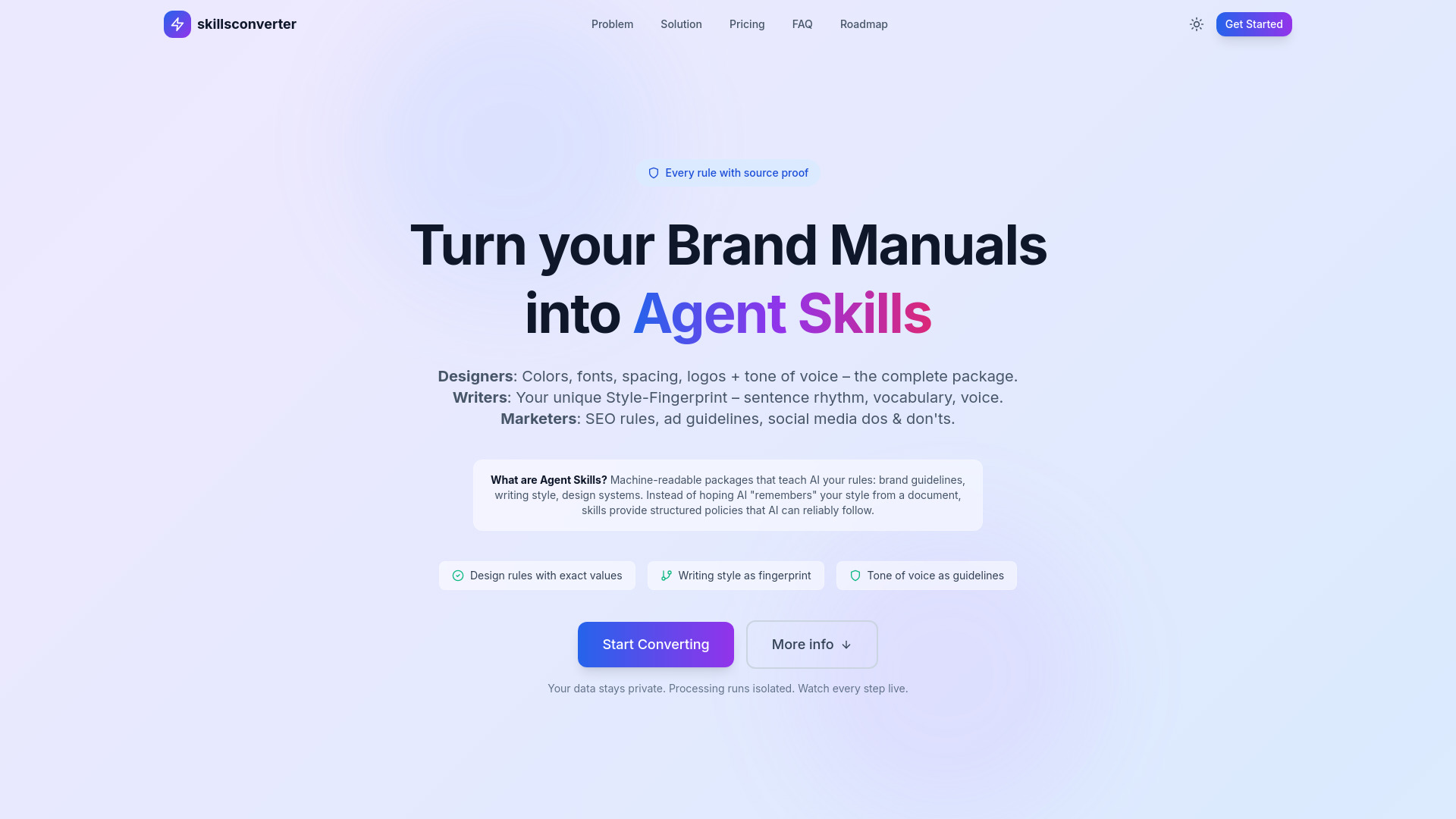
SkillsConverter is a tool designed to bridge the gap between your brand's documented guidelines and the understanding of AI models like ChatGPT, Claude, and Gemini. It addresses the common problem where AI struggles to interpret and adhere to specific brand rules, leading to generic outputs and time-consuming corrections. The tool allows users to upload their brand manuals, style guides, or writing samples, which are then processed to extract all relevant rules. These extracted rules are packaged into a structured "Skill Pack" that AI tools can reliably follow, ensuring brand consistency.
How to use SkillsConverter – Turn your brand manual into an AI-ready Skill Pack
- Upload your brand manual: Provide your brand guidelines, style guides, or writing samples to the tool.
- AI Extraction: The AI processes the uploaded documents, extracting rules related to colors, fonts, spacing, tone of voice, wording, and writing style.
- Download Skill Pack: Receive a structured Skill Pack containing all the extracted brand rules.
- Integrate with AI Tools: Drag and drop the Skill Pack into compatible AI tools like Claude, ChatGPT, Gemini, or Cursor to ensure AI adherence to your brand guidelines.
Features of SkillsConverter – Turn your brand manual into an AI-ready Skill Pack
- AI-Ready Skill Packs: Converts brand manuals into structured formats that major AI tools can understand and utilize.
- Comprehensive Rule Extraction: Extracts design rules (colors, fonts, spacing, logos) and writing style elements (tone of voice, vocabulary, sentence rhythm).
- Evidence-Bound Rules: Every extracted rule is backed by source quotes from the original document, eliminating AI hallucinations.
- Style-Fingerprint Creation: Captures unique writing styles, enabling AI to generate content that matches your specific voice.
- Visual Asset Inclusion: For Designer mode, includes color palette PNGs, page screenshots, and JSON exports.
- Multi-Language Support: Detects and processes over 50 languages, with optimized support for English and German.
- OCR for Scanned Documents: Automatically processes scanned PDFs to extract text and rules.
- Compatibility: Works with popular AI tools such as Claude, ChatGPT, Gemini, and Cursor.
- Data Privacy: User data is processed in isolation, and processing can be monitored live.
Use Cases of SkillsConverter – Turn your brand manual into an AI-ready Skill Pack
- Designers: Extract precise design rules for colors, typography, spacing, and logos to ensure visual consistency.
- Writers: Capture unique writing styles, tone, and vocabulary to enable AI to generate content in the brand's authentic voice.
- Marketers: Convert SEO guidelines, advertising rules, and social media best practices into AI-readable policies.
- Content Teams: Ensure all AI-generated content adheres strictly to brand guidelines, tone, and style.
- Brand Management: Maintain brand consistency across all AI-assisted communications and content creation efforts.
Pricing
SkillsConverter offers a pay-per-conversion model with different tiers based on the type of output and document complexity:
- Preview (Free): Up to 15 pages, fast extraction, design rules, page citations, ~45 seconds processing time. No verification.
- Marketer ($5 + $0.03/page): Includes 2-pass verification, overclaim detection, confidence scores, playbooks, tone of voice, brand guidelines. ~90 seconds processing time.
- Author ($8 + $0.04/page): Analyzes writing style, sentence rhythm, tone, signature phrases. Multi-file upload supported. ~2 minutes processing time.
- Designer ($12 + $0.05/page): Includes all Marketer features plus logo/font assets, color palette PNG, page screenshots, JSON export. ~2 minutes processing time.
- Credit Pack (Coming Soon): Bulk discounts for multiple documents.
- Enterprise: Self-hosted, unlimited conversions. Contact for pricing.
FAQ
- What types of documents can I convert? Brand documents (Design Manuals, Brand Guidelines, Playbooks), writing samples (articles, blog posts, books), and Tone of Voice guidelines.
- Which file formats are supported? PDF, DOCX, TXT for content. SVG, PNG, JPG, GIF for logos. WOFF2, TTF, OTF for fonts. ZIP archives are extracted automatically. Scanned PDFs use OCR.
- Which languages are supported? Over 50 languages are detected automatically, with optimized support for English and German. Works well with French, Spanish, Italian, Dutch, and Portuguese.
- What about scanned PDFs or image-heavy documents? Scanned PDFs are processed via OCR. Image-heavy documents may have limited extraction. Text-heavy documents work best for Author mode.
- What's the difference between Preview, Marketer, Author, and Designer? Preview is a free test. Marketer focuses on verified rules for marketing content. Author analyzes writing style for a "Style-Fingerprint." Designer includes visual assets and design system elements.
- What is the Author mode / Style-Fingerprint? It analyzes writing samples to create a unique profile of your writing style (sentence patterns, tone, vocabulary) so AI can write in your voice.
- Why does Designer cost more? It includes visual assets like color palette PNGs, screenshots, and JSON exports, essential for design systems.
- Is there a page limit? Preview is limited to 15 pages. Marketer, Author, and Designer support over 200 pages. Large documents are chunked automatically.