What is snakegame.io
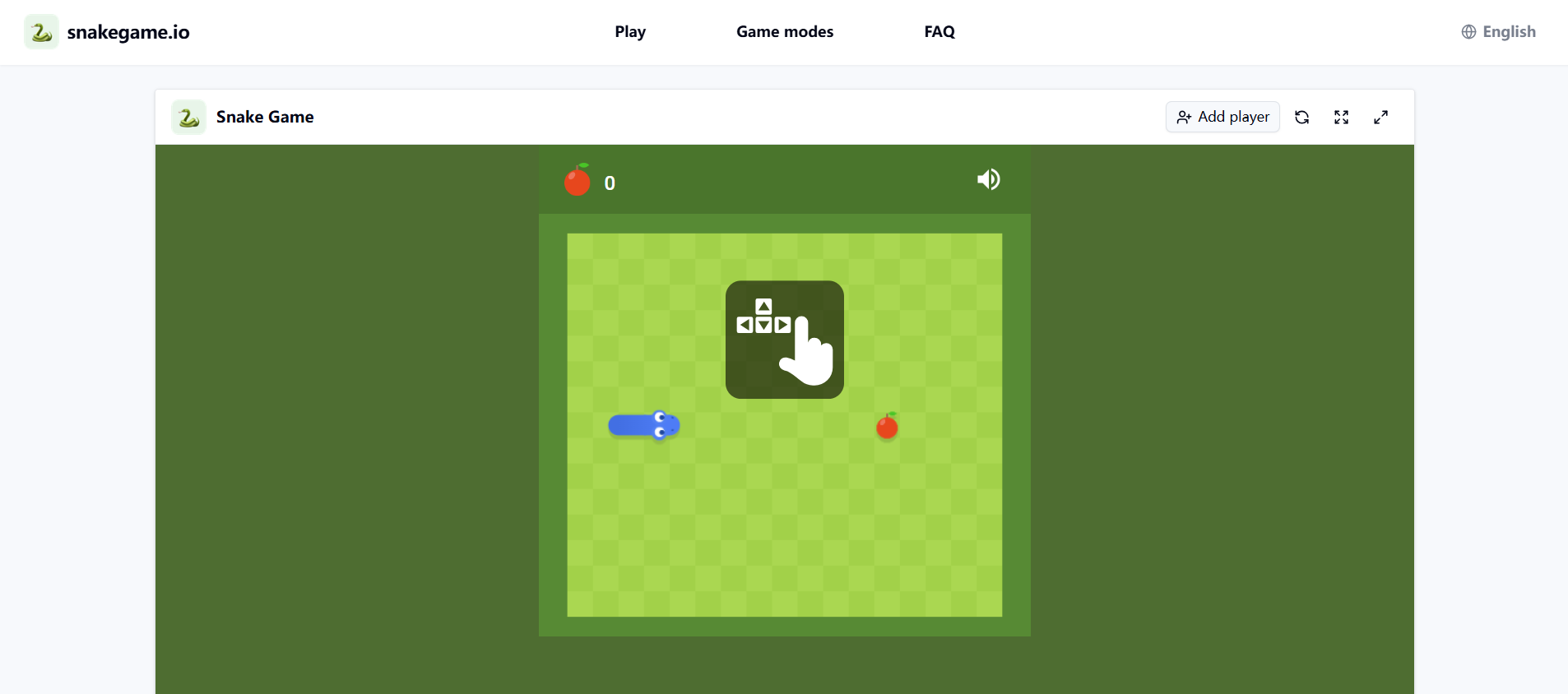
snakegame.io is a free online snake game that offers classic solo play, local two-player battles, and AI opponents. It runs directly in your browser without requiring any login, download, or installation. The game is available in multiple languages and supports both light and dark themes.
How to use snakegame.io
- Open the snakegame.io website in a supported browser.
- The game loads automatically; you can start playing immediately.
- Use the arrow keys for solo play or for the second player in local mode.
- Use WASD keys for player one in a local two-player match.
- To add a local second player, click the "Add player" button.
- To play against the AI, select the AI mode and choose a difficulty level (Easy, Normal, or Hard).
- Use the on-screen controls to reload the game, enter theater mode, or go fullscreen.
Features of snakegame.io
- Game modes: Solo, local two-player, and AI duel.
- AI difficulty levels: Easy, Normal, and Hard.
- Controls: Arrow keys for solo and second player; WASD for player one in local multiplayer.
- No login required: Play without creating an account or downloading anything.
- Free to play: No paywall or hidden costs.
- Browser-based: Runs online in your browser.
- Theater and fullscreen modes: For a larger board view.
- Multi-language support: Available in English, Chinese (Simplified and Traditional), Japanese, German, Portuguese, Spanish, French, Korean, Vietnamese, Danish, Indonesian, Italian, Dutch, Norwegian, Polish, Thai, and Turkish.
- Responsive design: Adapts to different screen sizes.
Use Cases of snakegame.io
- Classic solo players: Practice and chase personal best scores.
- Friends on one computer: Compete head-to-head using a shared keyboard.
- Players who want an AI rival: Challenge the computer at adjustable difficulty levels.
- Short-break gamers: Play a quick round without logging in or managing saves.
- Families: Enjoy a simple game together on a single device.
FAQ
Can I play snake game online for free?
Yes. The snake game, local two-player mode, and AI opponent are free to use in a supported browser, with no paid unlock required to begin or replay a round.
Do I need to create an account or log in?
No. There is no registration form, download, paywall, or profile to create before playing.
How do I add a local second player?
Click the "Add player" button to add a local second player. Player one uses WASD, and player two uses the arrow keys.
What keys do both local players use?
Player one uses WASD, and player two uses the arrow keys.