What is SoundBoost
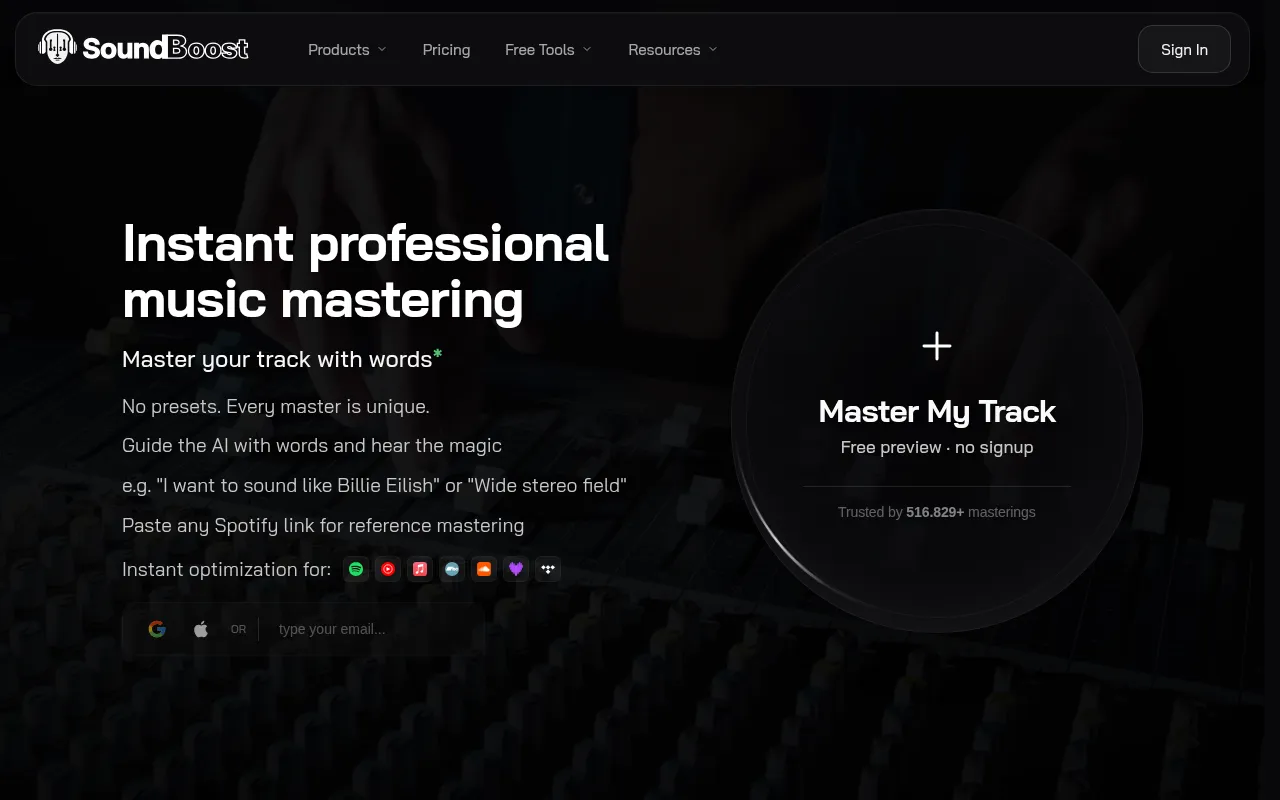
SoundBoost is an AI-powered online mastering service that transforms uploaded tracks into release-ready masters. It utilizes text prompts, reference songs, and automatic loudness control to achieve professional audio mastering.
How to use SoundBoost
- Upload your track (supported formats include audio files like .wav, .mp3, .flac, .m4a, .ogg, .opus, .aiff, .aac, .alac, and video files like .mp4, .mov, .m4v, .webm, .mkv, .avi, .3gp).
- Guide the AI mastering process using text prompts to describe the desired sound (e.g., "I want to sound like Billie Eilish" or "Wide stereo field").
- Optionally, provide a reference track by pasting any Spotify link to match its loudness, width, and tone.
- The AI analyzes your audio and applies a tailored signal chain, including effects and filters, to create a master.
- Review the mastered track, compare it with the original using the A/B feature, and make revisions if needed.
- Export the final master in various formats (MP3, WAV, FLAC, OGG, AAC, M4A) at different bit depths and sample rates.
Features of SoundBoost
- AI mastering with text prompts for guided sound shaping.
- Reference mastering by matching a Spotify link.
- Automatic loudness control and optimization for streaming platforms (Spotify, Apple Music, YouTube Music, etc.).
- Multiple AI mastering engineer personas (Default, Sophia, Alex, Marcus, Luna, Kai).
- Free Stem Splitter & Vocal Remover to separate vocals, drums, bass, and instruments.
- Visual Creator for generating album covers and videos.
- Mobile app available for iOS and Android.
- LUFS Meter and Loudness Penalty tool for audio analysis.
- ID3 Tag Editor for metadata.
- Audio conversion tool.
- Text-to-audio sample generation.
- Link-in-bio service.
- Privacy-focused: AI is not trained on user music.
Use Cases of SoundBoost
- Musicians and producers can achieve release-ready masters quickly.
- Creating acapellas or instrumental tracks using the stem splitter.
- Remixing, practicing, or creating backtracks.
- Generating unique visuals for music releases.
- Ensuring masters translate well across different streaming platforms.
- Experimenting with different AI mastering engineer styles and prompts.
Pricing
SoundBoost offers subscription plans that include unlimited mastering credits and stem splitter runs. Plans are available on a weekly, monthly, or annual basis, with a consistent feature set across all tiers.
FAQ
What is Mastering? Mastering is the final stage of audio production where a mix is refined and polished to ensure it sounds its best, is ready for release, and translates well across all playback systems. It enhances the overall sound, addresses sonic issues, and brings out the best in the music.
What makes SoundBoost's AI mastering different? SoundBoost's AI analyzes audio for genre, BPM, and sonic needs, then assembles a tailored signal chain from numerous processors. It offers prompt-to-mastering, reference track matching, and multiple AI engineer personas for genre-aware mastering. The process is fast, typically taking about a minute per track.
How to prepare a song for mastering?
- Ensure a good mix with balanced levels and no distortion.
- Provide headroom by avoiding clipping on the master bus.
- Avoid over-processing in the mix stage.
- Use high-quality audio files (e.g., 24-bit or 32-bit at 44.1kHz or higher).
What is Prompt to Mastering? This feature allows users to describe their desired sound in natural language (e.g., "punchy like a hip-hop hit"), and the AI system applies these instructions to the music.
How fast can I go from mix to a release-ready master? Uploading a WAV file and selecting an AI engineer typically results in a streaming-ready master in under a minute. The system automatically handles loudness, true peak, and stereo balance.
Can I master on my phone or tablet? Yes, SoundBoost offers a mobile app for iOS and Android that mirrors the desktop suite's functionality, allowing users to master music on the go.
Do I still get creative control? Yes, users have creative control through features like dialing intensity, toggling analog warmth, switching mastering on/off for A/B comparison, and selecting engineer profiles. Reference Mastering also allows for matching specific track characteristics.
How do I ensure my master translates everywhere? Use the Loudness Penalty & Device Simulation tool to preview how your master will sound on various platforms and devices. The browser-based LUFS meter and Loudness Range analyzer provide accurate readings without uploading files.
Which options/prompts are best? SoundBoost aims for the initial master to meet needs and translate well. Users are encouraged to experiment with different settings and prompts to find their perfect sound. The "finalize mastering" option applies the chosen algorithm to the entire song.
How does pricing work? Subscription plans offer unlimited mastering credits and stem splitter runs. Options include weekly, monthly, and annual plans with the same professional feature set.
Is my audio private and secure? Yes, SoundBoost does not train its models on user masters or share them with third parties. Client-side tools run entirely in the browser for added privacy.