Newsletter
Join the Community
Subscribe to our newsletter for the latest news and updates

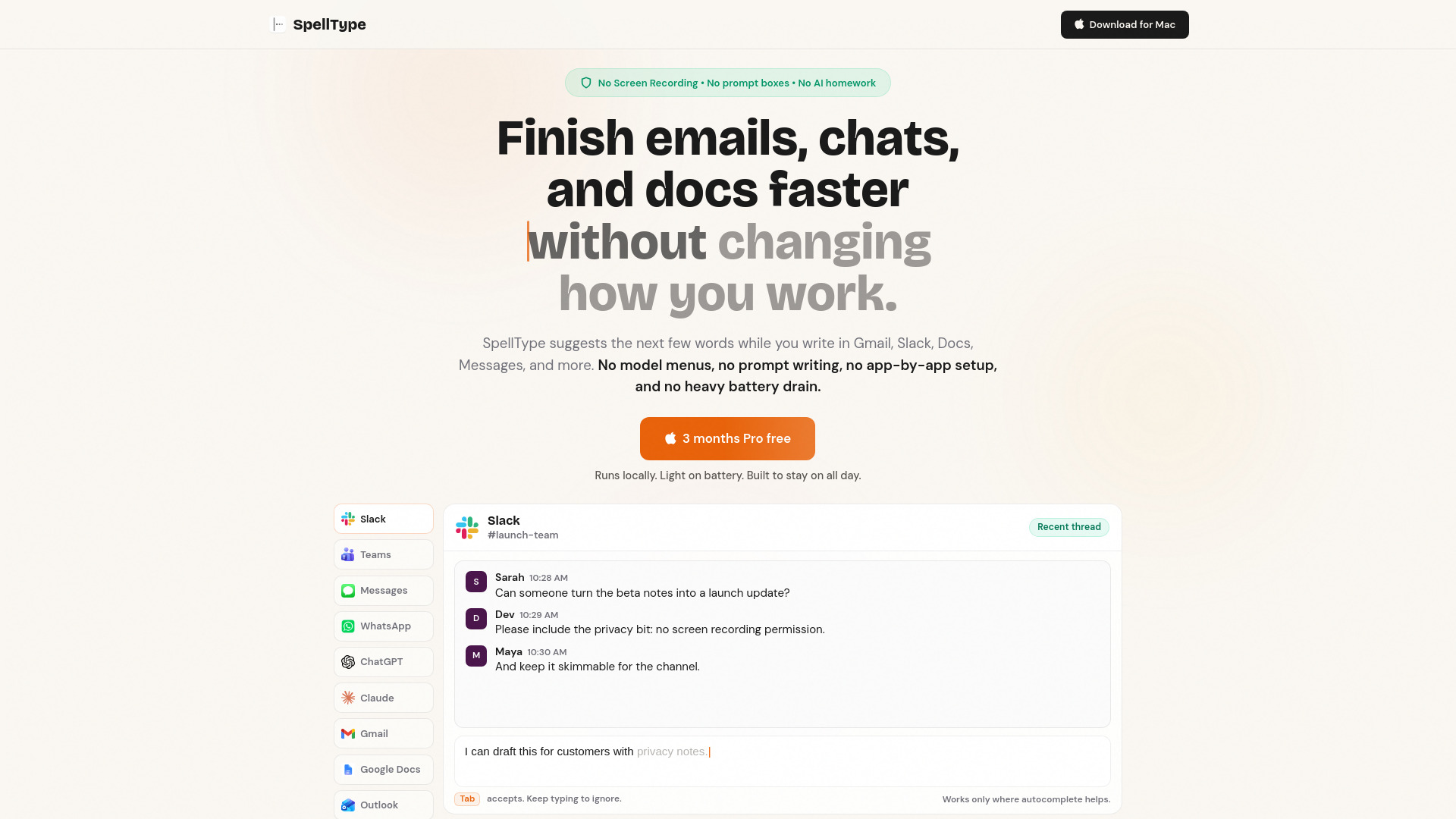
Private AI autocomplete app for Mac writing.
SpellType is a private AI autocomplete app for Mac that helps you finish emails, docs, messages, and work chat faster. It provides inline suggestions while you type in supported apps like Gmail, Google Docs, Slack, Teams, Messages, WhatsApp, ChatGPT, Claude, and Outlook. All suggestions run locally on your Mac, so no text leaves your device. It does not require Screen Recording permission, does not collect Mac app analytics, and works offline.
SpellType offers a Free plan with 1,000 accepted completions per week, and Pro plans for unlimited suggestions:
Will this actually save me time? If you write a lot of replies, notes, updates, or drafts, SpellType saves time by reducing repeated typing and removing the need to jump into a separate AI tool.
Will it slow down my Mac? SpellType is built around a small local model, fast suggestions, and low battery impact so it can stay useful during normal writing.
Does SpellType record my screen? No. SpellType does not ask for Screen Recording permission, does not take screenshots, and does not watch your screen.
What permission does SpellType need? SpellType uses macOS Accessibility permission for autocomplete support in supported apps. It does not need Screen Recording.
Does my writing leave my Mac? No autocomplete text is sent to SpellType for suggestions. Suggestions run locally on your Mac. SpellType does not collect Mac app analytics, suggestion history, prompts, or nearby text.
Does SpellType work offline? Yes. Suggestions run locally, so autocomplete keeps working without an internet connection.
Do I need to choose an AI model? No. SpellType is made for people who want useful AI without studying AI settings. There are no model menus, engine choices, or prompt boxes to manage.
Do I need to set up each app? No. After the Mac permission setup, SpellType handles supported apps automatically and stays quiet where autocomplete would not help.
Will SpellType work everywhere? SpellType works in supported writing apps and stays quiet where autocomplete would not help.
Will SpellType interrupt me while I type? No. If a suggestion helps, press Tab. If it does not, keep typing and SpellType gets out of the way.
Will my writing sound like AI? SpellType completes your thoughts instead of writing whole messages for you. You stay in control, so your writing still sounds like you.
What makes SpellType different from other AI autocomplete apps? SpellType is private autocomplete, not screen-aware AI. No Screen Recording, no Mac app analytics, no cloud autocomplete, no model menus. Just local suggestions in the apps where you write.
Why pay if it runs locally? Because the ongoing work is compatibility, polish, and reliability. Paid plans fund that work so SpellType keeps feeling simple.