What is Stitch.ai
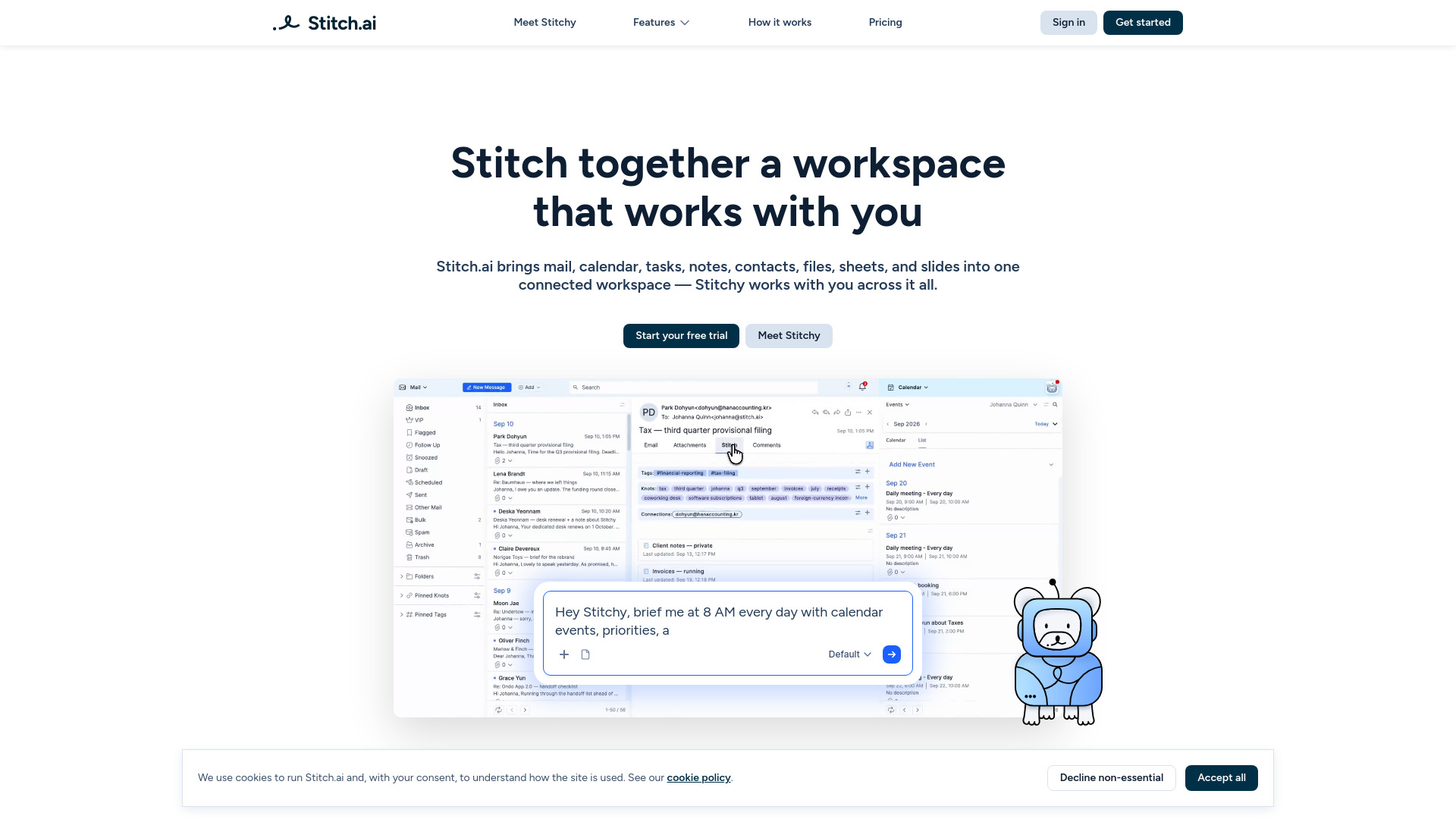
Stitch.ai is a connected productivity workspace that brings mail, calendar, contacts, tasks, notes, sheets, slides, and files into one integrated platform. It features Stitchy, an AI assistant that works across all these apps to automate organization and provide contextual assistance.
How to use Stitch.ai
- Sign up for a free trial (currently, new sign-ups are paused due to full capacity; you can join the waitlist).
- Access the workspace via the web app or download the iPhone app (Android coming soon).
- Use the various apps (Mail, Calendar, Notes, Tasks, Contacts, Files, Sheets, Slides) within the unified workspace.
- Drag and drop items to stitch them together, creating connections between emails, tasks, notes, files, and events.
- Interact with Stitchy, the AI assistant, to automate repetitive work, get summaries, and receive important updates.
- Utilize Tags and Knots (auto-generated labels and keywords) to navigate and organize your work.
- Browse your workspace by topic, keyword, or person using the Knowledge Panel and Knowledge Hub.
Features of Stitch.ai
- Unified Workspace: Mail, Calendar, Contacts, Tasks, Notes, Sheets, Slides, and Files in one place.
- Stitchy AI Assistant: Works across all apps, automates tasks, and provides contextual assistance.
- Stitching: Drag and drop to connect emails to tasks, notes to files, meeting notes to events, etc.
- Tags and Knots: Automatically generated labels and keywords for easy navigation and organization.
- Knowledge Panel: Browse work by topic, keyword, or person.
- Knowledge Hub: View all items connected to a contact or extract summaries from notes and files.
- Mobile App: Available for iPhone; Android coming soon.
- AI-Powered Organization: Automatic extraction of Knots and Tags from all content.
Use Cases of Stitch.ai
- Email Management: Ask Stitchy to watch for important incoming emails and draft responses.
- Calendar Management: Add context to events and manage your calendar efficiently.
- Task Management: Chase down overdue tasks and keep project boards up to date.
- Note Organization: Organize key notes from emails into one notebook.
- File Organization: Keep files organized and connected across your workspace.
- Contact Context: View every email, event, note, task, and file connected to a person.
- Project Coordination: Connect related items across apps to streamline workflows.
FAQ
Is Stitch.ai an email client?
No — it’s your own inbox at @stitch.ai, seamlessly integrated with your own calendar, tasks, notes, contacts, files, sheets, and slides.
Can I import existing accounts?
You can import MBOX files from other sources, such as Gmail or Apple Mail.
Do I have to tag things manually?
No, Knots and Tags are automatic, but you can add your own manual knots and tags as you wish; stitching is optional.