What is SVG Converter
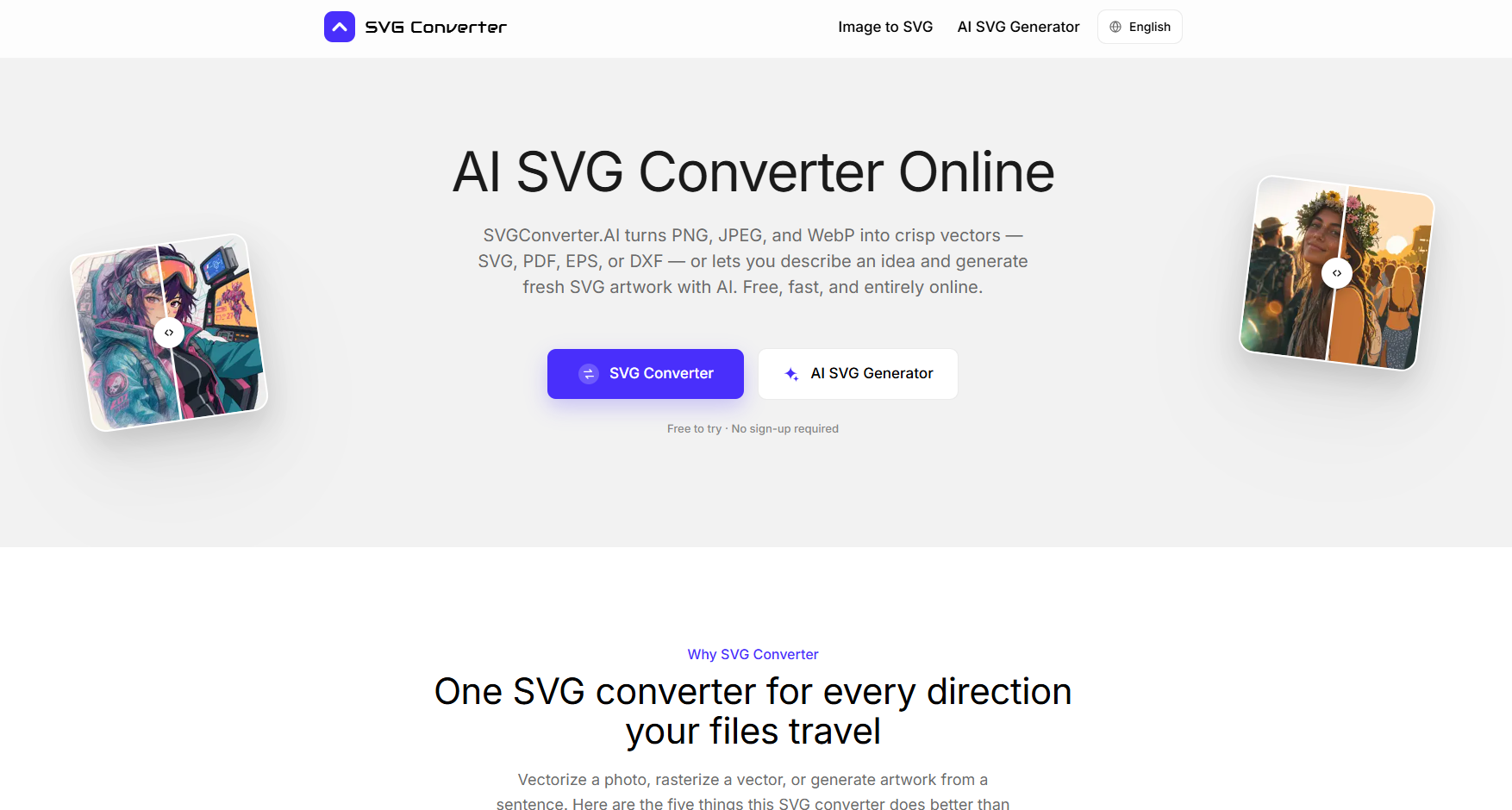
SVG Converter is a free, AI-powered online tool that converts images to vector formats and generates new SVG artwork from text prompts. It supports converting PNG, JPEG, and WebP images to SVG, PDF, EPS, or DXF, and also converts vector files back to raster formats like PNG, JPG, GIF, WebP, and AVIF. The tool runs entirely in the browser, requires no sign-up, and processes files securely with automatic deletion.
How to use SVG Converter
- Convert an image to vector: Go to the "Image to SVG" section, upload a PNG, JPG, or WebP file, and choose your desired output format (SVG, PDF, EPS, or DXF). The AI traces the image into clean, editable vector paths.
- Generate SVG with AI: Use the "AI SVG Generator" to type a description of the artwork you want, such as "a minimalist mountain badge" or "a set of finance icons." The AI creates layered, editable SVG files that you can refine with additional prompts.
- Convert vector to raster: Upload an SVG, PDF, EPS, or DXF file and select a raster format (PNG, JPG, GIF, WebP, AVIF) for web, social media, or other uses.
- Download your result: After conversion or generation, download the file in your chosen format. No account or watermark is added.
Features of SVG Converter
- Bidirectional conversion: Convert raster to vector and vector to raster in one tool.
- AI-powered tracing: Produces clean, editable paths with sub-pixel accuracy and faithful color reproduction.
- AI generation from text: Create original SVG artwork from a simple description.
- Multiple output formats: Supports SVG, PDF, EPS, DXF, PNG, JPG, GIF, WebP, and AVIF.
- No sign-up or installation: Works entirely in the browser on any device.
- Privacy-focused: Files are encrypted, used only for conversion, and deleted automatically.
- Free to use: No subscription, watermark, or hidden costs.
Use Cases of SVG Converter
- Logo vectorization: Convert a PNG or JPG logo into a scalable SVG for print or web.
- Print-ready artwork: Prepare EPS or PDF files for commercial printing and embroidery.
- CAD and laser cutting: Export DXF files for laser cutters, plotters, and CAD software.
- Web graphics: Rasterize SVG to PNG or WebP for fast-loading web pages.
- Icon and illustration creation: Generate custom icons or illustrations from text prompts for decks, landing pages, or icon sets.
- Client work: Handle confidential designs securely without uploading to a server that retains data.
FAQ
Is this SVG converter really free?
Yes, every tool is free with no account, subscription, or watermark. You can use the results in personal and commercial projects.
Which formats does the SVG converter support?
Upload PNG, JPG, or WebP to get SVG, PDF, EPS, or DXF. Upload SVG, PDF, EPS, or DXF to get PNG, JPG, GIF, WebP, or AVIF. The AI generator creates SVG from text.
Do I need to install software or a plugin?
No, the converter runs entirely in your browser. It works on macOS, Windows, Linux, ChromeOS, tablets, and phones.
Can I edit files after using the SVG converter?
Yes, vector output is fully editable in programs like Illustrator, Affinity Designer, Figma, Inkscape, or CAD software. Raster exports are finished images.
What happens to the files I upload?
Files travel over an encrypted connection, are processed only to create your download, and are deleted automatically. They are never sold, published, or used for training models.