What is Transcribe Audio
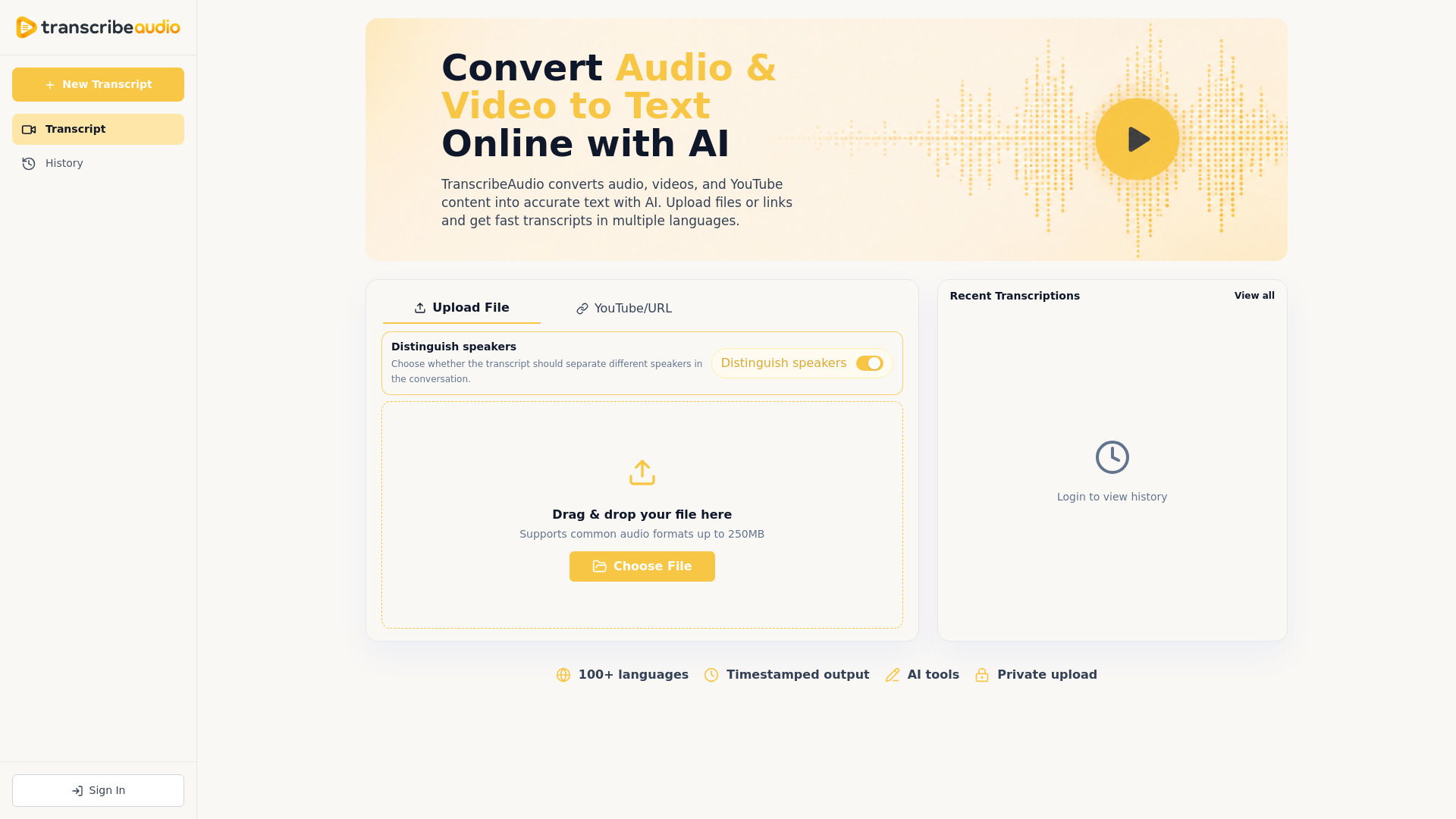
TranscribeAudio is a free online AI-powered tool that converts audio and video files, as well as YouTube links, into accurate text transcripts. It supports over 100 languages and offers features like speaker detection, timestamps, and AI-powered analysis tools.
How to use Transcribe Audio
- Upload or link: Drag and drop an audio or video file (up to 250MB) or paste a YouTube URL.
- Set speaker detection: Optionally enable speaker identification to label different speakers.
- Review transcript: After processing, review the generated transcript with timestamps and speaker labels.
- Analyze with AI: Use AI tools to summarize, create mind maps, ask questions, or translate the transcript.
- Export: Export the transcript as text, documents, or subtitle formats (SRT/VTT).
Features of Transcribe Audio
- Audio and video transcription: Supports common formats like MP3, WAV, MP4, MOV, and more.
- YouTube transcription: Paste a YouTube link to get a transcript.
- Speaker detection: Automatically identifies and labels different speakers.
- Timestamped output: Transcripts are synced with the original media for easy navigation.
- AI summaries and mind maps: Generate concise summaries and visual mind maps from transcripts.
- AI chat: Ask questions about the transcript to find key details.
- Translation: Translate transcripts into multiple languages.
- Export options: Export as text, documents, or subtitles.
- Privacy: Uploads are handled privately.
Use Cases of Transcribe Audio
- Meetings: Convert meeting recordings into searchable transcripts and action points.
- Interviews: Transcribe customer interviews and research recordings for easy quoting.
- Podcasts: Create transcripts and content ideas from podcast episodes.
- Lectures and webinars: Turn educational content into searchable notes.
- Content creation: Generate captions, subtitles, and summaries for videos.
- Team collaboration: Keep teams aligned with clear meeting notes.
FAQ
What file formats can I transcribe? TranscribeAudio supports common audio and video formats, including MP3, WAV, MP4, MOV, and more.
How accurate is AI transcription? Accuracy depends on audio quality, background noise, and speaker clarity. Clear recordings produce better results.
Can I transcribe YouTube videos? Yes, you can paste a YouTube URL to generate a transcript.
Can I generate subtitles from videos? Yes, after transcription, you can export the transcript in subtitle formats like SRT or VTT.
Can I summarize a video after transcription? Yes, use the AI Summary feature to generate a structured summary.
Can I ask questions about the video? Yes, the AI Chat feature lets you query the transcript for specific information.
Can I translate the transcript? Yes, the result page includes translation for transcript segments.
Is my transcript private? Private handling depends on the configured backend and product policy. Avoid uploading sensitive material unless you understand how files are processed.