What is TransToText
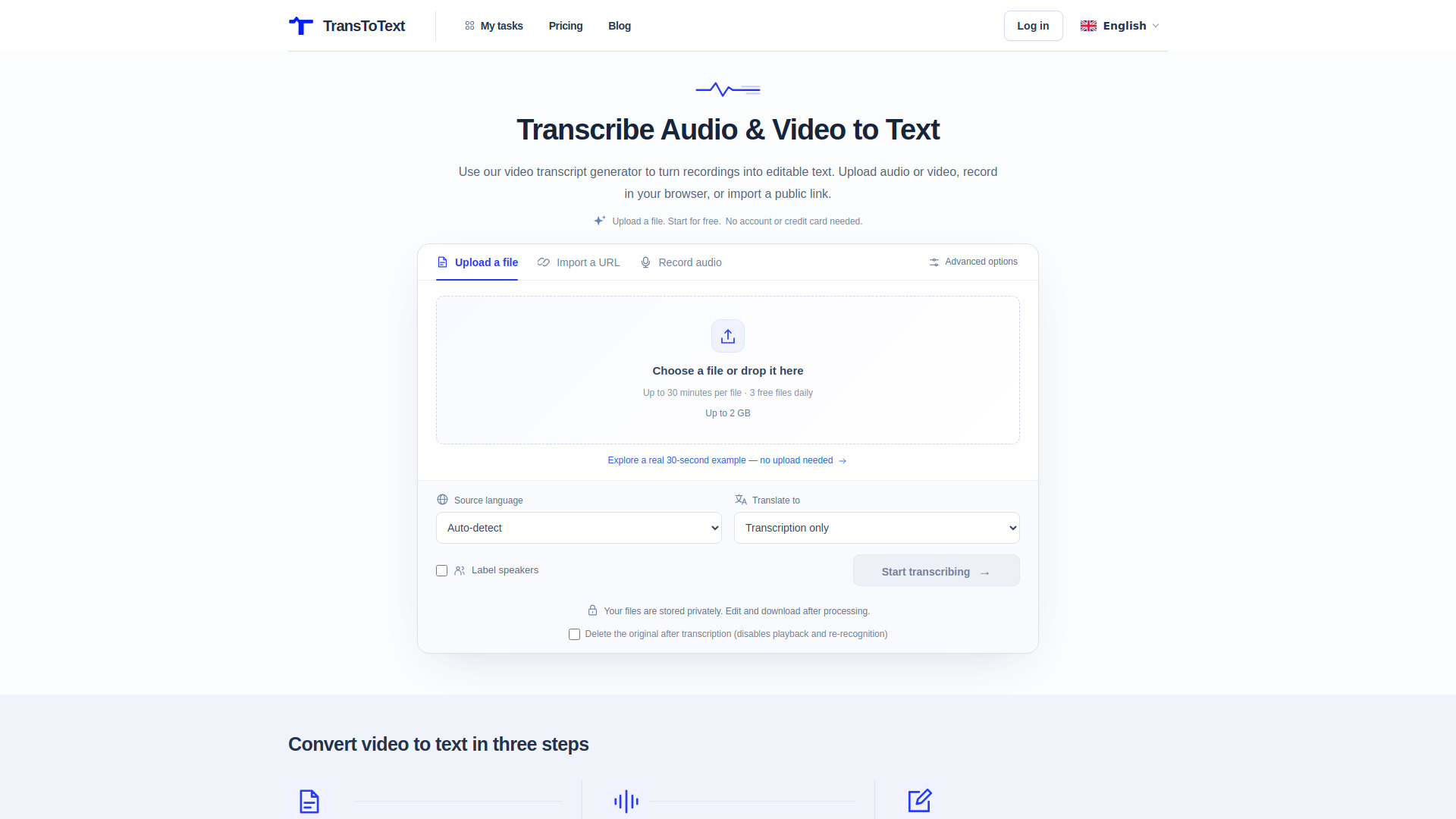
TransToText is an online tool for transcribing, editing, translating, and subtitling audio and video. It converts spoken content into editable text, supports translation, and allows downloading transcripts or timed subtitles. The service accepts a wide range of audio and video formats and offers multiple input methods, including file upload, URL import, and in-browser recording.
How to use TransToText
- Choose a file or link: Upload an audio or video file, paste a supported URL, or record audio directly in your browser.
- Set your languages and start: Select the source language (or use auto-detect), optionally choose a target language for translation, enable speaker labels if needed, and start transcription.
- Review and download: Open the completed result, replay passages, edit words or timing, and download your transcript or subtitles.
Features of TransToText
- Transcribes audio and video to text in 36 audio formats and 24 video formats, including MP3, WAV, MP4, MOV, and MKV.
- Supports translation to other languages.
- Generates timed subtitles in SRT format.
- Allows editing of transcript text and subtitle timing.
- Offers speaker labeling (diarization) to identify different speakers.
- Provides a built-in audio recorder for capturing voice memos directly in the browser.
- Enables importing from a public URL.
- Stores files privately; users can choose to delete the original after transcription.
- Free tier: up to 30 minutes per file and 3 free files daily, with no account or credit card required.
- Results are saved for 12 hours (free) or 30 days (Pro) and can be reopened from cloud history.
Use Cases of TransToText
- Voice recordings: Convert voice memos, interviews, or phone recordings into editable text.
- Podcast transcription: Generate show notes by extracting topics, quotes, and resources from episodes.
- Video transcription: Create searchable text from MP4, MOV, and other video files for easy reference.
- Meeting transcription: Draft meeting minutes from Zoom recordings or client calls, capturing decisions and action items.
- Subtitle creation: Generate SRT subtitles for MP3 audio or video files.
FAQ
What file formats are supported? TransToText supports 36 audio formats (including MP3, WAV, M4A, FLAC) and 24 video formats (including MP4, MOV, MKV, WEBM).
Can I translate the transcript? Yes, you can select a target language to translate the transcript during processing.
Is there a limit on file length? Free users can transcribe files up to 30 minutes long and process 3 files per day.
How long are my results stored? Free results are saved for 12 hours after completion; Pro results are saved for 30 days.
Can I edit the transcript? Yes, the transcript is editable, including text and subtitle timing.
Do I need an account? No account or credit card is needed to start; you can upload a file and begin for free.