What is Turner AI
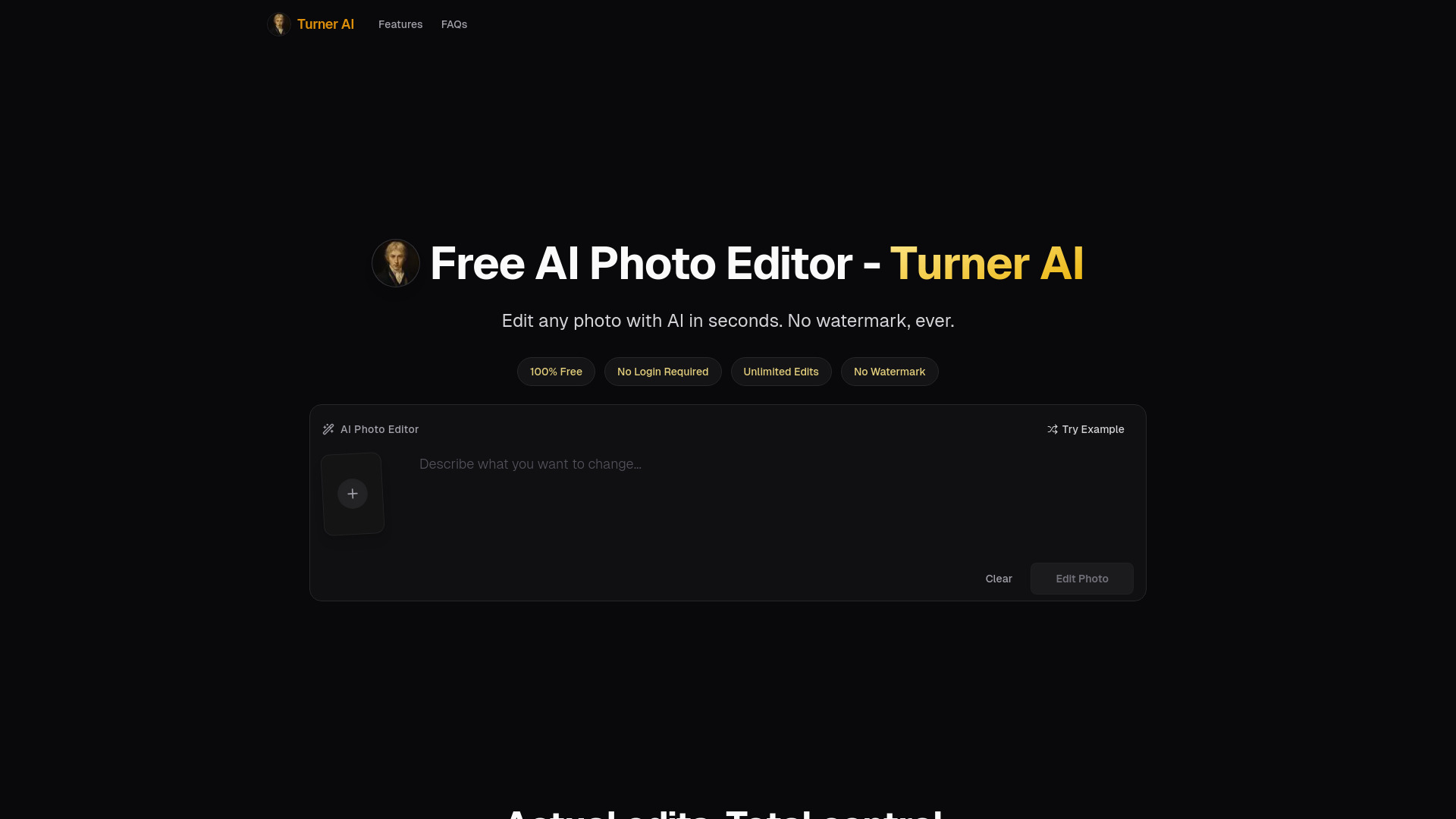
Turner AI is a free, unlimited AI photo editor that allows users to edit existing images using simple text prompts. It enables changes such as background replacement, object removal, color adjustments, lighting fixes, and text or detail edits—all without requiring a login or leaving a watermark.
How to use Turner AI
- Upload an existing photo (JPEG, PNG, or WebP).
- Describe the desired change in plain language using the text prompt (e.g., "Remove the alarm clock" or "Make the nails red").
- Click "Edit Photo" to apply the AI edit.
- Download the result—no signup or payment needed.
Features of Turner AI
- 100% Free: No credits, no hidden costs.
- No Login Required: Start editing immediately without creating an account.
- Unlimited Edits: Edit as many photos as you want.
- No Watermark: All outputs are clean and watermark-free.
- Plain-Word Editing: Describe changes in natural language.
- Clean, Natural Results: Localized edits preserve the original photo's structure.
Use Cases of Turner AI
- Change Background: Place a subject in a different scene without remaking the photo.
- Remove Object: Eliminate distractions like an alarm clock while keeping the rest natural.
- Change Color: Alter specific colors (e.g., nail polish) without affecting texture or lighting.
- Fix Light & Mood: Adjust lighting or add effects like warm sunlight.
- Text & Detail: Add or clean up small marks, words, or icons (e.g., print "COFFEE" on a mug).
FAQ
Q: Is Turner AI really free? A: Yes, it is 100% free with unlimited edits and no watermark.
Q: Do I need to create an account? A: No, no login or signup is required.
Q: What file formats are supported? A: JPEG, PNG, and WebP images are accepted.
Q: Can I edit any photo? A: Yes, you can edit existing images by uploading them and describing the change.