What is Tyndall AI
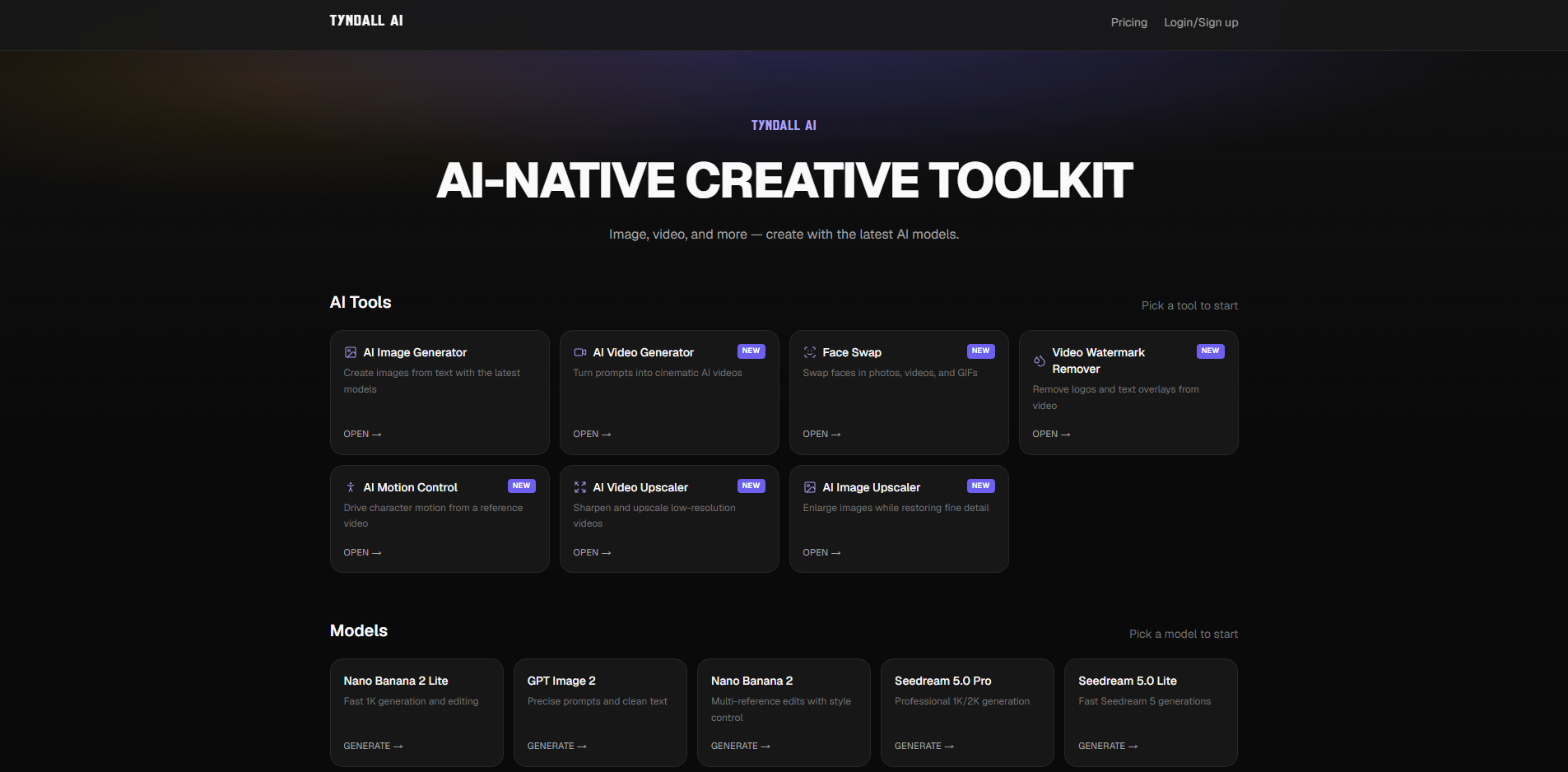
Tyndall AI is an AI-native creative toolkit for image and video generation. It provides a suite of tools for creating, editing, and enhancing visual content using the latest AI models.
How to use Tyndall AI
- Visit the Tyndall AI website and choose a tool from the AI Tools section, such as AI Image Generator, AI Video Generator, Face Swap, Video Watermark Remover, AI Motion Control, AI Video Upscaler, or AI Image Upscaler.
- For generation tools, enter a text prompt describing the desired image or video. Optionally, upload reference images for video generation or face swap tools.
- Select a model from the available options (e.g., Nano Banana 2 Lite, GPT Image 2, Seedream 5.0 Pro) and configure settings like resolution or duration.
- Click the generate or run button to process your request. Results appear on-page for preview.
- Download the final output. Some tools require signing in and using credits.
Features of Tyndall AI
- AI Image Generator: Create images from text with various models.
- AI Video Generator: Turn prompts into cinematic AI videos, with options for text-to-video and image-to-video.
- Face Swap: Swap faces in photos, videos, and GIFs with realistic blending.
- Video Watermark Remover: Remove logos and text overlays from videos using AI reconstruction.
- AI Motion Control: Transfer motion from a reference video to a character image using Kling 3.0.
- AI Video Upscaler: Upscale low-resolution videos to 1080p, 2K, or 4K.
- AI Image Upscaler: Enlarge images to 2K, 4K, or 8K while restoring detail.
- Multiple AI Models: Access to models like Nano Banana, Seedream, GPT Image, and more.
- No Added Watermark: Outputs do not include a Tyndall watermark.
- Free Daily Credits: Users get 10 free credits per day to try tools.
Use Cases of Tyndall AI
- Content Creation: Generate images and videos for social media, ads, and marketing.
- Video Editing: Remove watermarks, upscale footage, and swap faces for creative projects.
- Animation: Use AI Motion Control to animate characters for storytelling or dance clips.
- Personal Projects: Create memes, GIFs, and avatars with face swap and image generation.
- Professional Work: Enhance product shots, artwork, and old photos with upscaling tools.
FAQ
Is Tyndall AI free?
You get 10 free credits every day. Additional credits can be purchased through paid plans.
Do I need to sign up?
Browsing is open, but processing tools requires signing in to apply credits.
Are there watermarks on outputs?
No, Tyndall AI does not add watermarks to generated or processed content.
What formats are supported?
Image tools accept JPG, PNG, and WEBP. Video tools accept MP4, MOV, and WEBM with size limits.
Can I use outputs commercially?
Paid plans allow commercial use per the Terms of Service. Free-tier use is for personal/non-commercial unless stated otherwise.