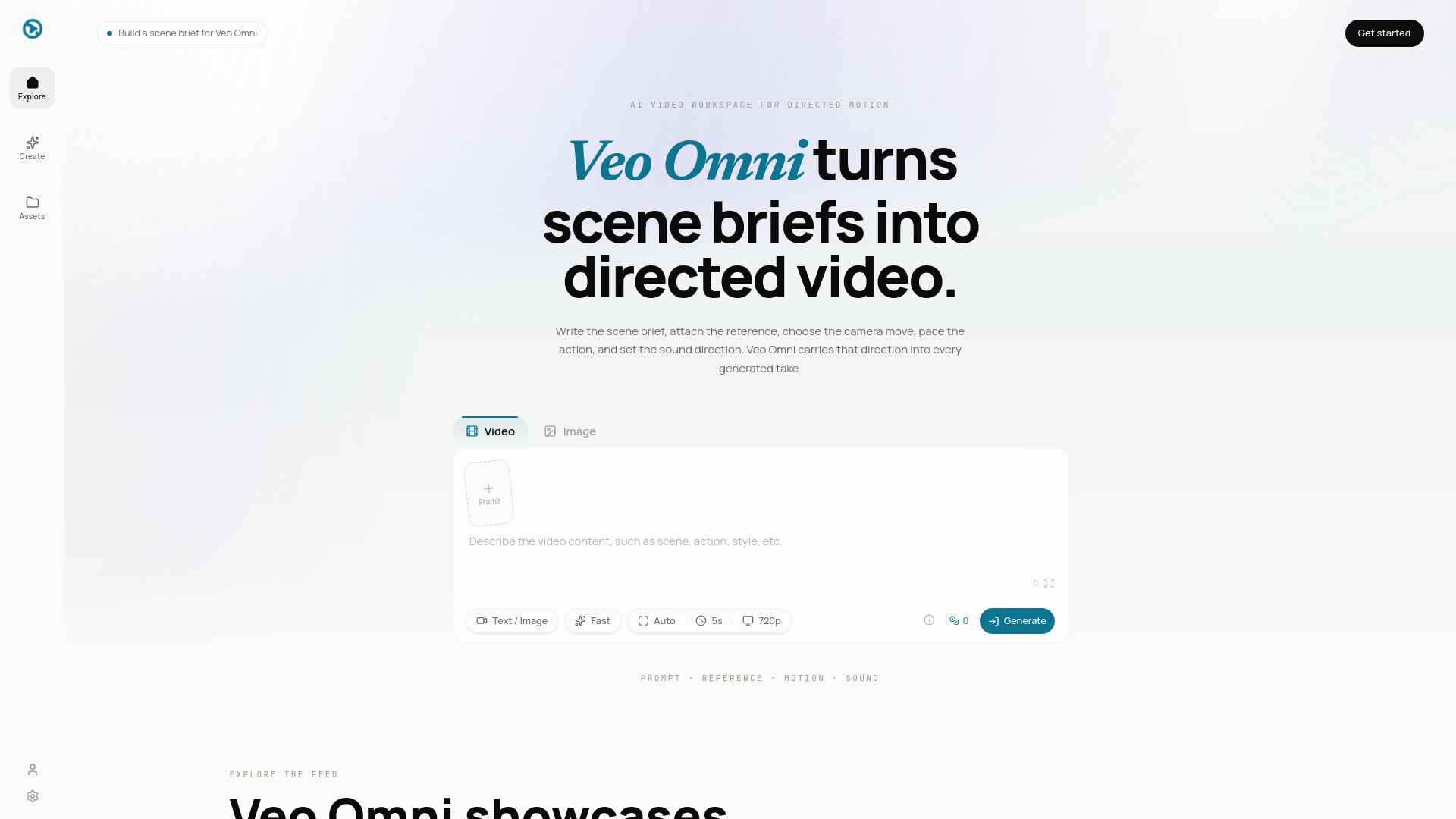
What is Veo Omni - 2
Veo Omni is an AI video workspace designed for turning scene briefs into directed videos. It allows users to plan and generate AI video clips from scene briefs, references, camera moves, motion notes, and sound direction.
How to use Veo Omni - 2
- Write the scene brief: Describe the subject, setting, action, camera move, pace, light, mood, and output format in a plain-language brief.
- Attach the visual anchor: Add image references, choose aspect ratio, set duration, shape camera language, and include audio or motion notes.
- Generate the next take: Review the output, keep the strongest take, adjust the brief or reference, and generate the next version without losing context.
Features of Veo Omni - 2
- Scene-first prompting: Write scenes like a mini treatment, including subject, setting, action, camera, movement, light, mood, and format.
- Reference-led video: Use product shots, character frames, storyboard panels, or visual targets to anchor the look.
- Camera motion control: Specify push-ins, pans, orbit shots, handheld energy, slow reveals, product turns, and shot pacing.
- Sound-aware direction: Plan dialogue tone, ambience, music mood, rhythm, and SFX intent.
- Character and product hold: Maintain consistency for products, faces, outfits, locations, palettes, and framing.
- Native social formats: Generate content for TikTok, Reels, Shorts, product pages, ads, square posts, or widescreen cuts.
- Style without prompt soup: Define visual systems like product commercial, anime, documentary, film noir, claymation, editorial, or brand-specific styles.
- First-to-last frame arcs: Anchor the first and final frames for planned reveals, transitions, and openers.
- Take-by-take iteration: Break ideas into shots, compare variants, keep strong takes, and build sequences.
Use Cases of Veo Omni - 2
- Ad concepts from one line: Turn campaign angles into directed clips for TikTok, Reels, Shorts, product launches, and landing page tests.
- Product motion from stills: Animate product photos, renders, or packaging shots into recognizable clips.
- Creator scenes with rhythm: Draft intros, explainers, music visuals, shorts, mood pieces, and social stories with motion and sound intent.
- Previs before production: Explore camera moves, blocking, character motion, product reveals, and visual tone before committing to production.
Pricing
Veo Omni offers various plans and credit packs. Plans include monthly and yearly subscriptions with different credit allocations and features. Credit packs are available as one-time purchases. Pricing details are available on the website.
FAQ
- What is Veo Omni? Veo Omni is an AI video workspace for turning prompts, image references, camera moves, motion notes, and sound intent into generated scenes.
- What can I create with Veo Omni? You can create ads, product clips, social videos, storyboard beats, explainer scenes, mood pieces, and reference-guided video drafts.
- How does text-to-video prompting work? Describe the scene like a shot brief: subject, action, lens feel, lighting, style, emotion, duration, and aspect ratio.
- Can I use image references? Yes. Image references help guide composition, product identity, character look, palettes, environment, and visual style.
- Does Veo Omni support audio direction? Yes. You can write audio intent into the brief, including dialogue tone, ambience, music mood, rhythm, and sound effects.
- Which formats work best? Use 9:16 for Shorts, Reels, and TikTok; 16:9 for cinematic and YouTube scenes; 1:1 for square social posts.
- How is Veo Omni different from a basic prompt box? Veo Omni centers the whole scene brief: prompt structure, image references, camera language, motion planning, sound direction, and take-by-take iteration.
- Can teams use Veo Omni for commercial creative work? Teams can use the workspace to plan ads, product demos, storyboards, brand scenes, and social campaigns. Always review active model and provider terms for final commercial output.