What is Verli
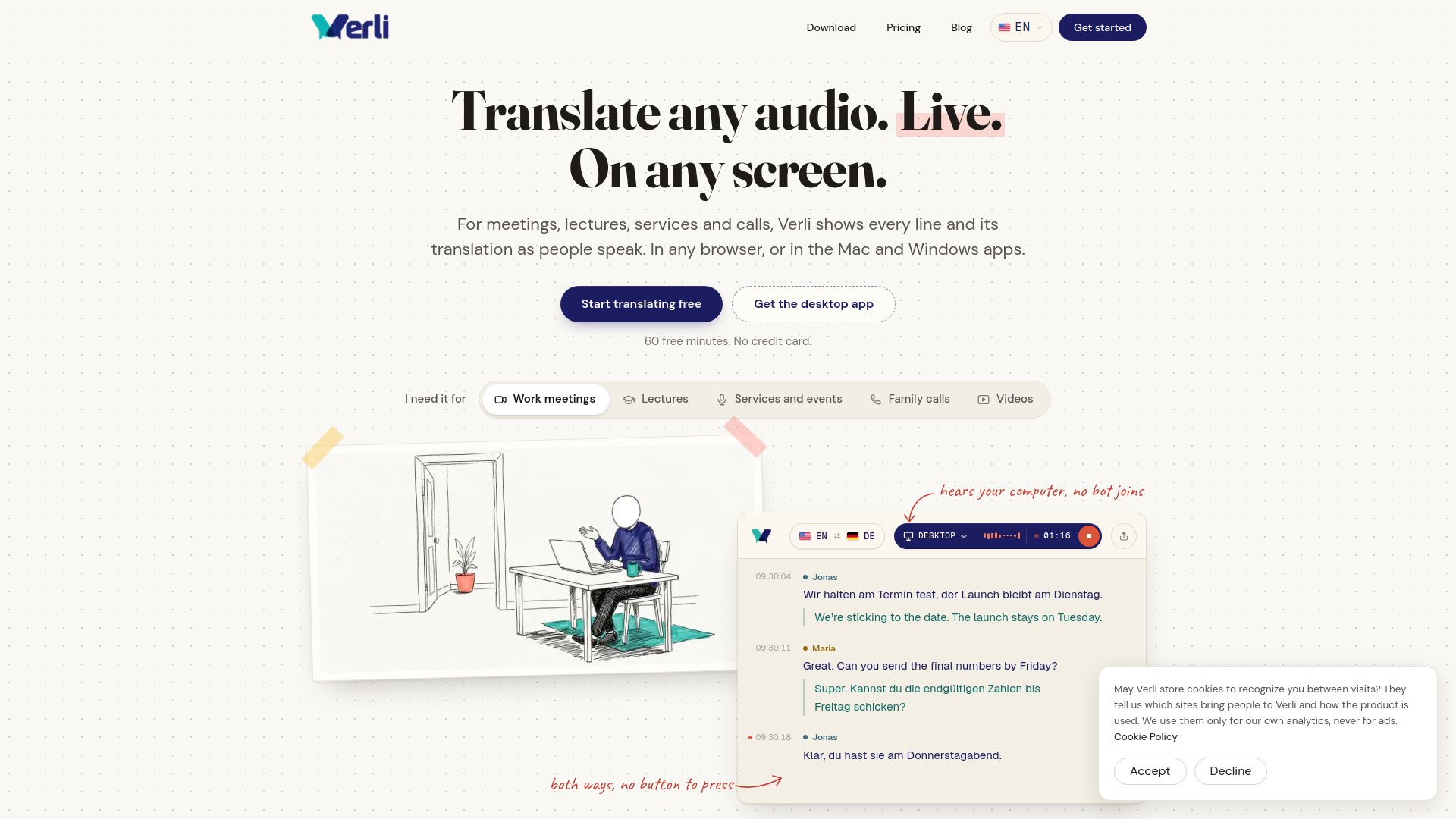
Verli is a live transcription and two-way translation tool for meetings, calls, lectures, services, and videos. It works by listening to audio from a browser tab, your computer's desktop audio, or your microphone, and displays each spoken line along with its translation in real time. Verli is available as a desktop app for Mac and Windows, as a browser extension, and in any modern web browser.
How to use Verli
- Choose what to listen to: Select a browser tab, all the audio on your computer (desktop audio), or your microphone. No bot joins the call, and nobody else needs to install anything.
- Pick two languages: Verli automatically detects who is speaking which language and translates both ways without requiring you to press a button.
- Read along as people speak: Each line appears with its translation a moment after it is said. You can copy the entire conversation or save it when you're done.
Features of Verli
- Live transcription and two-way translation for shared system audio and microphone input.
- Works with Zoom, Google Meet, Microsoft Teams, YouTube, and any browser tab.
- No bot joins the call; no additional installations required for other participants.
- Automatic language detection and bidirectional translation.
- Compact floating window that stays on top of other applications.
- Read-aloud feature on Mac and Windows that speaks translations in a voice matching each speaker, maintaining consistent voices throughout the conversation.
- Copy the whole conversation or save it for later.
- Available as a desktop app (Mac and Windows), browser extension, and web app.
Use Cases of Verli
- Work meetings: Follow a Zoom, Teams, or Google Meet call in your language while colleagues speak theirs.
- Lectures: Understand classes and presentations in a foreign language.
- Services and events: Follow along at conferences, religious services, or other gatherings where multiple languages are spoken.
- Family calls: Communicate with family members who speak a different language.
- Videos: Translate audio from videos, streams, or any media playing on your computer.
FAQ
Do I need to install anything for others to use Verli?
No, Verli works without others installing anything. It listens to audio from your computer or browser tab, so no bot joins the call.
Does Verli work with any video conferencing tool?
Yes, Verli works with Zoom, Google Meet, Microsoft Teams, and any browser tab, as well as any audio playing on your computer.
Can Verli translate both ways?
Yes, Verli automatically detects who is speaking which language and translates both ways without you pressing a button.
Is there a free trial?
Yes, you get 60 free minutes with no credit card required.