What is Video Transcription AI: Transcribe Video to Text Online for Free
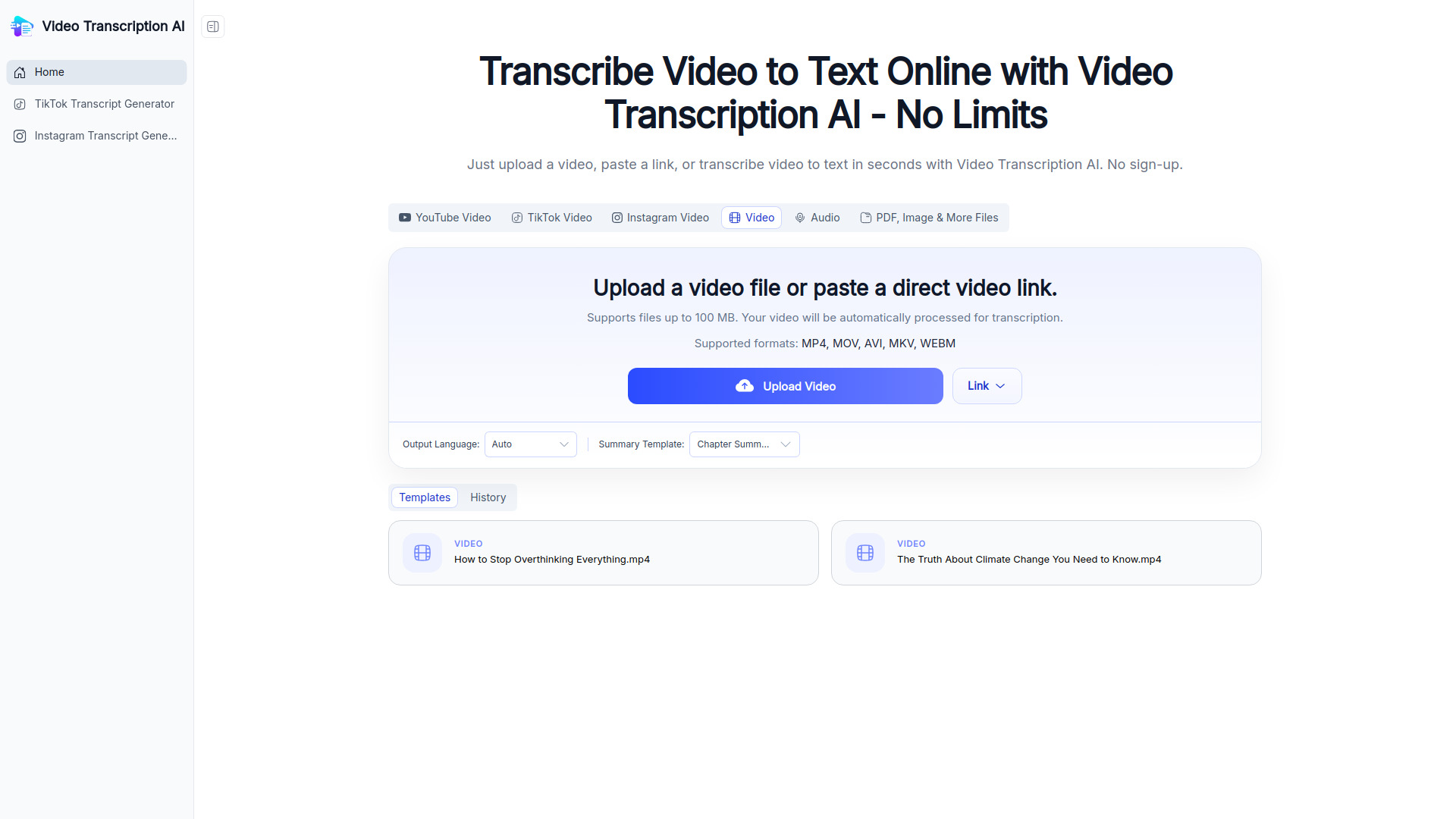
Video Transcription AI is a free online tool that converts videos into accurate text transcripts, subtitles, summaries, and searchable notes. It supports multiple input methods: uploading video files (MP4, MOV, AVI, MKV, WEBM) up to 100 MB, pasting direct video links, or transcribing audio files. The tool also works with YouTube, TikTok, and Instagram videos, as well as PDF, image, and other file types. No sign-up is required.
How to use Video Transcription AI: Transcribe Video to Text Online for Free
- Choose your input method: Select from tabs for YouTube Video, TikTok Video, Instagram Video, Video, Audio, or PDF/Image & More Files.
- Upload or paste a link: Click "Upload Video" to select a file from your device, or click "Link" to paste a direct video URL.
- Configure settings: Optionally select the output language (default is Auto) and choose a summary template (e.g., Chapter Summary).
- Start transcription: The video is automatically processed for transcription.
- View and download: Access your transcript, subtitles, or summary. The tool also provides a history of past transcriptions.
Features of Video Transcription AI: Transcribe Video to Text Online for Free
- Multiple input sources: Supports video files, audio files, YouTube, TikTok, Instagram, PDF, images, and more.
- File size limit: Handles files up to 100 MB.
- Supported video formats: MP4, MOV, AVI, MKV, WEBM.
- Output options: Generates transcripts, subtitles, summaries, and searchable notes.
- Summary templates: Includes templates like Chapter Summary.
- Language selection: Choose output language or use auto-detection.
- History: Keeps a record of past transcriptions.
- No sign-up required: Free to use without registration.
Use Cases of Video Transcription AI: Transcribe Video to Text Online for Free
- Content creators: Generate subtitles and transcripts for YouTube, TikTok, and Instagram videos.
- Students and researchers: Convert lecture videos or interviews into searchable text notes.
- Journalists: Transcribe press conferences or interviews quickly.
- Business professionals: Create meeting summaries from recorded video calls.
- Accessibility: Provide text alternatives for video content to aid hearing-impaired users.
Pricing
Video Transcription AI is free to use with no sign-up required. There is no mention of paid plans or tiers in the webpage content.
FAQ
Q: What file formats are supported?
A: Supported video formats include MP4, MOV, AVI, MKV, and WEBM. Audio files and other file types like PDF and images are also supported.
Q: Is there a file size limit?
A: Yes, files up to 100 MB are supported.
Q: Do I need to sign up?
A: No, the tool is free and requires no sign-up.
Q: Can I transcribe videos from YouTube, TikTok, or Instagram?
A: Yes, you can paste links from these platforms directly.
Q: What output options are available?
A: You can get transcripts, subtitles, summaries, and searchable notes.