LogoTopAIHubs
icon of Video Trimmer

Video Trimmer

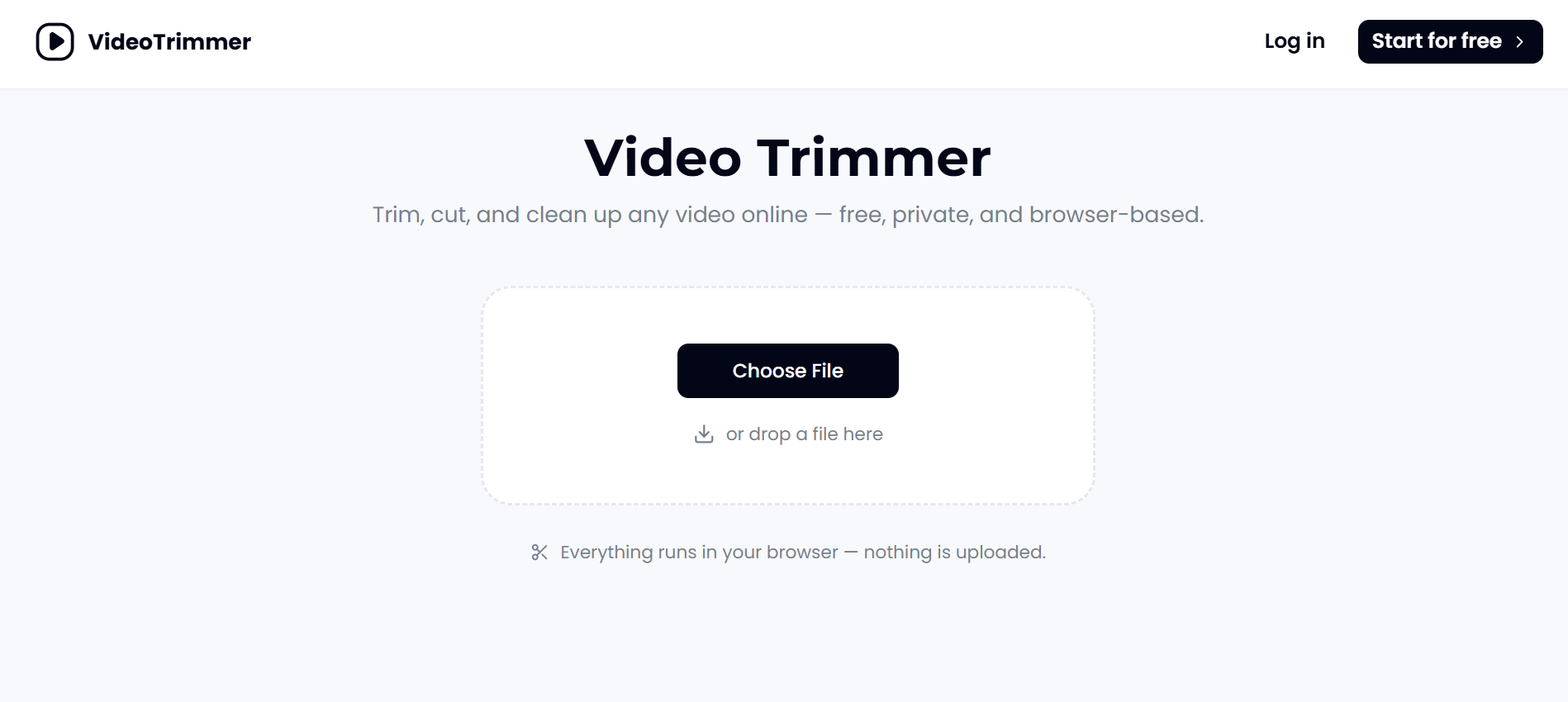
Free browser-based tool for trimming and editing videos privately.

Introduction

What is Video Trimmer

Video Trimmer is a free, browser-based tool for trimming and editing videos privately. It allows you to cut and trim any video online in seconds without uploading your files to a server. The tool runs entirely in your browser, ensuring that your video never leaves your device until you choose to export it. It supports exporting to MP4, WebM, or other common formats, with no account required and no watermark on the downloaded file.

How to use Video Trimmer
  1. Open the Video Trimmer page in your browser.
  2. Click the "Choose File" button or drag and drop a video file into the designated area.
  3. Drag the trim handles to select the portion of the video you want to keep.
  4. Click the export button to save the trimmed video to your device.
Features of Video Trimmer
  • Browser-based: Runs entirely in your browser, no software installation required.
  • Private: Videos are not uploaded to any server; all processing happens locally.
  • Free: No account, subscription, or payment required.
  • No watermark: Exported videos do not have any watermark.
  • Multi-format export: Export trimmed videos as MP4, WebM, or other common formats.
  • Additional editing tools: Besides trimming, you can crop, rotate, flip, resize, speed up, slow down, change volume, loop, add text, and add images to videos.
  • Works with any video length: Handles both short clips and long recordings.
  • Cross-platform: Works on any device with a modern browser, including phones.
Use Cases of Video Trimmer
  • Product marketers: Quickly cut dead air from product walkthroughs.
  • Support teams: Trim screen recordings to share only relevant parts with customers.
  • Video creators: Cut clips to length without opening a full editor.
  • Teachers: Trim lecture recordings to essential segments and loop demo clips.
  • Social media managers: Trim and resize clips for different platforms.
FAQ

Is this video trimmer really free to use?
Yes. Trimming and exporting a clip doesn't require an account or a subscription — open the page, drop in a video, and export.

Does trimming lower the video quality?
No, the output quality after a cut is the same as the source.

What video formats can this video trimmer open?
It can open common video formats and export to MP4, WebM, or other common formats.

Can I do more than cut the start and end?
Yes, you can also crop, rotate, flip, resize, speed up, slow down, change volume, loop, add text, and add images to videos.

Is there a limit on video length or file size?
No, it works the same way on a 10-second phone clip or a 40-minute screen recording.

Does the trimmed video have a watermark?
No, there is no watermark on the exported video.

Can I trim a video on my phone?
Yes, it works on any device with a browser, including phones.

Is my video uploaded to a server?
No, everything runs in your browser — nothing is uploaded.
Information

Categories

Newsletter

Join the Community

Subscribe to our newsletter for the latest news and updates