What is VNovels
VNovels is a free browser-based platform for making and playing visual novels—branching interactive stories in the spirit of Ren'Py. No installation or coding is required. Users write scenes and choices, generate artwork from text prompts, and play the result directly in the editor.
How to use VNovels
- Create an account – Sign in with email or a third-party provider.
- Start a project – Open the Engine and write scenes and choices in the playable editor, or use the node graph to arrange branches visually.
- Generate art – Describe backgrounds, character sprites, items, or dialogue-box designs; VNovels generates four variants to choose from. Characters and items are automatically background-removed.
- Edit and refine – Use the AI assistant to add, remove, or rewrite scenes. Edit generated images with Fast (quick touch-ups) or Smart (larger changes preserving composition).
- Publish – Set a content rating and publish your story for others to read on Home, Category, or Rankings.
Features of VNovels
- Playable editor – Write scenes and choices directly in a live preview; what you type is what players see.
- Node graph – Visualize the entire story as nodes (scenes) and connections (choices); rewire branches and spot dead ends.
- AI image generation – Generate backgrounds, character sprites, items, and dialogue-box designs from text prompts. Four variants per prompt.
- Automatic background removal – Characters and items are cut out automatically for clean compositing.
- Image editing – Edit existing images with Fast (quick touch-ups) or Smart (larger changes).
- AI story assistant – Describe a new branch, different ending, or tone change; the assistant edits the story structure.
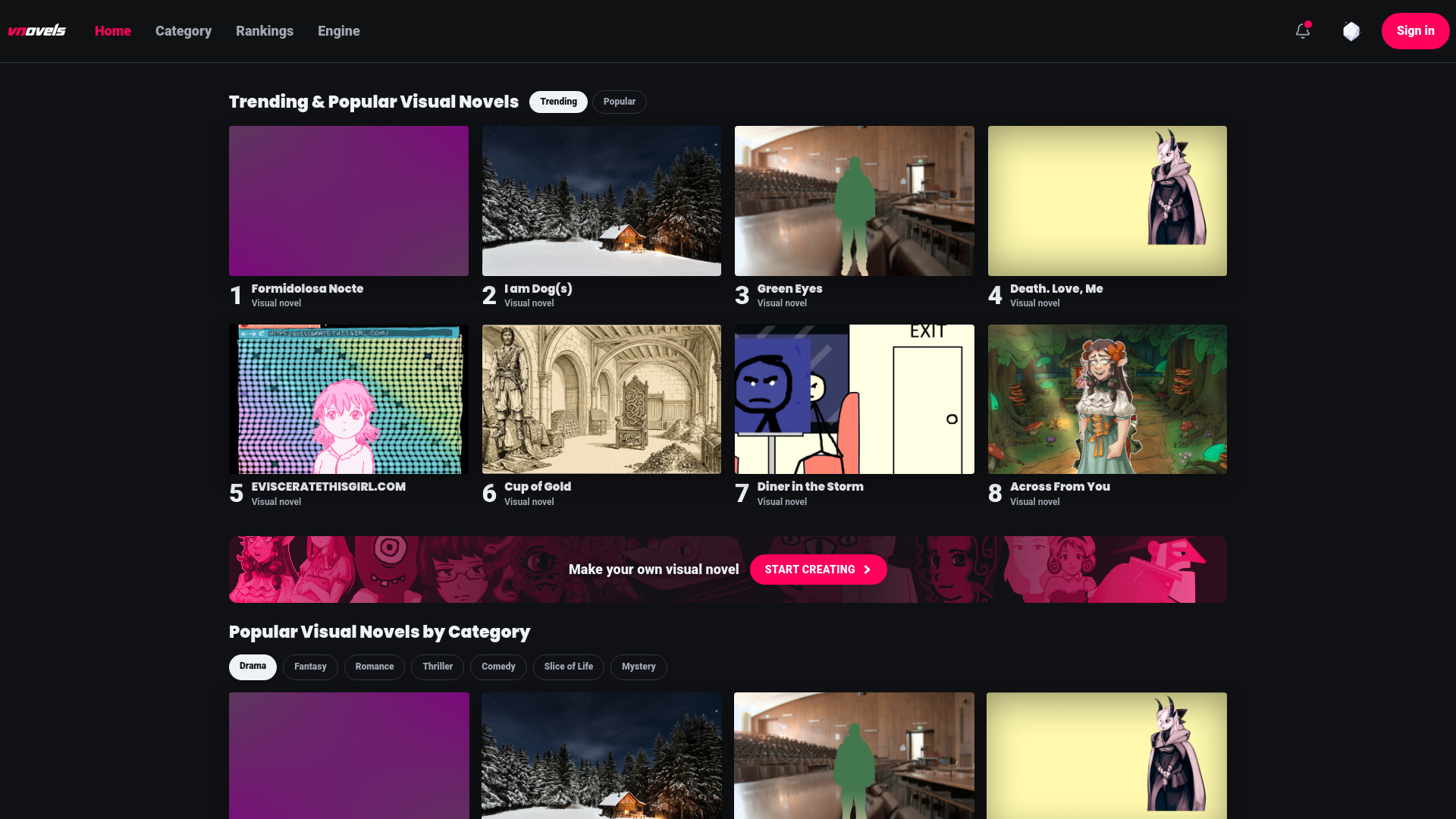
- Browse and discover – Explore trending, popular, and newly released stories; filter by genre (Drama, Fantasy, Romance, Thriller, Comedy, Slice of Life, Mystery).
- Multi-language support – Interface available in English, Italian, Portuguese (Brazil), Japanese, Korean, and Simplified Chinese.
- Community features – Like, comment, follow creators, and receive notifications.
Use Cases of VNovels
- Aspiring writers – Create interactive fiction without programming or drawing skills.
- Educators – Build branching narratives for teaching or training scenarios.
- Storytellers – Adapt classic literature (e.g., The Thirty-Nine Steps, The Great Gatsby) into interactive formats.
- Game designers – Prototype visual novel concepts quickly with built-in art generation.
- Hobbyists – Share original stories and get feedback from the community.
FAQ
Do I need to know how to draw or program?
No. Scenes and choices are written in a playable editor or arranged in a node graph, and all artwork is generated from text prompts.
Where do my stories live?
Each story is a project in My VNovels. Published stories appear on Home, Category, and Rankings for discovery.
How does image generation work?
Describe a background, character, item, or dialogue-box design; VNovels generates four variants. You can attach reference images to steer the style.
Why do characters have no background?
Characters and items are automatically background-removed when generated, so they composite cleanly on any scene background.
Can I edit an image after generating it?
Yes. Use Fast for quick touch-ups or Smart for larger changes that preserve the original composition.
What can the AI assistant do?
The text assistant can add, remove, or rewrite scenes. Describe a new branch, different ending, or tone change, and it edits the story structure directly.
What is the node graph for?
The graph editor shows every scene as a node and every choice as a connection. Use it to navigate large stories, rewire branches, and spot dead ends. Changes sync with the playable editor.