LogoTopAIHubs
icon of Wan 3.0 AI Video

Wan 3.0 AI Video

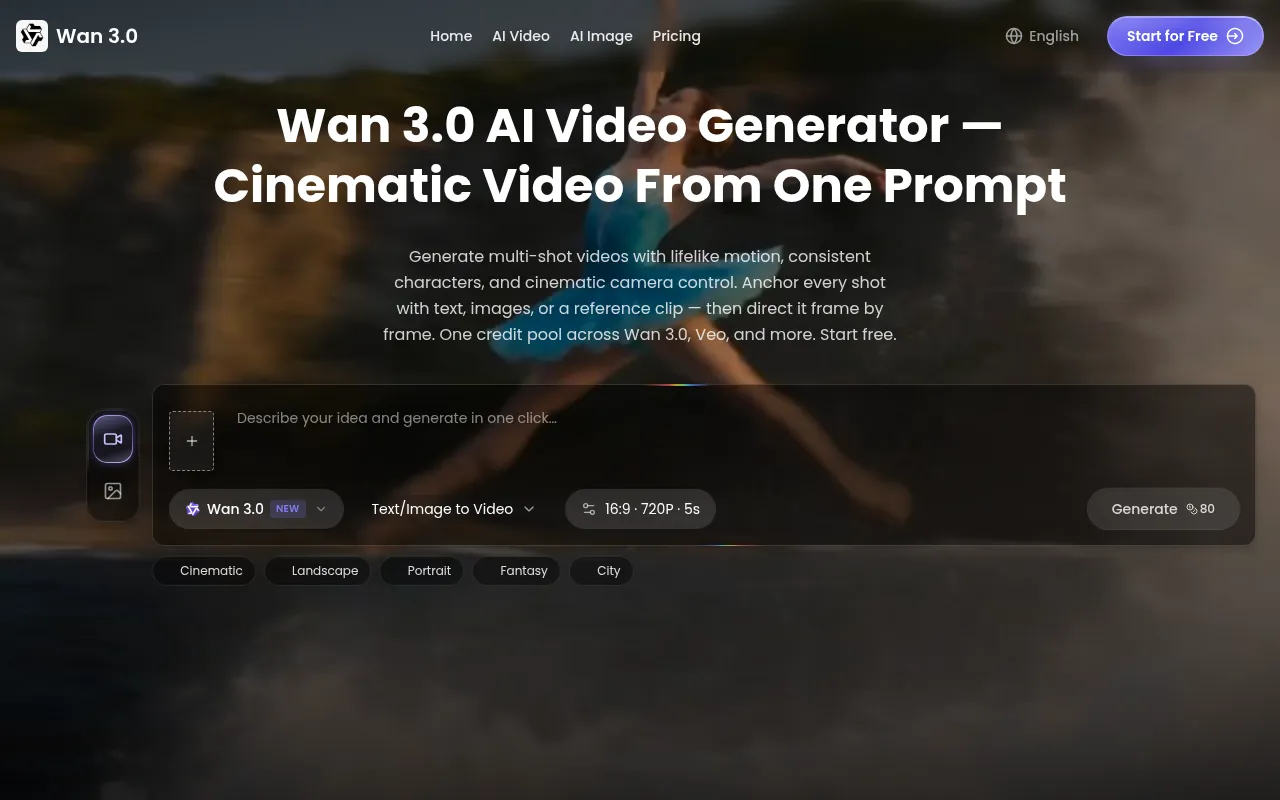
Turn prompts, images, and reference clips into consistent cinematic videos with directed camera motion and automatic refunds for failed renders.

Introduction

What is Wan 3.0 AI Video

Wan 3.0 is an AI video generator that allows users to create cinematic videos from prompts, images, and reference clips. It offers directed camera motion and automatic refunds for failed renders. The platform enables the creation of multi-shot videos with consistent characters and cinematic camera control, using text, images, or reference clips as anchors.

How to use Wan 3.0 AI Video
  1. Add Your Reference: Upload a photo, product shot, or reference clip. Wan 3.0 analyzes composition, depth, and motion to plan the shot.
  2. Direct the Motion: Describe the camera move, action, and mood. Wan 3.0 follows the prompt shot by shot.
  3. Generate & Refine: Render a cinematic clip, tweak the prompt, and download. Failed renders are refunded.
Features of Wan 3.0 AI Video
  • Multimodal Referencing: Anchor videos to reference clips, product images, or frame pairs to maintain style, motion, and camera language.
  • Locked Character & Style Consistency: Ensures faces, products, and style details remain identical across clips within a campaign.
  • Multi-Shot Cinematic Direction: Direct camera moves, pacing, and transitions from a single prompt, or plan sequences with first/last frames.
  • Versatile Model Usage: Access to multiple AI models (including Wan 3.0 and Veo) within a single credit pool.
  • Image-to-Video Transformation: Adds motion, camera movement, and physics to still images.
  • Automatic Refunds: Credits are refunded for failed renders.
  • Free Credits: Potential availability of free starter credits upon sign-up.
  • Credit Preview: Costs are shown before submission.
Use Cases of Wan 3.0 AI Video
  • Influencers: Create trend-ready clips daily by turning one photo into multiple videos, maintaining a consistent look.
  • Content Creators: Generate visual drafts for announcements or tutorials, creating short clips between explanations.
  • Product Marketers: Develop motion concepts from product images for ad testing, visualize launch teasers, and create demo-page motion backgrounds.
  • Artists & Animators: Generate visual direction for moodboards or concept art, create tailored aspect ratios for different platforms (Reels, Shorts, LinkedIn) from a single prompt.
Pricing

Wan 3.0 offers several pricing plans, with options for monthly or yearly billing. Yearly billing provides savings.

  • Basic Plan: Includes 800 credits/month, up to 160 images/month, up to 26 videos/month. Billed annually at $190.8 ($15.9/mo).
  • Pro Plan: Includes 1,800 credits/month, up to 360 images/month, up to 60 videos/month. Offers priority processing and support. Billed annually at $358.8 ($29.9/mo).
  • Max Plan: Includes 7,500 credits/month, up to 1,500 images/month, up to 250 videos/month. Offers fastest processing, priority support, and early access to new models. Billed annually at $1,090.8 ($90.9/mo).

All plans include access to all AI image and video models, watermark-free exports, standard processing and support (except Pro/Max), 90-day asset storage, and a commercial use license.
FAQ
  • What is Wan 3.0 and how does it work? Wan 3.0 is an AI video generator. Users write a prompt or upload an image, reference clip, or first/last frames. They select a model and length, review the credit cost, and submit. The clip renders in the background and can be previewed and downloaded in the browser.
  • Can I use Wan 3.0 for free? Free starter credits may be available upon sign-up. Generation uses credits based on model and settings, shown before submission. Failed renders are refunded.
  • What references can I use to control the result? Users can upload a reference video (for style, motion, camera direction), one to three reference images (product shots, moodboards, character sheets), or a first/last frame pair for transitions. Text-only prompts are also an option.
  • What quality, aspect ratios, and consistency can I expect? Output quality depends on the prompt, references, model, and settings. Vertical and horizontal ratios, and resolutions like 720p/1080p are available. References help maintain consistency in products, characters, and style.
  • Can I use Wan 3.0 videos commercially, and what happens to my files? Commercial use depends on the plan, the rights to uploaded content, and terms of service. Paid plans may include commercial usage rights. Generated assets are stored in the user's workspace, subject to privacy policy and retention rules.

Information

  • Websitewan3.io
  • Published date2026/08/06

Categories

    Newsletter

    Join the Community

    Subscribe to our newsletter for the latest news and updates