What is Xelta AI
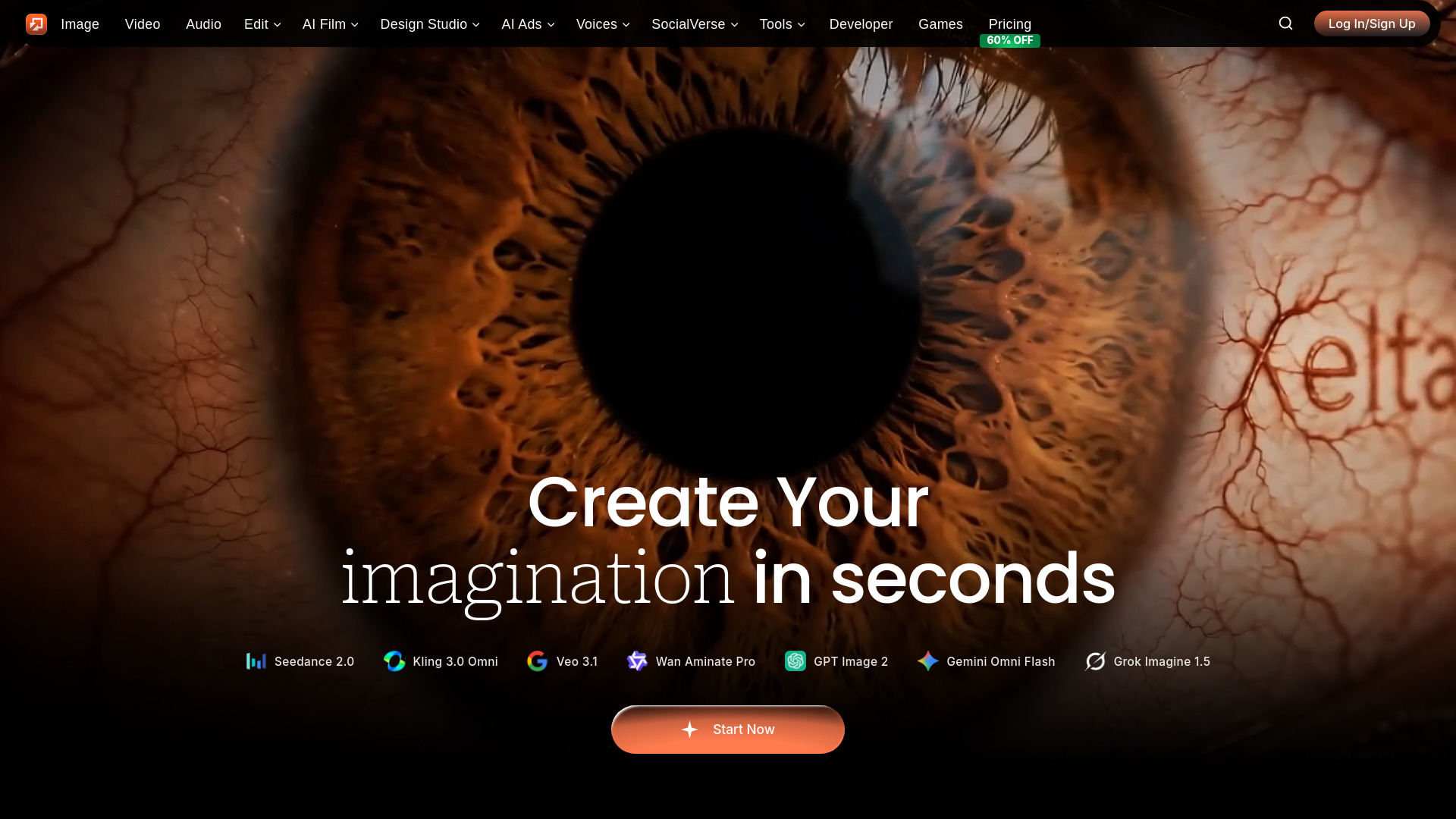
Xelta is an integrated AI content creation platform that orchestrates images, videos, and micro-dramas in a unified workflow. It provides access to 100+ AI models for generating professional content, including images, videos, comics, voiceovers, and ads. Designed for creators, marketers, and brands, Xelta simplifies complex creative tasks without requiring technical expertise.
How to use Xelta AI
- Sign up and receive 100 free credits.
- Choose a workflow such as image generation, video creation, or microdrama.
- Enter your prompt and adjust settings like style and output format.
- Generate content and iterate quickly to refine results.
- Edit, export, and publish your content for social media or campaigns.
Features of Xelta AI
- AI Image Generation: Create images from text prompts using various models.
- AI Video Generation: Produce videos, including microdramas and promo teasers.
- Microdrama Workflows: Generate short-form dramatic content with characters and dialogue.
- Comic Flow: Transform scripts into comic book panels with consistent characters.
- Voiceovers and Dubbing: Add AI-generated voiceovers or dub videos into multiple languages.
- AI Ad Generator: Create video ads from product information and images.
- Background Remover: Isolate subjects with pixel-perfect accuracy.
- Photo Lab: Enhance, upscale, and restore images with AI.
- Home-Design: Generate interior design concepts from prompts.
- Face Swapper: Swap faces in images or videos with realistic blending.
- Video Editor: Automatically remove filler words and pauses from videos.
- Lipsync AI: Generate realistic lip movements for dubbing or animation.
- Community Presets: Share and use pre-configured creative templates.
Use Cases of Xelta AI
- Marketing Campaigns: Generate ad creatives, promo videos, and social media content.
- E-commerce: Create product images, remove backgrounds, and produce catalog-ready visuals.
- Social Media: Produce platform-optimized images and videos for Instagram, TikTok, YouTube, and more.
- Education: Build microcourses for training or educational content.
- Entertainment: Create microdramas, comics, and animated videos.
- Business: Generate branded content, presentations, and promotional materials.
FAQ
What is Xelta AI Studio? Xelta is an integrated AI content creation platform that orchestrates images, videos, and micro-dramas in a unified workflow.
How does Xelta's credit system work? Xelta uses a pay-as-you-go credit system with no subscriptions. Purchase credits starting from $5 and get bonus credits with every purchase.
What types of content can I create with Xelta? Xelta supports AI-powered image generation, video creation, micro-drama production, background removal, lip-sync videos, home design visualization, and more.
Do I need technical skills to use Xelta? No technical skills required. Xelta is designed for creators, not engineers.
Is Xelta suitable for businesses and teams? Yes, Xelta is ideal for businesses, marketing teams, agencies, and solo creators.
How quickly can I start creating content? Start creating in minutes. Sign up, purchase credits, select your desired AI model, provide your inputs, and generate professional content instantly.
Can I use Xelta-generated content commercially? Yes, all content generated with Xelta comes with commercial usage rights included.
How much does Xelta cost per month? Xelta offers flexible subscription plans with monthly credits. Visit the pricing page for current plan options.
What makes Xelta better than other AI tools? Xelta integrates multiple AI capabilities into one seamless workflow instead of requiring separate tools.
Is Xelta AI-generated content high quality? Yes, Xelta uses state-of-the-art AI models producing professional-grade results.
Can I try Xelta before subscribing? Yes, new users can explore Xelta with sample generations and receive 100 free credits upon registration.
Does Xelta work on mobile devices? Yes, Xelta is a cloud-based web platform accessible from any device with a modern browser.
What AI workflows and features does Xelta offer? Xelta provides specialized AI workflows including Microdrama, Comic Flow, Promo & Teaser, Microcourse, AI Ad Generator, Magic Cut, Lipsync AI, and Photo Lab.
Do new users get free credits to try Xelta? Yes! Every new user receives 100 free credits upon registration.
Can I use Xelta AI-generated content for commercial projects? Absolutely. All content created with Xelta comes with full commercial usage rights.
How much do Xelta subscription plans cost? Xelta offers flexible monthly subscriptions with different credit tiers. Visit the pricing page for current rates.
What's included in the Starter subscription? The Starter plan includes monthly credits for generating hundreds of images or videos per month, access to core AI models, commercial usage rights, and parallel processing.
Which plan is best for professional creators? Creator Pro is ideal for professionals, offering the highest monthly credits, premium experimental models, and dedicated priority support.
Do monthly credits roll over to next month? Monthly credits are allocated fresh each billing cycle and don't roll over. However, pay-as-you-go credits never expire.
What's the difference between Premium and Creator Pro? Premium offers mid-tier monthly credits with parallel processing. Creator Pro provides maximum credits, more concurrent processes, and access to experimental models.
Can I cancel my subscription anytime? Yes, you can cancel your Xelta subscription at any time with no cancellation fees.
What AI models are available on Xelta? Xelta offers 90+ AI models across image generation, video creation, text-to-image, image editing, animation, and audio generation.
How do I choose the right AI model for my project? Browse models by category and filter by provider or search by keywords.
Can I use multiple AI models together? Yes, Xelta's integrated workflow allows combining multiple models.
Are Xelta's AI models copyright-safe? Xelta uses commercially licensed AI models. Content you generate is yours to use commercially.
How often are new AI models added to Xelta? New AI models are added monthly based on technological advancements and user demand.
Who created Xelta? Xelta is developed by Matchbest Group, a team with over a decade of experience in digital marketing and creative technology.
What makes Xelta different from other AI tools? Xelta integrates multiple AI capabilities into one seamless workflow instead of requiring multiple disconnected tools.
Is Xelta suitable for beginners? Absolutely. Xelta is designed for creators of all skill levels.
Where is Xelta available? Xelta is a cloud-based platform accessible globally through any modern web browser.
What are the best use cases for Xelta AI? Xelta excels at marketing campaign creation, social media content, e-commerce product visuals, fashion lookbooks, brand design assets, animated videos, and promotional materials.
Can Xelta create content for specific industries? Yes, Xelta supports industry-specific models for e-commerce, fashion, marketing, social media, design, and animation.
How does Xelta help with social media content? Xelta generates platform-optimized images, videos, and viral short clips for Instagram, TikTok, YouTube, Facebook, and LinkedIn.
Can I use Xelta for e-commerce product photos? Absolutely. Xelta generates professional product images, lifestyle shots, and promotional graphics.
What is Xelta Flow? Xelta Flow is a collection of ready-to-use AI workflows for specific outcomes like microdrama videos, promo teasers, comics, and microcourses.
Which workflows are available in Flow? Flow includes specialized workflows such as Microdrama, Comic Flow, Promo Teaser, and Microcourse.
Do Flow workflows require editing skills? No. Xelta Flow is designed for creators and marketers without advanced editing experience.
What can I do in Xelta AI Studio? Xelta AI Studio lets you generate images, create videos, edit media, and run AI-powered creative automations in one place.
How is AI Studio different from Flow? AI Studio gives direct access to tools and models for flexible creation, while Flow provides guided, pre-structured workflows for specific goals.
Can teams use AI Studio for production work? Yes. AI Studio is suitable for teams creating campaign assets, social media content, and creative experiments.
What topics does the Xelta blog cover? The Xelta blog covers AI content creation strategies, workflow tutorials, product updates, use-case playbooks, and practical guidance.
How often are new blog posts published? New articles are published regularly as product features evolve and new models are added.
Are blog tutorials beginner friendly? Yes. Xelta blog content is written for both beginners and advanced users.
How can I contact Xelta support? You can reach Xelta support through the contact page or support email.
How quickly does support respond? Response times depend on queue volume and plan priority.
Can businesses request partnership or enterprise support? Yes. Businesses, agencies, and enterprise teams can use the contact channel to discuss partnerships.
Where can I read Xelta's Privacy Policy and Terms? You can review Xelta's Privacy Policy and Terms on their dedicated pages.
Can legal terms change over time? Yes. Legal documents may be updated to reflect product, compliance, or policy changes.
Who should I contact for legal or policy questions? Contact Xelta through the official support or contact channels.
What is the Xelta Community? The Xelta Community is a marketplace where creators share custom presets, effects, and creative assets.
What are Viral Presets? Viral Presets are pre-configured creative templates designed to produce engaging, high-performance content.
Can I create and share my own presets? Yes! Upload your custom presets to the community and share them with thousands of creators.
How do I apply a community preset? Browse the community gallery, select a preset, and apply it to your project with one click.
Are community presets free to use? Most community presets are free. Some premium presets may have a small credit cost.
How is the community moderated? Xelta maintains quality standards through community reporting, creator verification, and automated content guidelines.
Can I customize a community preset after applying it? Absolutely! Community presets serve as starting points and can be fully customized.
How are the trending presets selected? Trending presets are determined by community engagement metrics including usage frequency, user ratings, shares, and creation quality.
Can I collaborate with other community creators? Yes! The community enables collaboration through shared projects, preset partnerships, and joint creative initiatives.
How do I get recognition for my presets? As your presets gain popularity, you earn community badges, achievement milestones, and featured creator status.
What is AI Microdrama? AI Microdrama is an innovative storytelling format that uses AI to create short-form dramatic content.
How long does it take to generate a microdrama? Generating a complete microdrama typically takes 5-15 minutes depending on length and complexity.
Can I customize the microdrama storyline? Yes! Provide detailed prompts including genre preferences, character traits, plot themes, emotional tone, and target audience.
What video formats are supported for microdrama? Microdramas are exported in MP4 format optimized for all major platforms with vertical, square, or horizontal aspect ratios.
Can I add my own voiceover or music? Yes, download your generated microdrama and edit it using any video editing software.
Is AI Microdrama suitable for marketing? Absolutely! Microdramas are highly effective for brand storytelling, product launches, and emotional marketing campaigns.
Can I create series or episodic content? Yes, create connected microdrama episodes with recurring characters and ongoing storylines.
What languages are supported for microdramas? Our microdrama generator supports 30+ languages including English, Spanish, French, German, Chinese, Japanese, Korean, Hindi, Portuguese, and Arabic.
Do I own the rights to generated microdramas? Yes, you retain full commercial rights to all microdramas created with Xelta.
Can I collaborate with team members on microdramas? Yes! Team and Enterprise plans include collaboration features.
What are AI-generated promo videos? AI-generated promo videos are professional marketing videos created automatically from your product details, brand information, or campaign goals.
How quickly can I create a promo video? Generate complete promo videos in 2-5 minutes.
Can I customize promo video templates? Yes! Choose from various styles and customize colors, fonts, transitions, pacing, music style, and visual effects.
What platforms are promo videos optimized for? Promo videos are automatically optimized for YouTube ads, Instagram Stories, TikTok, Facebook, LinkedIn, website headers, and streaming platforms.
Can I add product images to promos? Absolutely! Upload product photos, brand assets, logos, or other visual elements.
Do promo videos include voiceover narration? Yes, choose from AI-generated voiceovers in multiple languages or upload your own.
What's the ideal length for promo videos? We recommend 15-60 seconds for social media promos, 30-90 seconds for website videos, and 60-120 seconds for comprehensive product showcases.
Can I create localized promo versions? Yes! Generate multiple language versions of the same promo with culturally adapted messaging.
Are background music tracks included? Yes, access our royalty-free music library with hundreds of tracks.
Can I A/B test different promo variations? Absolutely! Generate multiple promo versions with different messaging angles, visual styles, or calls-to-action.
What is AI Comic Flow? AI Comic Flow transforms stories and scripts into professional comic book panels automatically.
Can I create different comic art styles? Yes! Choose from manga, American superhero, European graphic novel, webcomic, chibi, realistic, and minimalist art styles.
How does character consistency work? Our AI maintains character appearance across all panels using advanced recognition algorithms.
Can I create full comic books or just pages? Create anything from single panels to complete graphic novels!
What panel layouts are available? Access classic grid layouts, dynamic action sequences, splash pages, inset panels, borderless designs, and experimental compositions.
Can I add dialogue and speech bubbles? Yes! Provide dialogue in your script and our AI automatically generates properly sized speech bubbles.
Is Comic Flow suitable for professional publishing? Absolutely! Generate print-ready comics at 300 DPI with CMYK color profiles.
What genres work best with AI Comic Flow? All genres! Create superhero adventures, sci-fi epics, fantasy quests, romance stories, horror tales, comedy sketches, educational comics, or corporate training materials.
Can I edit individual comic panels? Yes, download panels individually or as layered files for editing in graphic design software.
How long does comic generation take? Generate single comic pages in 1-3 minutes, or complete multi-page comics in 10-20 minutes.
What is a Microcourse? A Microcourse is a condensed educational program designed for rapid learning.
How are microcourses different from regular courses? Microcourses focus on specific skills or concepts rather than comprehensive coverage.
Can I create courses for my business? Absolutely! Create employee training, customer education, product tutorials, onboarding programs, compliance training, or sales enablement courses.
What formats do microcourses support? Microcourses include video lessons, interactive quizzes, downloadable resources, text summaries, audio narration, visual diagrams, and practical exercises.
How long does it take to create a microcourse? Generate complete microcourses in 15-30 minutes depending on topic complexity and lesson count.
Can learners track their progress? Yes! Each microcourse includes progress tracking, lesson completion markers, quiz scores, time spent learning, and achievement badges.
What subjects are available? Create microcourses on any topic including business skills, technology training, creative arts, language learning, personal development, health and wellness, academic subjects, or industry-specific knowledge.
Can I monetize my microcourses? Yes! Host courses on your website, sell through learning platforms, offer as premium content, include in subscription services, or use for client education.
Are microcourses mobile-friendly? Absolutely! All microcourses are fully responsive and optimized for smartphones and tablets.
Can I update courses after publishing? Yes, easily update lesson content, add new modules, revise quizzes, or refresh multimedia elements anytime.
What is Instant Ads Generator? Instant Ads Generator uses AI to create professional advertising videos automatically from product information.
What ad formats can I create? Generate video ads for YouTube, Facebook, Instagram Stories, TikTok, LinkedIn, display ads, pre-roll videos, and connected TV platforms.
How does AI choose ad messaging? Our AI analyzes your product features, target demographics, competitive landscape, and marketing objectives to craft persuasive messaging.
Can I target specific demographics? Yes! Specify target age groups, interests, behaviors, income levels, or geographic regions.
What's the ideal ad duration? We recommend 6-15 seconds for social media ads, 15-30 seconds for YouTube pre-roll, and 30-60 seconds for comprehensive product showcases.
Can I include product demos in ads? Absolutely! Upload product videos, images, or screenshots.
Are Instant Ads compliant with platform policies? Yes, generated ads follow advertising guidelines for major platforms.
Can I A/B test different ad variations? Yes! Generate multiple ad versions with different messaging angles, visual approaches, or calls-to-action.
What call-to-action options are available? Choose from CTAs including Shop Now, Learn More, Sign Up, Download, Watch, Subscribe, Get Offer, and custom text.
Can I use Instant Ads for retargeting campaigns? Absolutely! Create specialized ads for retargeting audiences.
What is Video Editor? Video Editor is an AI-powered video editing tool that automatically identifies and removes filler words, pauses, and unwanted segments from videos.
What can Video Editor remove from videos? Remove filler words (um, uh, like), long pauses, repeated takes, stutters, background noise, awkward silences, and mistakes.
How accurate is the AI editing? Video Editor achieves 95%+ accuracy in identifying removable segments.
Does Video Editor work with all video types? Yes! Process talking-head videos, interviews, presentations, tutorials, vlogs, podcasts, webinars, and testimonials.
Can I control what gets removed? Absolutely! Set custom thresholds for pause duration, filler word sensitivity, and silence removal.
How much time does Video Editor save? Video Editor reduces editing time by 80-90% compared to manual editing.
Does video quality degrade after editing? No quality loss! Video Editor performs lossless editing.
Can Video Editor handle multi-camera videos? Yes, edit multi-angle footage with synchronized cuts across all camera angles.
What video formats are supported? Support includes MP4, MOV, AVI, MKV, and WebM formats with resolutions up to 4K.
Can I batch process multiple videos? Yes! Upload and process multiple videos simultaneously with parallel processing.
What is AI Lipsync? AI Lipsync generates realistic lip movements that perfectly match audio tracks.
How accurate is the lip synchronization? Our AI achieves industry-leading 98%+ accuracy with precise phoneme-to-viseme mapping.
What languages does Lipsync AI support? Support includes 30+ languages including English, Spanish, French, German, Chinese, Japanese, Korean, Hindi, Arabic, Portuguese, Russian, and more.
Can I dub videos into different languages? Yes! Replace original audio with new language voiceovers and our AI generates matching lip movements automatically.
Does Lipsync AI work with animated characters? Absolutely! Apply lipsync to 2D animations, 3D characters, avatars, and virtual presenters.
How realistic are the facial movements? Our AI generates natural facial movements including jaw motion, tongue visibility, teeth exposure, subtle muscle contractions, and emotional expressions.
Can I adjust lipsync timing manually? Yes! Fine-tune synchronization with frame-by-frame controls.
What video formats are supported? Process MP4, MOV, AVI, and WebM videos up to 4K resolution.
How long does lipsync generation take? Process 60 seconds of video in approximately 2-5 minutes depending on resolution and complexity.
Can I use Lipsync AI for commercial projects? Yes! Use generated lipsync content for commercials, corporate videos, e-learning, product demos, social media, films, gaming, and any commercial applications.
What is Home-Design? Home-Design is an AI-powered studio that generates professional interior designs from simple prompts.
How do I get started? Click “Try Home-Design”, enter a few details about your space, and the AI will produce multiple design concepts.
What input do you need? Provide a brief description, one or two reference images if available, and any must-have items or constraints.
Can I revise the designs? Yes — iterate on any design by adjusting prompts, swapping furniture, changing colors, or requesting alternate layouts.
What file formats will I receive? Design outputs include high-resolution preview images. For Pro/Enterprise plans we offer layered exports (PNG, PSD) and downloadable spec sheets.
How long does a design take? Most concepts are generated in under a minute.
Is my data and photos private? Yes. Uploaded images and project data are stored securely.
Can professionals use these designs commercially? Yes — commercial use is allowed according to your subscription/license tier.
What if I don’t like the result? Use the revision workflow to refine the output.
What does Background Remover do? Our Background Remover automatically isolates subjects and removes backgrounds from photos with pixel-perfect accuracy.
What file types are supported? Upload JPG, PNG, WebP, HEIC, and most common image formats.
How accurate is the cutout? Our AI uses advanced segmentation models to deliver high-precision edges, hair handling, and fine details.
Can I keep or replace the background? Yes — you can download transparent cutouts, replace backgrounds with solid colors or images, or choose prebuilt scene templates.
Is there a size or resolution limit? We support high-resolution images. Very large files may be resized for processing.
How long does processing take? Most images process in seconds.
Can I process multiple images at once? Yes — batch processing is supported and available on paid plans.
Is my data private? Yes — uploaded images and results are stored securely.
Can I fine-tune the result? Our editor provides simple touch-up tools for refining edges, restoring pixels, or adjusting masks.
What if the result isn't perfect? Use the in-app editor to refine masks, re-run with different settings, or contact support.
What is Photo Lab? Photo Lab is an advanced image editing platform powered by artificial intelligence.
Can Photo Lab remove image backgrounds? Yes! Our AI automatically detects subjects and removes backgrounds with pixel-perfect precision.
What is AI image upscaling? AI upscaling increases image resolution up to 8x while maintaining clarity and detail.
Can Photo Lab enhance old or damaged photos? Absolutely! Restore old photographs by removing scratches, fixing tears, correcting fading, reducing grain, and enhancing clarity.
What creative styles can I apply? Apply artistic filters including oil painting, watercolor, sketch, cartoon, anime, vintage, HDR, and cinematic looks.
Does Photo Lab work with product photos? Yes! Perfect for e-commerce with automated background removal, consistent lighting correction, shadow generation, perspective adjustment, and batch processing.
Can I batch process multiple images? Absolutely! Upload and process hundreds of images simultaneously with consistent editing rules.
What image formats are supported? Support includes JPEG, PNG, WebP, TIFF, and RAW formats.
How does color correction work? Our AI analyzes images for optimal color balance, contrast, saturation, and white balance.
Can I use Photo Lab for professional work? Yes! Photo Lab produces professional-grade results suitable for commercial photography, advertising campaigns, print publications, and client deliverables.
What is Ad Maker? Ad Maker turns a product photo and a short description into a finished video ad.
What do I need to create an ad? An ad idea and at least one product image are required.
How long can my ad be? You can choose 12, 20, 24, 32 or 40 seconds.
How many credits does an ad cost? The cost depends on the length: 6,660 credits for 12s, 11,100 for 20s, 13,320 for 24s, 17,760 for 32s and 22,200 for 40s.
How does Ad Maker create the ad? It works in stages: it summarizes your product information, writes a video brief, designs a storyboard and then generates the video.
Can I change the storyboard before the video is generated? Yes. When the storyboard is ready you can approve it, or send feedback and have it regenerated.
Can I use a reference video? Yes, and it is optional. Ad Maker uses the reference as a guide for tone, pacing and shot style.
How long does generation take? It depends on the length you picked and the current load.
Where do I find my finished ads? Your ad appears in the workspace as soon as it is rendered and can be downloaded from there.
Can I use the ads commercially? Yes. Ads you create with Ad Maker are yours to publish and run wherever you like.
What is Face Swapper? AI Swapper is an advanced face-swapping tool that uses state-of-the-art AI to map one face onto another in images or videos with high fidelity and realistic blending.
How realistic are the swaps? Our AI technology ensures that lighting, shadows, and expressions are accurately preserved and mapped.
Can I swap multiple faces at once? Currently, our tool is optimized for high-precision single-face swaps.
What file formats are supported? You can upload source and target files in popular formats like JPEG, PNG, and MP4.
Is AI Swapper safe to use? Yes, we have implemented responsible guardrails to ensure that swaps are used ethically.
What is Video Dubbing? Vid ... (content truncated)