What is AI Music Video Generator - so
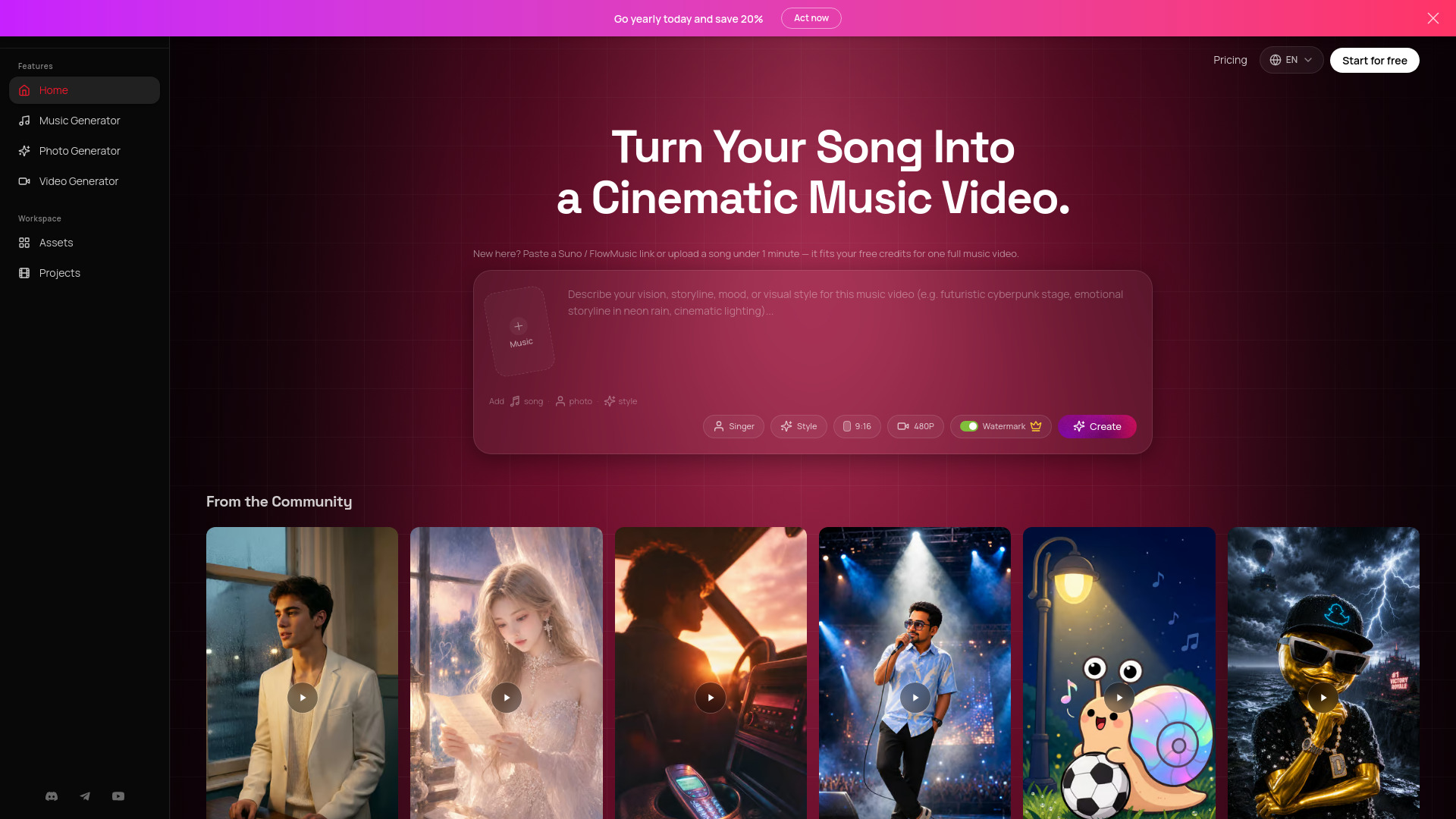
AI Music Video Generator is a web-based tool that transforms songs into cinematic music videos. It accepts a Suno or FlowMusic link, or an uploaded audio file, along with a photo and a style prompt, and automatically generates a complete music video with beat-synced editing, storyboard planning, image generation, video clips, and lip-sync.
How to use AI Music Video Generator - so
- Paste a Suno or FlowMusic link or upload your own audio file.
- Add a singer photo (optional) and describe your vision, storyline, mood, or visual style in the prompt box.
- Choose a style from available presets or write a custom prompt.
- Select video resolution (e.g., 480P, 720P on paid plans) and aspect ratio (e.g., 9:16).
- Click Create to start the generation process. The AI plans shots, generates clips, adds lip-sync, and assembles the final edit.
Features of AI Music Video Generator - so
- Lip-sync singing shots: Creates close-up performance moments that follow vocal sections.
- Multi-model pipeline: Combines storyboard, image generation, i2v, lip-sync, and final editing.
- 720p HD on paid plans: Unlocks HD exports for polished social posts and music releases.
- Commercial license on paid plans: Includes commercial rights for generated videos.
- Fast by design: Short-song workflows are designed to finish in minutes.
- Works with Suno and FlowMusic: Use a generated song link or upload your own track.
- Multiple aspect ratios: Supports formats like 9:16 for vertical videos.
- Watermark toggle: Option to include or remove watermark (watermark removal on paid plans).
Use Cases of AI Music Video Generator - so
- Musicians and artists: Turn their Suno or FlowMusic songs into professional-looking music videos for social media or releases.
- Content creators: Quickly generate engaging video content for platforms like TikTok, Instagram Reels, or YouTube Shorts.
- Music producers: Visualize their tracks with cinematic storytelling without needing video editing skills.
- Marketers: Create promotional music videos for products or campaigns.
- Educators: Use music videos for educational or entertainment purposes.
Pricing
- Free tier: New users receive 1,250 credits after signing up, no credit card required. Free-tier generations are for personal, non-commercial use.
- Paid plans: Add monthly credits, 720p HD exports, priority processing on higher tiers, and a commercial license on every paid plan.
- Yearly discount: Save 20% by choosing a yearly plan.
- Credit usage: A typical ~2-minute MV uses about 1,710 credits, based on storyboard planning, first-frame images, i2v clips, lip-sync clips, and final editing. Shorter songs use fewer credits.
FAQ
Can I start free? Yes. New users receive 1,250 credits after signing up, with no credit card required to begin creating.
Does it work with Suno and FlowMusic songs? Yes. You can paste a Suno or FlowMusic link, or upload your own audio file, then add a photo and a short style prompt.
How long does a music video take? Most workflows are designed to finish in minutes. Exact timing depends on song length, shot count, queue load, and how many lip-sync shots are needed.
How many credits does one full MV use? A typical ~2-minute MV uses about 1,710 credits, based on storyboard planning, first-frame images, i2v clips, lip-sync clips, and final editing. Shorter songs use fewer credits.
Can I use my own or copyrighted song? You should only upload or link audio you own, created, licensed, or otherwise have the right to use. The tool processes your input to generate the music video; it does not grant rights to third-party music.
Can I use generated videos commercially? Paid subscribers receive commercial rights for generated content, subject to the Terms of Service. Free-tier generations are for personal, non-commercial use.
What do paid plans unlock? Paid plans add monthly credits, 720p HD exports, priority processing on higher tiers, and a commercial license on every paid plan.