What is AI Photo Edit
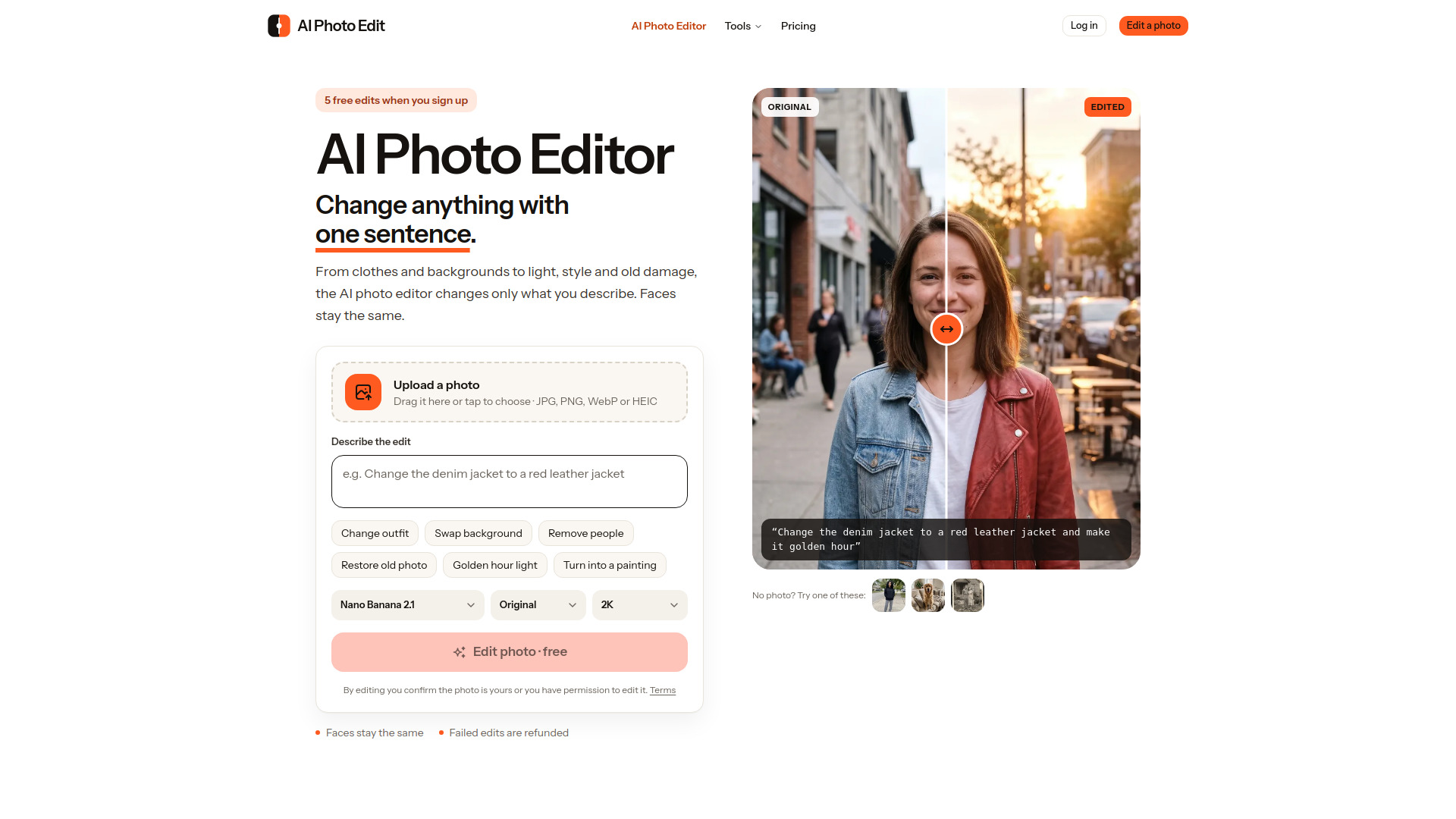
AI Photo Edit is an online AI photo editor that changes a photo based on a one-sentence text instruction. It can modify clothes, backgrounds, hair, light, and more, while keeping faces the same. The tool runs in a browser on any device and offers 5 free edits upon sign-up.
How to use AI Photo Edit
- Upload a photo (JPG, PNG, WebP, or HEIC) from your phone or computer. Optionally, add a second reference photo.
- Describe the desired change in plain English (e.g., "Replace the grey sky with a sunset") or tap a quick edit suggestion.
- Choose a model (Nano Banana 2.1 or GPT Image 2.5), aspect ratio, and quality (2K or 4K).
- Click "Edit photo" to generate the result.
- Compare with the original using a slider, then download the result or continue editing with a new instruction.
Features of AI Photo Edit
- Edit photos with text instructions
- Faces kept the same
- Change outfits, backgrounds, hair, and light
- Remove people and text
- Restore and sharpen old or blurry photos
- Download in 2K or 4K without a watermark
- Two AI models: Nano Banana 2.1 and GPT Image 2.5
- Supports JPG, PNG, WebP, and HEIC formats
- Works in browser on iPhone, Android, Mac, and Windows
- No app download required
- Failed edits are refunded
Use Cases of AI Photo Edit
- Change an outfit (e.g., swap clothes for a summer dress or suit)
- Swap the background (e.g., move a pet to a beach)
- Remove people from a photo (e.g., clear tourists from a travel shot)
- Restore old photos (remove scratches, colorize)
- Try a new hairstyle (see a bob or curls on your face)
- Combine two photos (e.g., put a jacket from one photo onto a person in another)
- Remove text from signs or products
- Sharpen blurry photos
- Change lighting (e.g., golden hour)
- Turn a photo into a painting
Pricing
- 5 free edits when you sign up (2K resolution, no watermark, no card required)
- After free edits, credit packs start at $4.99
- 4K resolution costs an additional 2 credits per edit
FAQ
Is there a free AI photo editor?
Yes, every new account gets 5 free edits at 2K, with no watermark and no card. After that, credit packs start at $4.99.
What can the AI photo editor change?
Anything you can describe in a sentence: clothes, hair, expression, makeup, background, sky, weather, season, objects, light, style, and restore old photos or sharpen blurry ones. It edits still photos, not videos.
Can the AI photo editor edit without changing my face?
Yes, every edit keeps facial features the same. If a face changes, you can email within 7 days for a credit refund.
Can ChatGPT edit photos? How is this different?
ChatGPT can edit images, but AI Photo Edit is built only for photo edits, offers two leading models, keeps faces by default, provides quick edits, a before/after slider, and 4K downloads.
What is the best free AI picture editor?
The best one makes exactly the change you describe and leaves the rest alone. This editor keeps faces by default, changes only what you ask, and gives 5 free edits to test.
Do I need to download an app?
No, it runs in your browser on iPhone, Android, Mac, and Windows.
What photos can I upload?
JPG, PNG, WebP, and HEIC from phone or computer. Large photos are resized in the browser. Sharp, well-lit photos work best.
How do I write a good instruction?
Say what to change and what it should become (e.g., "Change the denim jacket to a red leather jacket"). Ask for one or two changes at a time.
Can I use the edited photos commercially?
Yes, you keep the rights to your photos and edits. Only edit photos you took or have permission to use.
Is there a watermark?
No visible watermark, even on free edits. An invisible marker identifies the image as AI-made.
What can it not do?
It does not make videos. Tiny text, hands in complex poses, and large group photos are the hardest cases. Failed edits are refunded.