What is AI Script to Video Generator - Media.io
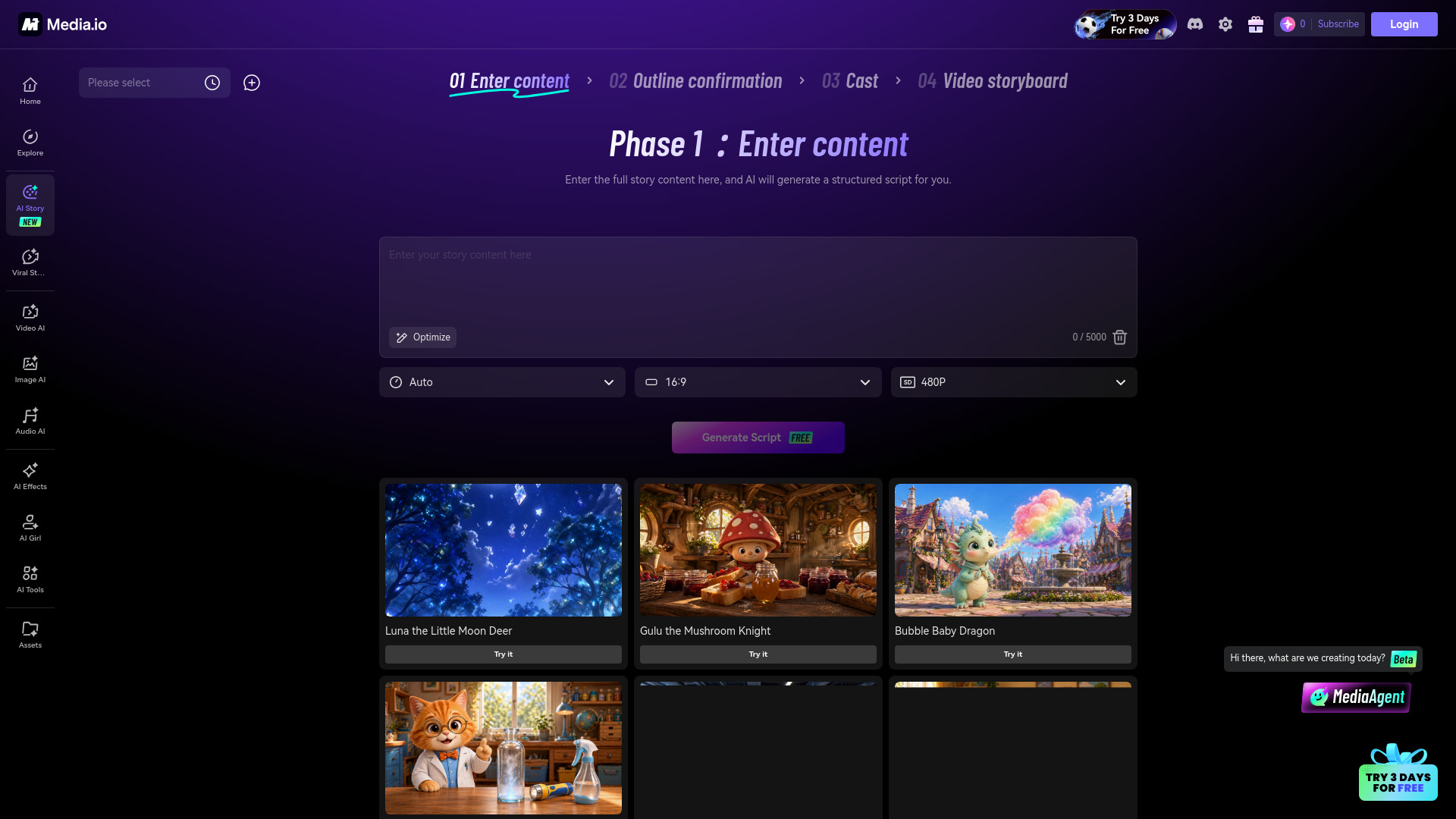
Media.io AI Script to Video Generator is an online tool that transforms written content such as scripts, stories, Reddit threads, novel chapters, and YouTube scripts into complete story videos. It supports an end-to-end production workflow from script analysis and character creation to storyboard, video generation, and post-production editing, enabling creators to produce narrative videos directly in the browser.
How to use AI Script to Video Generator - Media.io
- Input your script: Paste or upload your script, story, or any written content.
- Analyze and create characters: The tool analyzes the script and helps create characters.
- Build storyboard: Generate a storyboard based on the script.
- Generate video: The AI produces the video from the storyboard.
- Edit and finalize: Use post-production editing tools to refine the video.
Features of AI Script to Video Generator - Media.io
- End-to-end production: Covers script analysis, character creation, storyboard, video generation, and post-production editing.
- Supports multiple content types: Works with scripts, stories, Reddit threads, novel chapters, and YouTube scripts.
- Browser-based: No software installation required; runs entirely in the browser.
- Faster video creation: Streamlines the narrative video production process.
Use Cases of AI Script to Video Generator - Media.io
- Content creators: Turn written stories or scripts into engaging videos for platforms like YouTube.
- Social media managers: Convert Reddit threads or short stories into shareable video content.
- Authors and writers: Transform novel chapters into visual narratives for promotion or adaptation.
- Educators: Create educational videos from lesson scripts or narratives.
FAQ
Q: What types of written content can I use? A: The tool supports scripts, stories, Reddit threads, novel chapters, and YouTube scripts.
Q: Is the entire process done in the browser? A: Yes, the tool provides an end-to-end workflow from script analysis to final video editing, all within the browser.
Q: Does it include post-production editing? A: Yes, post-production editing is part of the workflow.