What is AmazVid – Paste Product Link to Cinematic Video
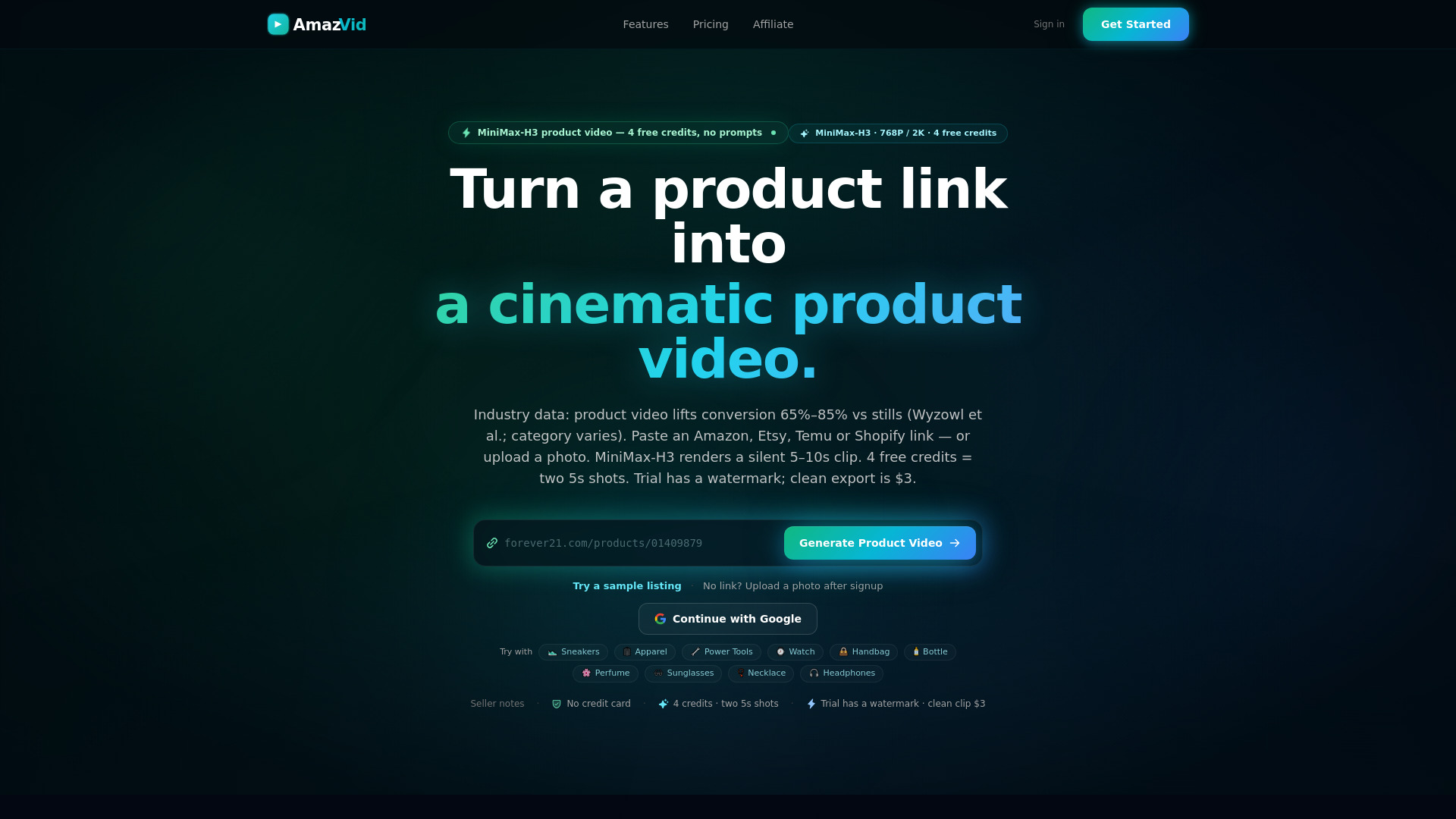
AmazVid is an AI-powered tool that transforms a product link from Amazon, Shopify, Etsy, or Temu into a cinematic product video. It eliminates the need for prompts, studio shoots, or hiring a crew. Simply paste a URL or upload a SKU photo, and AmazVid generates a silent 5–10 second clip with a first-frame lock, ensuring packaging and product details remain true to the live listing. It is designed for e-commerce sellers who need product detail page (PDP) videos, ad creatives, and wearable try-on clips.
How to use AmazVid – Paste Product Link to Cinematic Video
- Paste a product link from Amazon, Etsy, Temu, or Shopify (including custom domains) into the input field on the homepage.
- Alternatively, upload a SKU photo with a title if you don't have a live listing.
- Choose a mode: Product shot (catalogue-grade listing clip), Ad creative (cinematic promo with AI-written shot brief), or Wearable try-on (on-body clips for apparel, footwear, eyewear).
- Select camera angles and lighting for Product shot mode, or let the AI handle it for Ad creative.
- Generate the video – most clips finish in a few minutes, and batches run as separate jobs in parallel.
- Download the silent MP4 – add music or captions in your own editor if needed.
Features of AmazVid – Paste Product Link to Cinematic Video
- First-frame lock: Your real product photo is the first frame, and prompts hard-lock shape, colour, material, logo, and packaging print.
- Multiple modes: Product shot, Ad creative, and Wearable try-on.
- Batch processing: Product shot mode supports up to 5 links or photos per batch with shared camera settings.
- Camera moves: Orbit, push-in, slider, and turntable options.
- Resolution options: 768P or 2K.
- Silent clips: No voiceover or on-screen text; add your own in an editor.
- Credit system: 4 free credits on signup; 5s product shot costs 2 credits, 10s costs 3, ad creative costs 5.
- Retry on failure: Failed jobs can be retried without spending extra credits.
- No credit card required for free plan.
Use Cases of AmazVid – Paste Product Link to Cinematic Video
- E-commerce sellers needing PDP videos to boost conversion (product video lifts conversion 65–85% vs stills).
- Ad creatives for Meta, TikTok, or other paid social platforms.
- Wearable try-on for apparel, footwear, and eyewear without hiring models.
- Batch processing for multiple SKUs in one submission.
- Marketplace sellers on Amazon, Shopify, Etsy, Temu, and even Taobao/Tmall.
Pricing
- Free Plan: $0 – includes 4 free credits (two 5s shots).
- Credit pack: $12 – additional credits.
- Seller Plan: $29/month – includes more credits and features.
- Clean export: $3 per clip to remove watermark (trial renders include a watermark).
- Ad creative costs 5 credits per video.
FAQ
Do I only need a product link? A marketplace link works for Amazon, Etsy, Temu, and Shopify when parsing succeeds. You can also upload your own SKU photo with a title.
What is the difference between Product shot and Ad creative? Product shot is a catalogue-grade listing clip with camera angle and lighting control (2 credits for 5s, 3 for 10s). Ad creative is a single 10-second cinematic promo with an AI-written shot brief (5 credits). Both keep your product photo as the first frame.
Will the video match my product? Your real product photo is the first frame, and prompts hard-lock shape, colour, material, logo, and packaging print. Results can vary, but the tool does not invent a different product.
Can I do more than one SKU at a time? Product shot mode supports up to 5 links or photos per batch. Ad creative is one product at a time.
Do the videos have voiceover or on-screen text? No. Clips are silent with no burned-in captions. Trial renders include a watermark; pay $3 per clip or upgrade for a clean export.
How long does generation take? Most clips finish in a few minutes depending on queue load. Batches run as separate jobs in parallel.
How do credits work? A 5s product shot costs 2 credits; 10s costs 3 (768P or 2K). Signup gives 4 credits. Ad creative costs 5. Failed jobs can be retried without extra credits.
What if generation fails? Open the job in your Dashboard and retry. We refund or do not re-charge retries for failed renders.