What is Atomic Bot
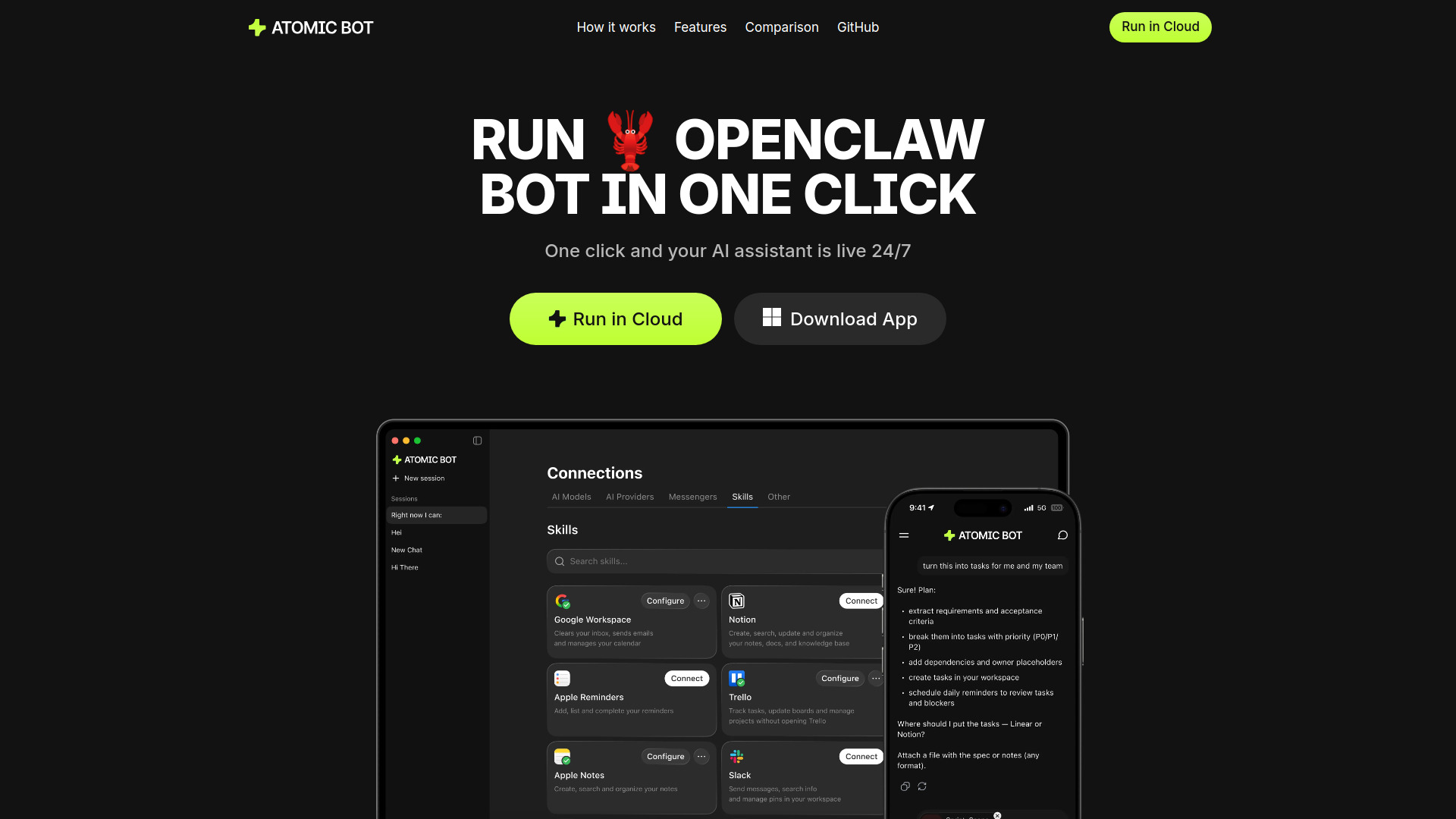
Atomic Bot is a user-friendly native app designed to run the OpenClaw AI assistant locally or in the cloud. It simplifies the installation, configuration, and launching of OpenClaw with a one-click process, making it accessible even for non-technical users.
How to use Atomic Bot
Atomic Bot offers two primary ways to use the OpenClaw AI assistant:
-
Cloud Setup:
- Click the "Run in Cloud" button.
- Sign in with your Google account.
- The assistant will be ready to use in your personal cloud.
-
Local Setup (macOS):
- Download the Atomic Bot application.
- Follow the guided, one-click installation process.
- Connect your skills and services.
- Your AI assistant will run on your local device.
Features of Atomic Bot
- Simple Installer: A one-click process for easy installation and setup.
- Persistent Memory: Remembers user preferences, ongoing tasks, and important details on the local device.
- Local Device Operation: Runs on your computer, ensuring privacy and control over your data.
- Browser Control: Automates web tasks like opening websites, navigating flows, filling forms, and collecting information.
- Multiple AI Models: Supports various AI engines such as Claude, GPT, and Gemini, with the ability to switch between them.
- Task Scheduling: Allows for running recurring tasks and monitoring important information, providing daily digests.
- Privacy-Focused: Offers the option to keep files on-device or run encrypted in the cloud, with open-source transparency.
Use Cases of Atomic Bot
- Gmail Management: Clearing email threads, drafting replies, and sending follow-ups in the user's tone.
- Calendar Autopilot: Scheduling meetings, moving events, and setting reminders quickly.
- Document Processing: Summarizing long documents, extracting action items, and identifying key takeaways from Docs & PDFs.
- Information Monitoring: Tracking trends, competitors, and mentions.
- Routine Web Tasks: Automating repetitive actions on the web.
- Travel Assistance: Handling check-ins, confirmations, and itinerary updates.
- File Organization: Finding, renaming, and sorting downloads to keep folders tidy.
- Building a Second Brain: Storing and retrieving information in an organized manner.
- Task Automation: Automating repetitive and time-consuming tasks.
Pricing
Pricing information is not available on the provided webpage content.
FAQ
FAQ information is not available on the provided webpage content.