What is AwiFin
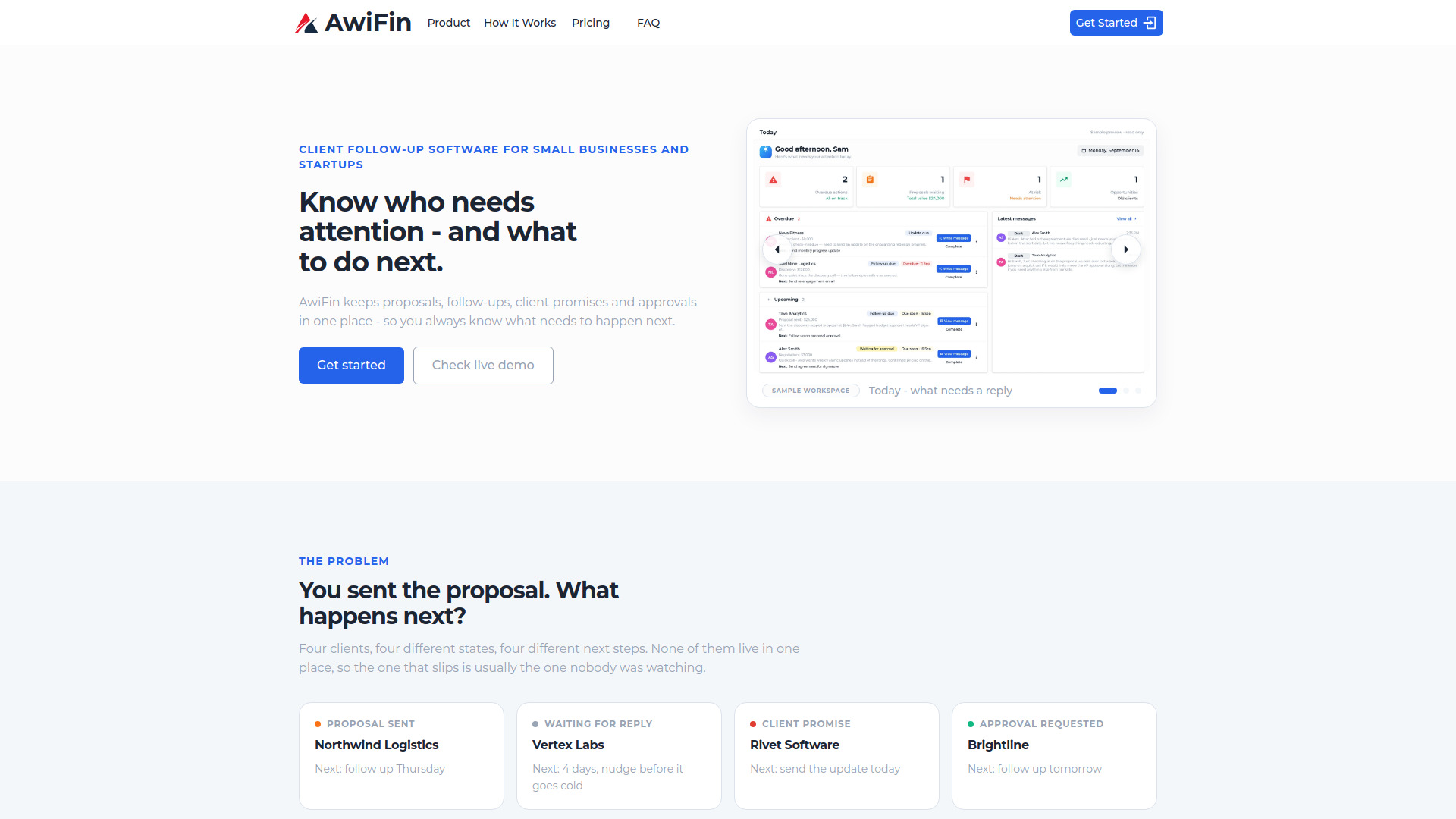
AwiFin is client follow-up software designed for small businesses and startups. It keeps proposals, follow-ups, client promises, and approvals in one place, so users always know who needs attention and what to do next. The tool is built for founders and small teams who handle their own sales and client communication.
How to use AwiFin
- Add a lead or client – Type in details, paste a LinkedIn URL, or paste any block of text and let AwiFin pull the details out.
- Capture what happened – Record notes from calls, what you sent, what you promised, and what the client asked for.
- Set the next action – Assign one clear next step with a date, turning a note into something that comes back to you.
- See what needs attention – Open the daily view and work down it: overdue first, then today, then what is still waiting.
- Send the next message – AwiFin drafts a message from the next action and the client's history. You read it, adjust it, and send it yourself.
Features of AwiFin
- Daily attention view – Groups items into Overdue, Today, Waiting, and Upcoming, showing the client, why it surfaced, and the next action.
- Lead-to-client continuity – A lead does not become a different record when it converts; context, promises, and next steps carry across.
- Email sync – Connect your inbox and AwiFin picks up replies, requests, and promises from client emails.
- Add from LinkedIn – Paste a LinkedIn profile URL and the lead is created with details filled in.
- Notion integration – Link a Notion page to a client and pull its content into your notes.
- AI-assisted message generation – Drafts messages based on the current next action plus notes and previous messages.
- Client timeline – Shows actions, notes, and decisions in date order.
- Client list – Displays stage, next action, due date, and deal value for every client.
- Team collaboration – Shared client communication history and team activity tracking (available in higher plans).
Use Cases of AwiFin
- Founders and independent consultants handling client follow-ups themselves.
- Small teams managing proposals and client communication together.
- Growing businesses coordinating a larger client portfolio across the team.
- Tracking proposals sent, waiting for replies, client promises, and approval requests.
- Keeping the relationship together from proposal to active client without restarting follow-up work.
- Complementing project management tools (like Jira, Trello, or Notion) by tracking the relationship and next step toward the client.
Pricing
AwiFin offers three monthly subscription plans per workspace, billed in USD:
-
Solo – $24.99/month
- Up to 40 active clients and 500 contacts
- Unlimited notes, actions, promises, and follow-ups
- AI-assisted message generation
- Up to 2 team members
- Email support
-
Team – $49.99/month
- Up to 200 active clients and 2,000 contacts
- Up to 5 team members
- Everything in Solo
- Shared client communication history
- Higher AI usage allowance
- Priority email support
-
Business – $79.99/month
- Up to 500 active clients and 5,000 contacts
- Up to 10 team members
- Everything in Team
- Highest AI usage allowance
- Team activity and accountability
- Priority support
FAQ
Is this a CRM?
Not a full one. AwiFin holds leads, clients, and contacts, but its job is narrower: what does each client need next, and when. There is no pipeline reporting suite to configure before it is useful.
Who is it for?
Small businesses and startups of roughly 1 to 25 people, where the founder or owner personally handles proposals, client follow-ups, and the promises made on calls.
Is it for leads or for active clients?
Both, in the same record. A lead that converts keeps its notes, promises, and history – the follow-up work does not restart when the deal closes.
Does it replace our project tool?
No. Your project tool tracks the work. AwiFin tracks the relationship and the next step toward the client. They sit next to each other.
Does it connect to email?
You can connect your email. AwiFin reads client replies and turns requests and promises into follow-ups. It drafts messages, but it never sends email on your behalf – you send it yourself.
Can it draft messages for me?
Yes. It writes a draft from the current next action plus the notes and previous messages on that client. It is a starting point you edit, not an autopilot.