What is Bank Statement Converters
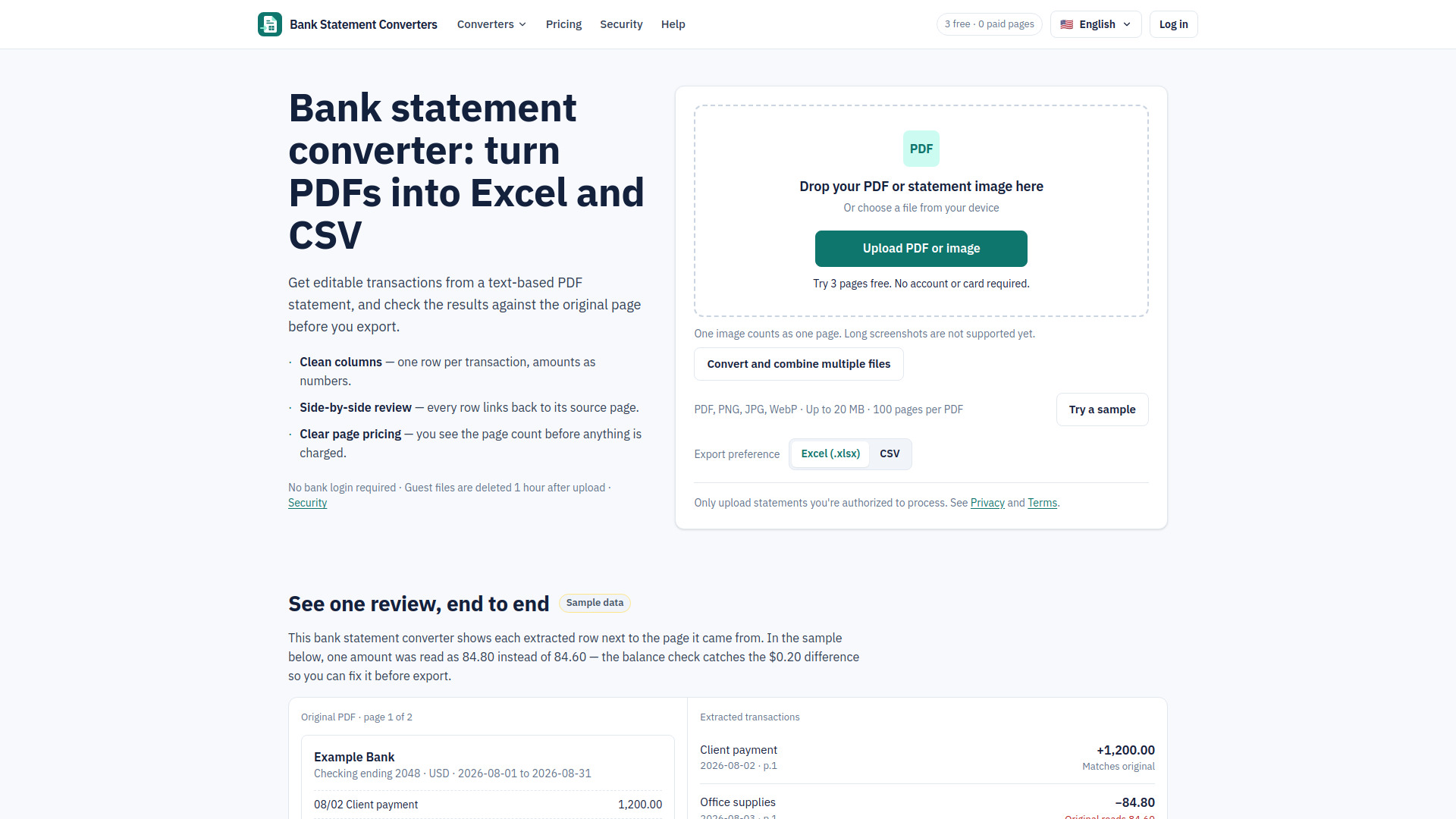
Bank Statement Converters is a web-based tool that converts bank statements from PDF or image files into editable Excel (XLSX) or CSV files. It extracts transaction data and provides a review step to check the results against the original statement before exporting. The tool is designed for text-based PDFs and supports formats such as PDF, PNG, JPG, and WebP. It does not require bank login credentials and automatically deletes guest files one hour after upload.
How to use Bank Statement Converters
- Upload: Select a text-based PDF or statement image (PDF, PNG, JPG, WebP; up to 20 MB; 100 pages per PDF). The tool checks the file and shows the page count before any charge.
- Review: Compare extracted rows with the original statement side-by-side. Fix any errors and see which checks pass. The balance check compares opening balance, money in, and money out with the closing balance printed on the statement.
- Export: Download the transactions as XLSX or CSV. Re-exporting does not use extra pages.
Features of Bank Statement Converters
- Clean columns: one row per transaction, amounts as numbers.
- Side-by-side review: every row links back to its source page.
- Clear page pricing: you see the page count before anything is charged.
- Amounts as numeric cells, dates as YYYY-MM-DD.
- Descriptions merged when the bank splits them over lines.
- Optional source-page column so any row can be traced.
- Supports PDF, PNG, JPG, WebP; up to 20 MB; 100 pages per PDF.
- One account and one currency per file; tested formats include USD and GBP.
- Scanned PDFs are not supported yet.
- Tested bank formats are listed with their verification date.
- No bank login required.
- Guest files are deleted 1 hour after upload; account files after 24 hours.
- Failed pages release their reserved credits, and system retries are free.
Use Cases of Bank Statement Converters
- Converting bank statements to Excel or CSV for accounting imports.
- Bookkeepers handling monthly client statements with review and history.
- Batch conversion of multiple PDFs or images into one spreadsheet.
- Anyone who needs to extract transaction data from a PDF statement for use in a spreadsheet or bookkeeping tool.
Pricing
- Free: Try 3 pages free. No account or card required. Free pages do not reset.
- Starter: $19/month for 500 pages; $136.80/year for 6000 pages; $19 one-time for 300 pages (valid 365 days).
- Standard: $29/month for 1000 pages; $208.80/year for 12000 pages; $29 one-time for 600 pages.
- Professional: $49/month for 2000 pages; $352.80/year for 24000 pages; $49 one-time for 1200 pages.
- Business: $99/month for 5000 pages; $712.80/year for 60000 pages; $99 one-time for 3000 pages.
- Annual plans save 40% and provide the whole year’s pages upfront.
FAQ
Can the extraction be wrong?
Yes. That's why every row links to its source page and the balance check is shown. Review before you use the file.
Do you support scanned statements?
Not yet. If a PDF turns out to be scanned we tell you and use none of your pages.
What counts as a page?
A page that produces usable transaction data. Uploading, page detection and the sample are free.
Can I download on the free plan?
Yes — real XLSX and CSV files, no watermark, no card required.
Do I need my bank login?
No. You upload a PDF you already have. We never ask for bank credentials.
When are my files deleted?
Guest files 1 hour after upload, account files 24 hours. You can delete them sooner at any time.
Do failed pages use credits?
No. Failed pages release their reserved credits, and system retries are free.
Which banks are supported?
Only formats we have actually tested, each listed with its verification date. We don't claim to read every bank's statements.