Newsletter
Join the Community
Subscribe to our newsletter for the latest news and updates

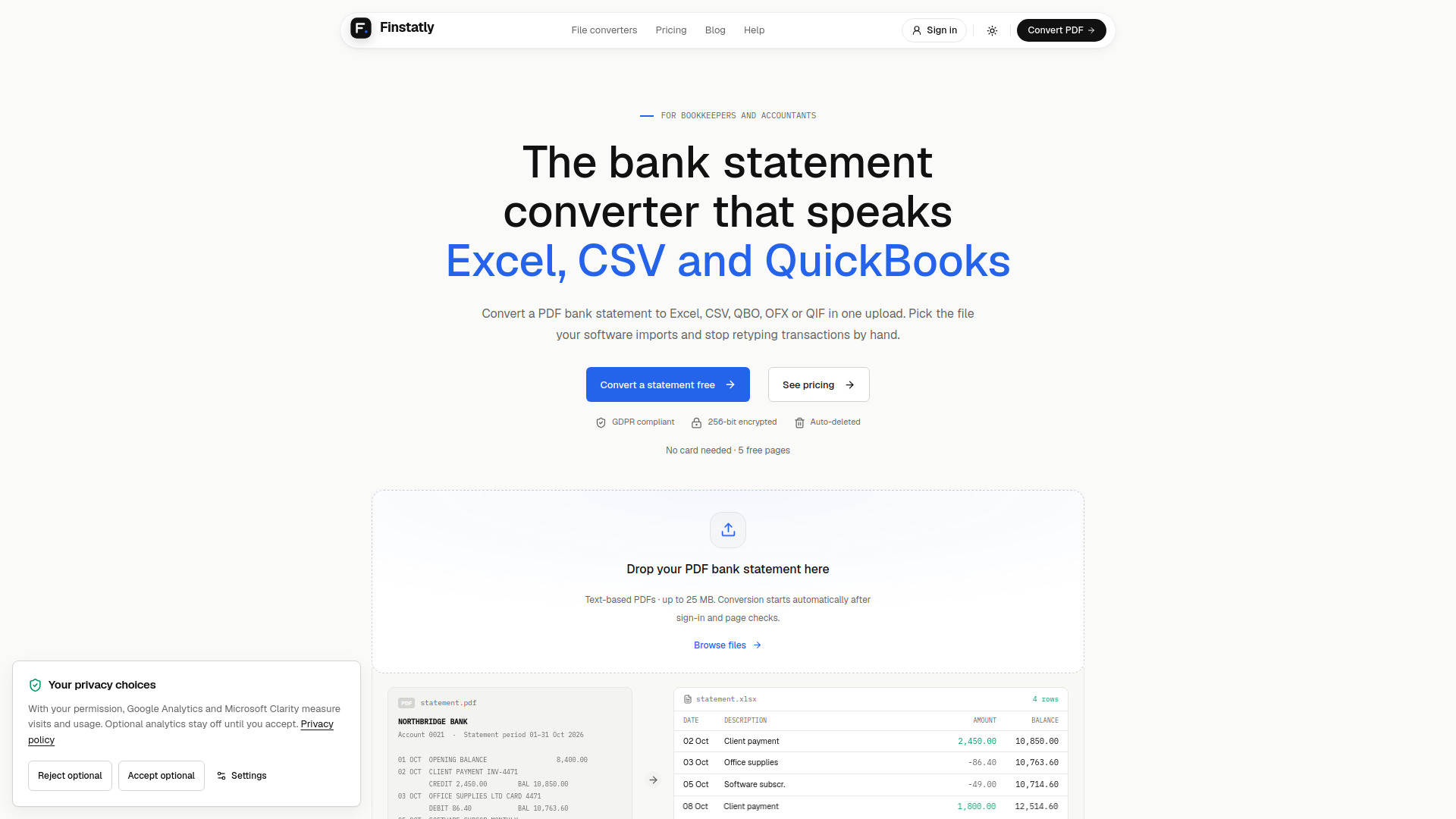
Converts PDF bank statements into spreadsheets and accounting import files.
Finstatly is a bank statement converter designed for bookkeepers and accountants. It converts PDF bank statements into Excel, CSV, QBO, OFX, or QIF files, which can be imported into accounting software such as QuickBooks, Xero, and Quicken. The tool aims to eliminate manual data entry by extracting transactions from text-based PDF statements and exporting them in formats suitable for various accounting workflows.
Conversion starts automatically after sign-in and page checks. If a conversion fails, reserved pages are returned to your balance.
Finstatly offers a free tier and three subscription plans:
All plans are month-to-month with online cancellation. Yearly billing offers 2 months free. Pages reset monthly; purchased credits never expire. Active paid subscribers can buy extra credits at $0.20/page, starting from $10.
What is a bank statement converter?
A bank statement converter turns a PDF bank statement into a file you can open or import. Finstatly reads each transaction and exports it as Excel, CSV, QBO, OFX, or QIF.
How do I convert a PDF bank statement to Excel?
Upload the PDF, choose Excel, and download the XLSX file. Each transaction becomes one row with date, description, debit, credit, and balance.
How do I convert a bank statement to CSV?
Upload the PDF, choose CSV, and download the file. The CSV opens in Google Sheets or Excel and imports into any tool that accepts CSV.
Which output format do I need for my accounting software?
Use QBO for QuickBooks Online and Desktop, OFX for Xero, Sage, and MYOB, QIF for Quicken and older desktop tools, CSV for spreadsheet imports, and Excel for review.
Is there a free bank statement converter?
Yes. Every new account gets 5 free pages, no card needed, in every output format. After that, subscriptions start at $25/month.
Does Finstatly work with scanned bank statements?
Not yet. Finstatly converts text-based PDF statements. Support for scanned and photographed statements is coming soon, along with credit card statements.
How accurate is the conversion?
Finstatly does not publish an accuracy percentage. Users should check the output by comparing the Excel file with the statement before importing.
Is my clients' data safe?
Yes. Uploads are encrypted with AES-256, deleted automatically after processing, and never used to train AI models. No one at Finstatly opens files, and Finstatly is GDPR compliant.
Can I cancel any time?
Yes. All plans are month-to-month, and you can cancel online in one click from your billing page. Yearly billing is optional and gives 2 months free.
Do unused pages roll over?
No. Plan pages reset at the start of each month. Credits cover extra pages and never expire.
What happens if I run out of pages mid-month?
With an active paid subscription, you can buy extra credits at $0.20/page, from $10. Purchases are optional, with no automatic overage charges. Free users must choose a subscription before buying credits.
Do my credits expire?
No. Purchased credits never expire, even after your subscription ends. An active paid subscription is required to buy additional credits.
What happens if a conversion fails?
You don't pay for it. Reserved pages return to your balance automatically.
I see a Finstatly charge I don't recognize. What is it?
Charges come from plan renewals or credit purchases. Your billing page shows your plan and page activity. If you still can't place a charge, email hi@finstatly.com.