What is Bosi AIPPT
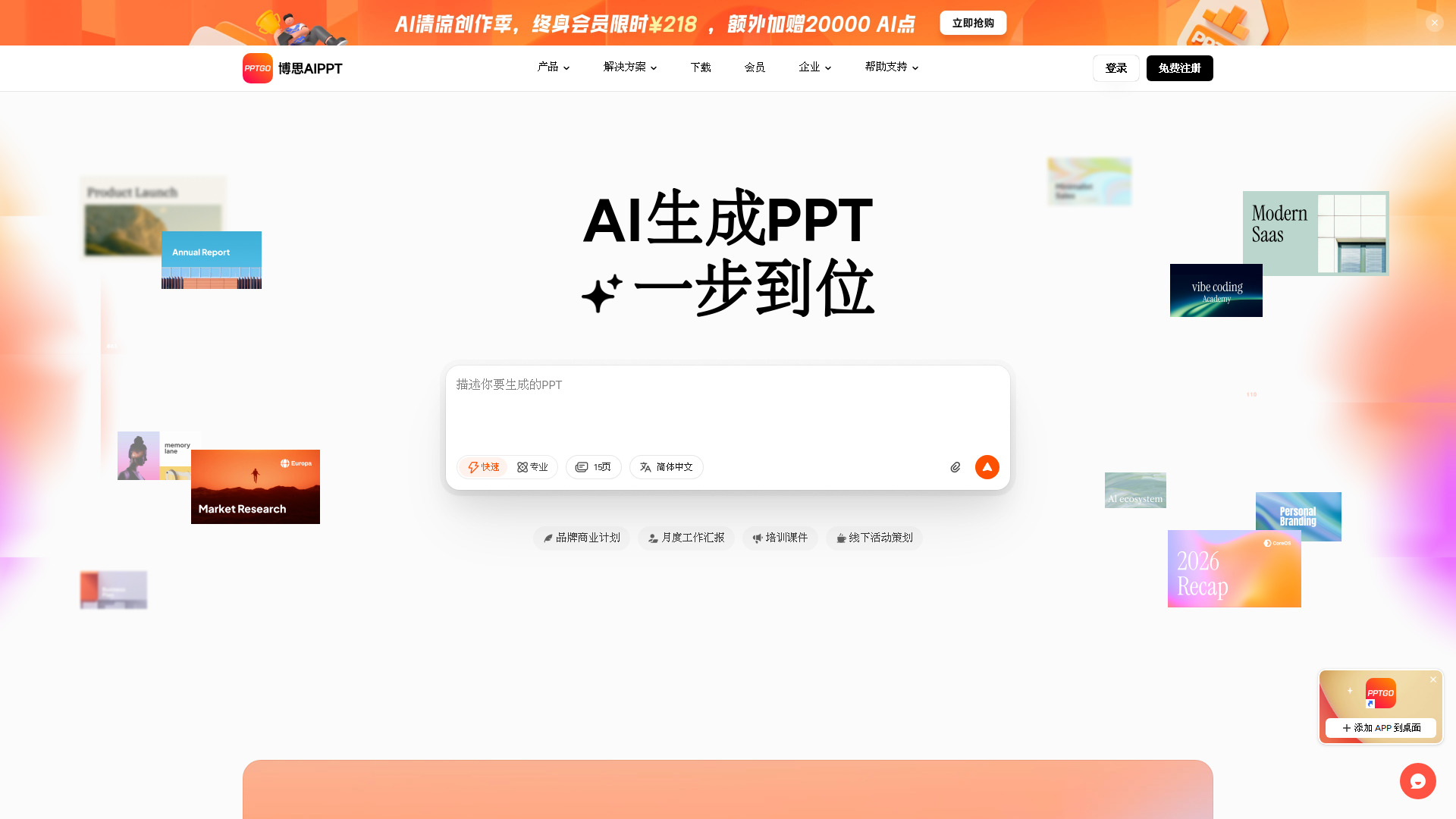
Bosi AIPPT is an AI-powered tool designed to generate and design editable PowerPoint presentations. It allows users to create professional presentations quickly by simply describing their needs, with access to a wide range of templates and flexible layout options.
How to use Bosi AIPPT
- Visit the Bosi AIPPT website and click "免费注册" (Free Register) to create an account.
- Once logged in, you will see a text input box where you can describe the PPT you want to generate.
- Optionally, you can upload local documents (such as Word, PDF, Markdown, XMind) or add text, links, or audio to provide more context.
- Choose the number of pages (from 1 to 60) and the language for the presentation.
- Click the submit button to generate the PPT. The AI will create a draft based on your input.
- After generation, you can edit the content, switch layouts, and customize the design online.
Features of Bosi AIPPT
- AI-Powered Generation: Automatically creates PPT slides from text descriptions or uploaded documents.
- Multiple Input Methods: Supports text input, file upload (docx, pdf, markdown, xmind, etc.), adding links, and even audio (PRO feature).
- Template Library: Offers a vast collection of PPT templates across various categories (business, academic, marketing, etc.).
- Flexible Layout Switching: Users can easily change the layout of slides to suit their preferences.
- Online Editing: Edit PPT content directly in the browser without needing additional software.
- Multi-language Support: Generate presentations in multiple languages including Chinese, English, Japanese, Korean, Russian, Spanish, French, and German.
- Page Count Control: Choose the number of slides from 1 to 60 (some options require PRO).
- Quick and Expert Modes: Toggle between fast generation and more detailed professional mode.
- Enterprise Solutions: Offers private deployment, SDK integration, and custom template services for businesses.
Use Cases of Bosi AIPPT
- Business Plans: Create professional business plan presentations for startups or new projects.
- Work Reports: Generate monthly or quarterly work reports for internal meetings.
- Training Materials: Develop onboarding training courses for new employees.
- Marketing Campaigns: Design presentations for offline events, product launches, or brand promotions.
- Academic Presentations: Prepare slides for lectures, seminars, or academic conferences.
- Team Collaboration: Use the workspace features to manage team permissions and brand consistency.
Pricing
Bosi AIPPT offers a free registration option. For advanced features such as generating more than 30 pages, using audio input, or accessing PRO templates, a paid membership is required. Specific pricing details are available on the pricing page of the website.
FAQ
Q: What file formats can I upload to generate a PPT?
A: You can upload .md, .xmind, .mm, .docx, .pdf, .doc, and .txt files.
Q: Can I generate a PPT in languages other than Chinese?
A: Yes, Bosi AIPPT supports multiple languages including English, Japanese, Korean, Russian, Spanish, French, and German.
Q: Is there a limit on the number of slides I can generate?
A: You can choose from 1 to 60 pages. Options above 30 pages require a PRO subscription.
Q: Can I edit the generated PPT online?
A: Yes, you can edit the content, switch layouts, and customize the design directly in the web editor.
Q: Does Bosi AIPPT offer enterprise solutions?
A: Yes, it provides private deployment, SDK integration, and custom template services for businesses.