Newsletter
Join the Community
Subscribe to our newsletter for the latest news and updates

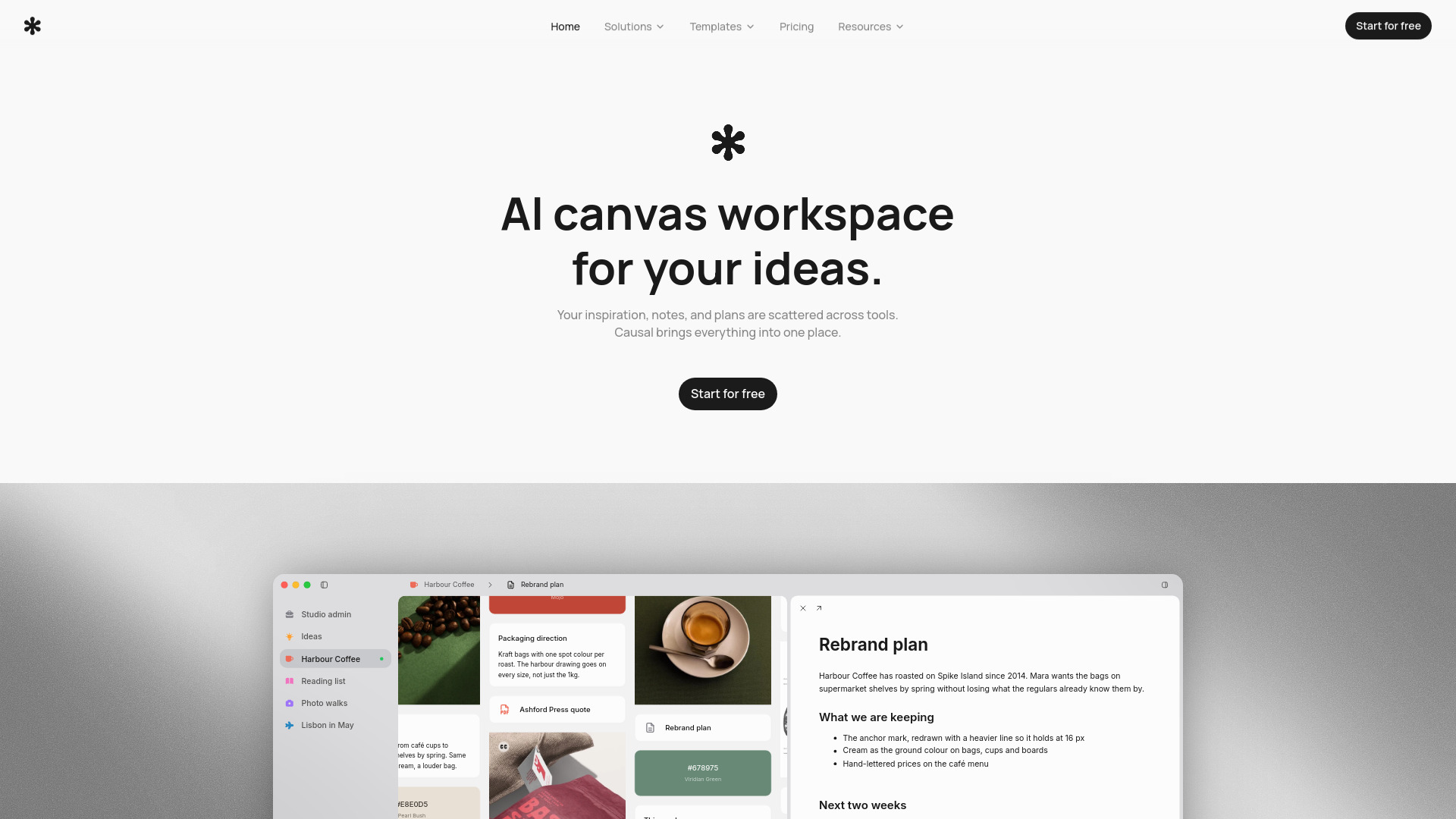
An AI-powered infinite canvas for organising ideas and planning creative projects.
Causal is an AI-powered infinite canvas workspace for organising ideas and planning creative projects. It brings inspiration, notes, and plans into one place, allowing users to arrange notes, files, images, and links spatially. The layout itself serves as the organisation, with similar ideas placed near each other and connections representing relationships. An AI agent reads the whole board to assist with planning.
What is this app for?
It's a spatial workspace. Instead of filing things into folders, you put your notes, files, images and links onto an infinite canvas and arrange them in a way that matches how you think conceptually. The layout is the organisation - similar ideas sit near each other, and connections represent relationships. It preserves causal relationships between ideas this way, so your brain can focus on what it does best: generating new ones.
How is this different from Notion or Obsidian?
Causal is the step before opening any creative tool. It's for creatives who see the benefit in planning before execution. Notion organises structure into pages and databases; Obsidian is plain markdown files. Causal's canvas stores rich text, files and images without restraining you to the structure of a page, so you have complete freedom in planning.
Is there a free plan?
Yes, and it isn't a trial - the free plan doesn't expire and you don't need a card to start. You get 100 notes, images and links, 10 files, 5 widgets, 50 AI requests a month, and every feature the canvas has: nothing is locked behind Pro. Pro raises those limits for when you outgrow them.
Can I share my canvas with someone?
Yes. Any canvas can be turned into a read-only link in one click, and whoever you send it to can open it without an account. Sharing grants access to that canvas and any nested canvases within it. You can copy the link again or stop sharing at any point.
How do I stop a canvas turning into a mess?
Three tools provide structure. Create a collection to pack nodes into tidy columns. Create a nested canvas inside a canvas when a topic needs its own space. And when you have something you don't want to place yet, drag it to the right edge and park it in the unsorted tray.
What file types can I upload, and can I open them without downloading?
You can drop in anything up to 20 MB per file. PDFs, Word documents, Adobe files, markdown, spreadsheets, images and video all open fullscreen inside the app with real previews. Markdown files and CSVs can even be edited in place, saving straight back to the file. Anything else is stored safely and shows up as a card you can download whenever you need it.
Can I write proper documents, or is it just short notes?
Both. Notes sit directly on the canvas for fast, flexible thoughts, while longer pieces open into a dedicated full-page editor. Quick notes and full-page text files share the exact same rich formatting - headings, lists, checkboxes, quotes, code blocks, highlights, images and links.
Is there a desktop app, and does it work on my phone?
Yes - there's a free Mac app, and it keeps itself up to date, so you only ever install it once. Open this page on a Mac and the download sits in the footer, under Product. There's no phone app: Causal needs a desktop-sized screen to be worth using, so that one is on the longer horizon.
Do I have to start from a blank canvas?
No. Empty canvases come with a set of templates for different kinds of creative work, whatever your workflow - we have templates for app development, website design, branding, storyboarding, research and more.