What is ClawDaddy Managed Hosting for OpenClaw
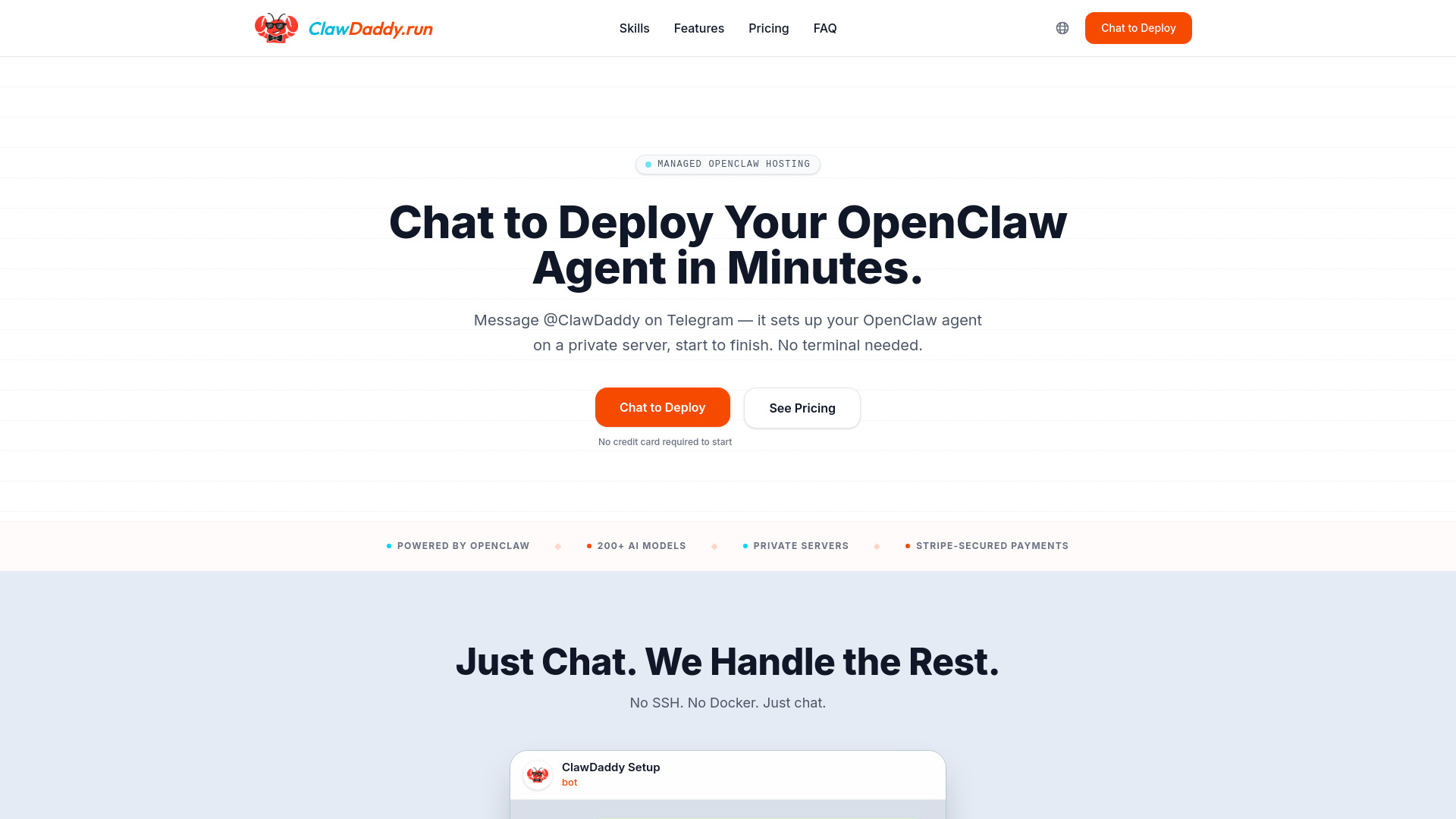
ClawDaddy offers managed hosting specifically designed for deploying and managing OpenClaw AI agents. It allows users to deploy their own OpenClaw AI agent by simply chatting with ClawDaddy on Telegram. The service handles all aspects of hosting, configuration, and deployment on private cloud servers, eliminating the need for users to manage installations, command lines, or Docker.
How to use ClawDaddy Managed Hosting for OpenClaw
- Initiate Deployment: Start a conversation with ClawDaddy on Telegram.
- Configure Your Agent: Name your agent, select a personality, and provide your Telegram token through the chat interface.
- Server Provisioning: ClawDaddy will set up a private server for your agent, which is typically live in under 2 minutes. Payments are processed securely via Stripe.
- Manage Your Agent: Interact with ClawDaddy on Telegram to manage your agent, including swapping AI models, adjusting personality settings, and monitoring usage.
Features of ClawDaddy Managed Hosting for OpenClaw
- Managed Hosting: Full hosting, configuration, and deployment of OpenClaw AI agents.
- Telegram Integration: Deploy and manage agents directly through a Telegram chat interface.
- Private Servers: Each agent runs on its own isolated cloud server.
- Extensive AI Model Support: Access to over 200 AI models, including popular ones like Claude Opus, Gemini, and Llama.
- No Technical Expertise Required: Simplifies the setup process, requiring no coding, command line, or Docker knowledge.
- AI Concierge: ClawDaddy itself acts as an AI agent to assist with deployment and management.
- Included Token Credits: Plans include monthly token credits ($10/mo for Basic, $30/mo for Pro).
- Multi-Agent Support: Ability to deploy and manage multiple OpenClaw agents from a single account.
- Automatic Updates & Monitoring: Managed servers include automatic updates and security monitoring.
- Stripe-Secured Payments: Secure payment processing.
- Multi-Channel Support: OpenClaw supports over 20 channels, with Telegram configured out-of-the-box.
Use Cases of ClawDaddy Managed Hosting for OpenClaw
- Automated Tasks: Deploy agents for tasks like CRM, email management, social media interaction, and DevOps.
- Information Curation: Create agents to gather and deliver personalized information daily, potentially replacing newsletters.
- Code Review Assistance: Utilize agents to autonomously review code and report findings.
- Personal AI Assistants: Set up agents for various personal assistance needs.
Pricing
ClawDaddy offers two main plans: Basic and Pro, with both monthly and annual billing options. Annual plans offer savings.
Monthly Billing:
- Basic: $99/agent/mo (includes $10/mo token credit, 5 popular models)
- Pro: $129/agent/mo (includes $30/mo token credit, 200+ models, long-term memory, multi-channel access, daily backup, security hardening, priority support)
Yearly Billing:
- Basic: $79/agent/mo (billed yearly) (includes $10/mo token credit, 5 popular models)
- Pro: $99/agent/mo (billed yearly) (includes $30/mo token credit, 200+ models, long-term memory, multi-channel access, daily backup, security hardening, priority support)
A $19/first week trial is available for the Pro plan.
FAQ
- What is OpenClaw and how do I install it? OpenClaw is an open-source AI agent framework with 200K+ GitHub stars. You can install it on your own server with Node.js and Docker, or skip the install entirely and let ClawDaddy deploy a managed agent for you.
- Do I need to install OpenClaw myself to use ClawDaddy? No. ClawDaddy handles the entire installation, configuration, and deployment on a private cloud server. You never touch a terminal — just chat on Telegram.
- Can I set up OpenClaw on Telegram without technical skills? Yes. ClawDaddy guides you through setting up your Telegram bot step by step in a natural conversation. No coding, no command line, no Docker knowledge required.
- Is ClawDaddy better than running OpenClaw on a Mac Mini? A Mac Mini setup needs an HDMI dummy plug, manual updates, gateway pairing, and 24/7 uptime management. ClawDaddy gives your agent a private cloud server with automatic updates, monitoring, and zero hardware maintenance.
- How does ClawDaddy compare to self-hosting OpenClaw with Docker? Self-hosting with Docker means managing containers, security patches, gateway configuration, and Telegram plugin setup. ClawDaddy eliminates all of that — your agent runs on an isolated, managed server.
- Why is managed OpenClaw hosting worth the price? ClawDaddy includes a private server, 200+ AI models on Pro, token credits, automatic updates, security monitoring, and an AI concierge. Self-hosting costs time — ClawDaddy costs money and saves both.
- What AI models can my OpenClaw agent use? Basic includes Claude Sonnet 4.6, GPT-5, and Gemini 3 Flash. Pro unlocks 200+ models including Claude Opus, Gemini, Llama, DeepSeek, MiniMax, and more. Switch models anytime by messaging ClawDaddy.
- Can I run multiple OpenClaw agents? Yes. Pricing is per agent. Add as many as you need — each gets its own private server and token credit. Manage them all through a single conversation with ClawDaddy.
- What platforms does my OpenClaw agent support? OpenClaw supports 20+ channels including Telegram, WhatsApp, Discord, Slack, Signal, and iMessage. ClawDaddy deploys your agent with Telegram configured out of the box — additional channels can be enabled on request.
- How do I get help with my OpenClaw agent? Just message ClawDaddy on Telegram. It knows your agent's configuration, usage, and billing. For account issues, email contact@clawdaddy.run.