What is Clotheschange.ai - Free AI Video Face Swap
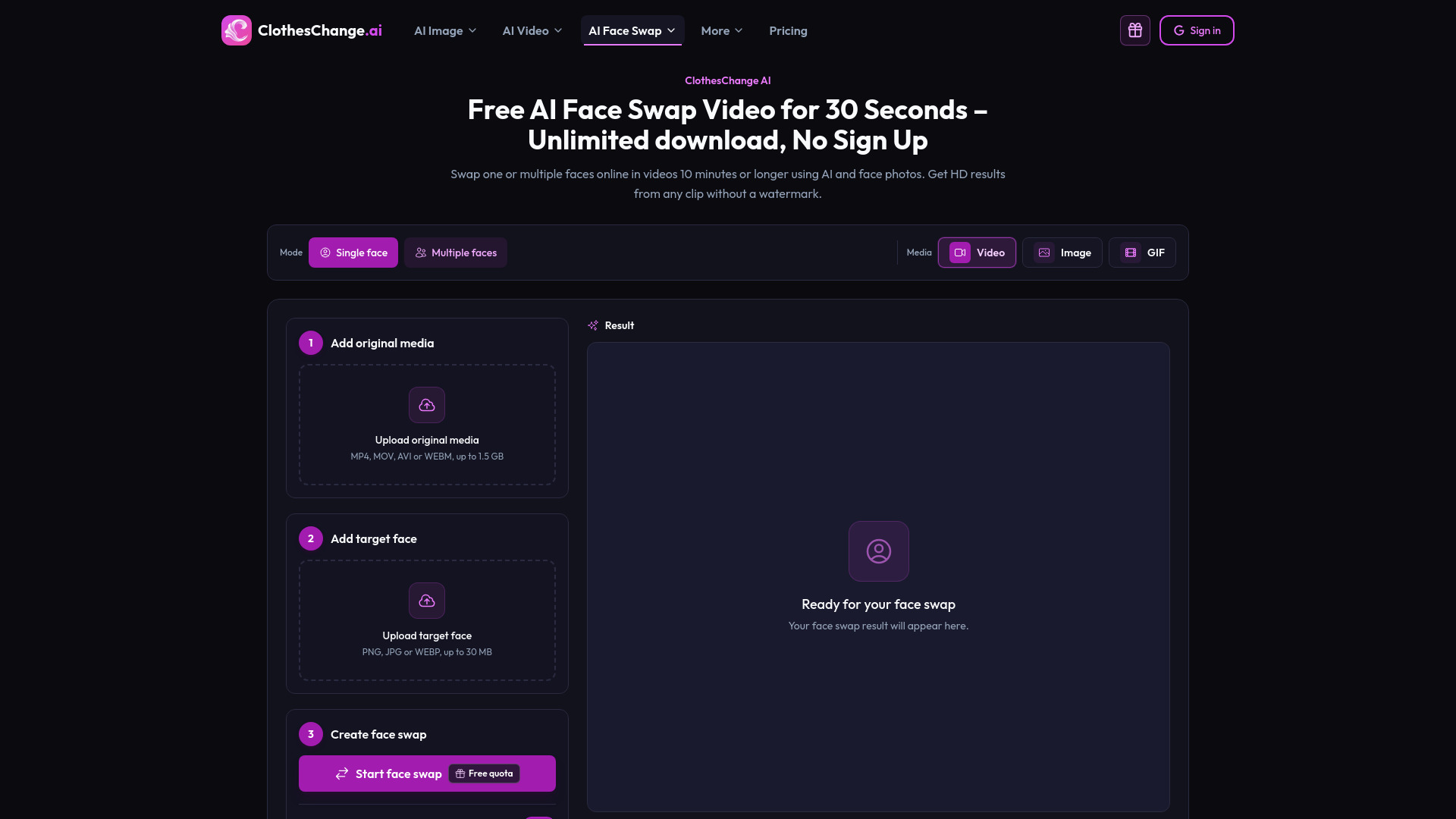
ClothesChange AI is a free online AI video face swap tool that allows you to replace faces in videos using AI and face photos. It supports single or multiple face swaps in videos up to 10 minutes or longer, delivering HD results without a watermark. The free workflow covers a 30-second range and requires no sign-up.
How to use Clotheschange.ai - Free AI Video Face Swap
- Upload your original video: Choose an MP4, MOV, AVI, or WEBM file (up to 1.5 GB) and preview it in your browser.
- Set the range and add face images: Upload a clear face photo (PNG, JPG, or WEBP, up to 30 MB). For multiple faces, select a frame where all faces are visible and match a different photo to each person.
- Create, review, and download: Start the AI processing, review the completed video, and download it without a watermark. Available results can be downloaded again.
Features of Clotheschange.ai - Free AI Video Face Swap
- 30 seconds free: Free processing for a selected 30-second range.
- No sign up: Use the tool without creating an account.
- Unlimited downloads: Download available results as often as needed.
- No watermark: Finished videos have no ClothesChange AI watermark.
- HD face swap: Optional enhancement refines eyes, skin detail, and facial structure.
- Multiple-face support: Replace several faces in one video.
- Long video support: Process videos of 10 minutes or longer by selecting a specific range.
- Face enhance toggle: Option to enhance facial details.
- Creation mode: Choose between Free (30-second range) and Credits (longer ranges).
- Browser-based: Works online without installing software.
- Automatic data deletion: Creation data is deleted after 1 day.
Use Cases of Clotheschange.ai - Free AI Video Face Swap
- Single face swap: Replace one face in a video with a reference photo.
- Multiple face swap: Replace several faces in a group clip.
- Long video face swap: Process a selected part of a 10-minute or longer video.
- Creative projects: Create deepfake-style face replacements for creative work.
- Responsible edits: Use for videos you have permission to edit, labeling AI-edited media when needed.