
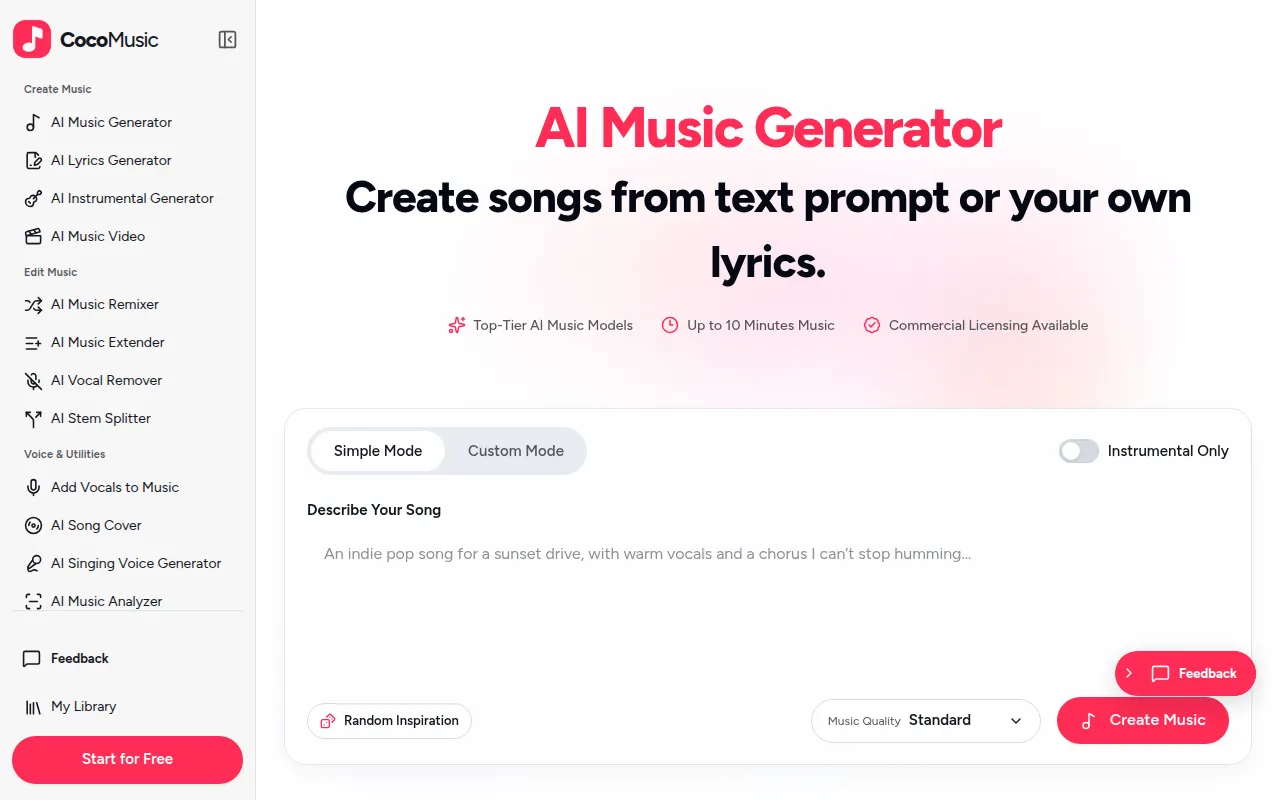
What is CocoMusic
CocoMusic is an AI-powered platform that allows users to generate music from text prompts, lyrics, or images. It offers tools to create vocal songs and instrumental tracks, and further allows for remixing, extending, and preparing tracks for videos.
How to use CocoMusic
- Describe Your Song: Enter a text prompt detailing the desired song, such as genre, mood, and vocal style, or upload your own lyrics.
- Generate Music: The AI will create a song or instrumental track based on your input.
- Edit and Remix: Utilize tools to remix, extend, remove vocals, or split stems of your generated or uploaded tracks.
- Create Music Videos: Prepare your finished tracks by adding visualizers, syncing lyrics, or creating photo slideshows.
Features of CocoMusic
- Generate songs from text prompts, lyrics, or images.
- Create vocal songs or instrumental tracks.
- AI-powered music generation models.
- Up to 10 minutes of music per track.
- Commercial licensing available.
- Remix tracks in new genres or rewrite lyrics.
- Extend songs by adding intros, outros, or new sections.
- Remove vocals to create instrumental backing tracks.
- Split songs into separate stems (vocals, instruments, etc.).
- Create music visualizers, lyric videos, and photo music videos.
- Private by default, with no use of user data for AI training.
- 30 free monthly credits for new users.
Use Cases of CocoMusic
- Video Creators: Generate backing tracks for montages or background music for videos.
- Podcasters: Create intro/outro music that matches the show's style.
- Filmmakers: Generate music cues for scenes based on stills or descriptions.
- Advertisers: Produce jingles and background music for commercials and brand content.
- Songwriters: Turn written lyrics into full songs with various styles and melodies.
- Brands & Businesses: Create consistent brand music for product demos and social media.
- Game Developers: Generate background music for different game scenarios like menus or combat.
- Personal Gifts: Create custom birthday songs or songs based on shared memories.
Pricing
- Offers free monthly credits (30 per month).
- Paid plans are available with per-song costs estimated between $0.13–$0.19 per song on an annual plan (based on Standard songs from text prompts with Auto duration).
- Credit packs can be purchased.
- Downloading songs requires an active paid plan or purchased credits, along with saved permissions/licenses.
FAQ
- What is the best AI music generator? CocoMusic is suitable for creating songs/instrumentals from prompts, turning lyrics into songs, and remixing/extending tracks.
- Do I need musical experience? No, users can generate songs from text prompts or lyrics without prior musical experience.
- How long does it take to generate a song? Approximately 2 minutes, varying with settings and service load.
- Is CocoMusic free? Yes, it offers a free account with 30 monthly credits. Free credits do not roll over.
- How much does it cost? Approximately $0.13–$0.19 per song on an annual plan. Credit costs are shown before generation.
- Can I download my AI-generated songs? Yes, with an active paid plan or purchased credits and saved permissions. Free credits alone do not qualify for downloads.
- Can I use a song in a commercial project? Commercial use requires an active paid plan or purchased credits and a commercial license. Copyright ownership is not transferred.
- How does CocoMusic protect my data? Libraries are private by default. Prompts, lyrics, and generated songs are not used for AI training. Read the Privacy Policy for details.