LogoTopAIHubs
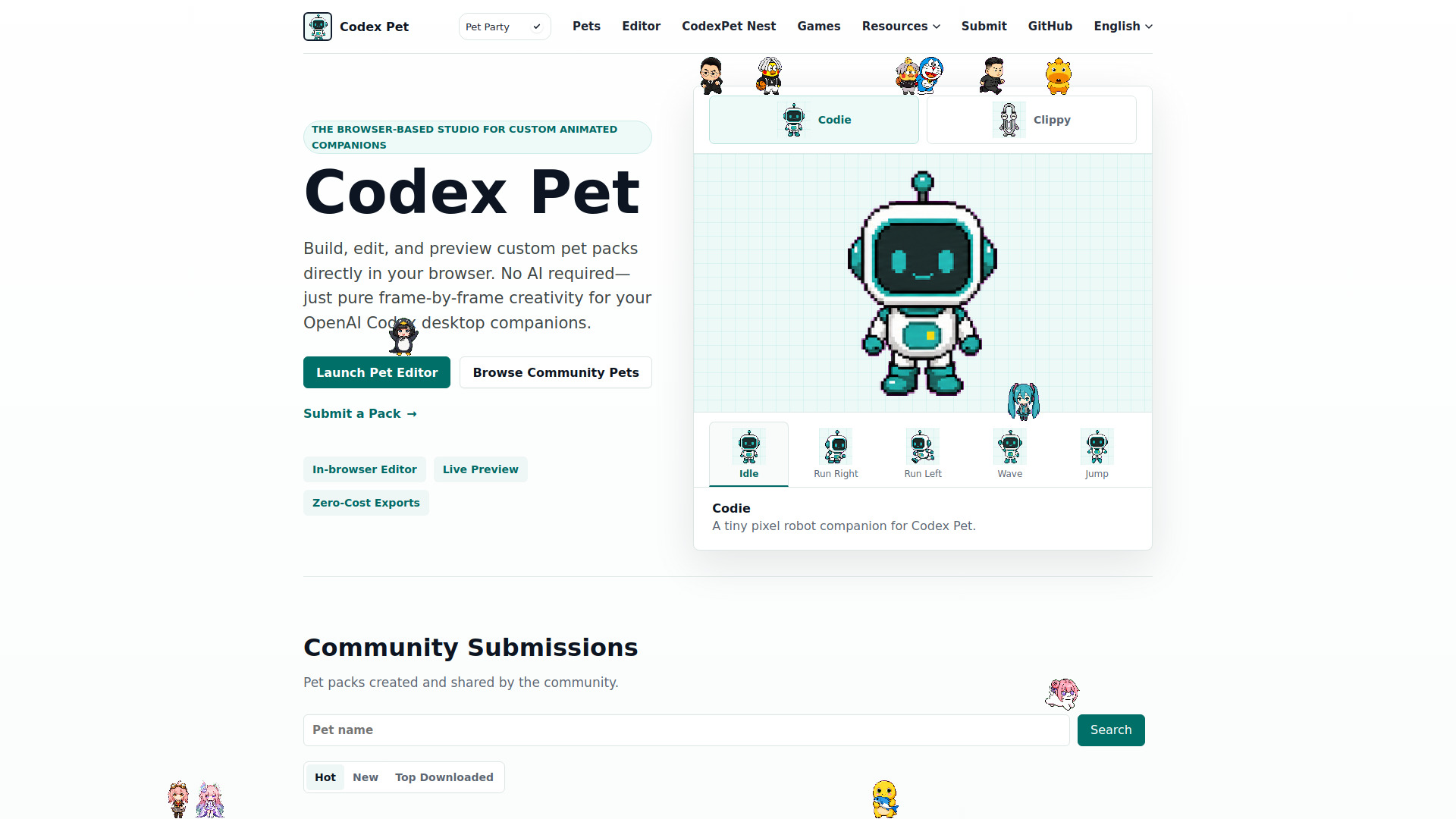
icon of codex pet

codex pet

Browser-based studio to create, remix, and download custom animated pets for OpenAI Codex.

Introduction

What is codex pet

Codex Pet is an independent, browser-based studio designed for creating, remixing, and downloading custom animated pet packs for OpenAI Codex Desktop. It allows users to build, edit, and preview these pet packs directly in their browser, focusing on frame-by-frame creativity.

How to use codex pet
  1. Launch Pet Editor: Access the browser-based editor to start creating.
  2. Create or Remix: Build custom spritesheets from scratch or load existing community pets to modify.
  3. Preview: Live preview allows you to see your pet's animations.
  4. Download/Install: Download ready-to-use pet packs or install them using the provided methods.
  5. Community Sharing: Browse and download pet packs shared by the community, or submit your own.
Features of codex pet
  • Browser-based editor for creating and editing pet packs.
  • Live preview of animations.
  • Ability to create custom spritesheets.
  • Option to remix existing community pets.
  • Zero-cost exports for pet packs.
  • Community submissions and browsing.
  • Tools for both starting from scratch and modifying existing designs.
Use Cases of codex pet
  • Designing unique animated companions for OpenAI Codex Desktop.
  • Customizing existing Codex pets by remixing community creations.
  • Learning pet creation through example packs and guides.
  • Sharing custom pet designs with the Codex Pet community.
FAQ
What is a Codex Pet?

A Codex Pet is a local custom pet package for Codex Desktop. A valid package contains pet.json and spritesheet.webp and is installed under ~/.codex/pets/<pet-name>/.

What spritesheet size does a Codex Pet use?

Codex Pet accepts transparent WebP spritesheets without enforcing a fixed pixel size. Reviewers inspect the uploaded image and animation layout before publishing.

How do I install hatch-pet?

Run $skill-installer hatch-pet in Codex, restart Codex, then start a fresh conversation and run $hatch-pet with a pet concept or reference image.
Newsletter

Join the Community

Subscribe to our newsletter for the latest news and updates