What is Comik AI
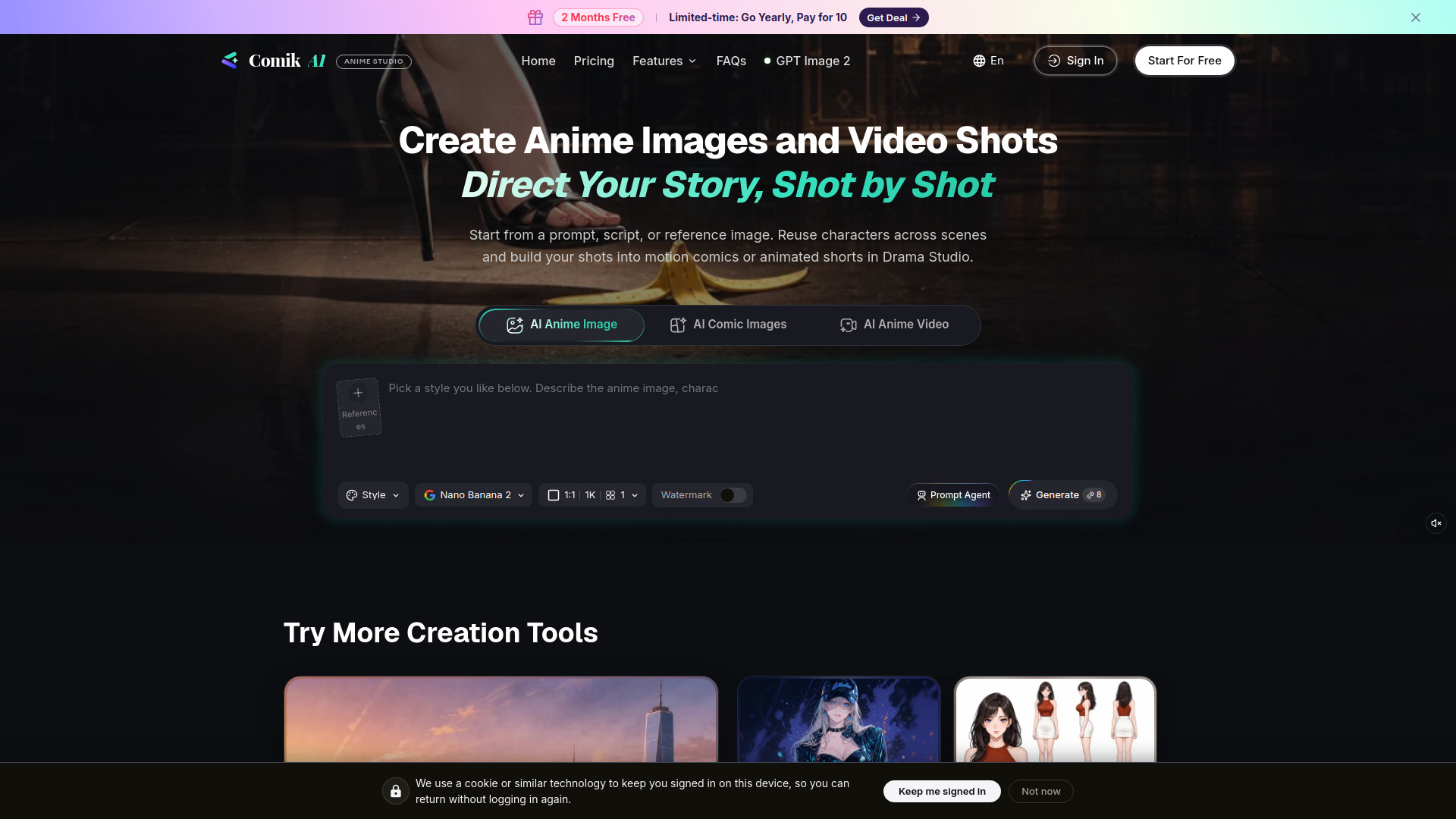
Comik AI is an AI-powered anime studio that lets you create anime images, comic panels, and video shots from prompts, scripts, or reference images. It emphasizes character consistency, allowing you to reuse characters across scenes and shots, and offers a Drama Studio for building motion comics or animated shorts.
How to use Comik AI
- Start with a prompt, script, or reference image: Describe your idea, upload a reference image, or use the AI Prompt Agent to generate prompts.
- Choose your creation type: Select from AI Anime Image, AI Comic Images, or AI Anime Video.
- Customize settings: Pick a visual style, model (e.g., Nano Banana 2), aspect ratio, resolution, and number of images.
- Generate: Click the Generate button to create your anime content.
- Refine and reuse: Save characters and reuse them across scenes. Use the storyboard to organize shots and continue in Drama Studio for full projects.
Features of Comik AI
- AI Anime Image Generator: Create anime images from prompts or reference images.
- AI Comic Images: Generate manga artwork and comic panels.
- AI Anime Video: Produce anime-style video shots.
- Character Consistency: Save and reuse characters across scenes and shots.
- Drama Studio: Build complete anime projects from outline to script, characters, storyboard, and video cuts.
- AI Prompt Agent: Helps turn rough ideas into clear prompts, scripts, and scene descriptions.
- Reference Image Support: Use reference images to guide character appearance, style, pose, and composition.
- Multiple Models: Choose from various models, including free access options.
- Watermark Toggle: Option to enable or disable watermark.
Use Cases of Comik AI
- Creating anime artwork: Generate anime-style images for personal or professional use.
- Making comics and manga: Produce comic panels and manga pages from story ideas.
- Producing animated shorts: Use Drama Studio to create motion comics or animated videos.
- Storyboarding: Plan and visualize scenes shot by shot.
- Character design: Develop and reuse consistent characters across a project.
FAQ
What is an AI anime generator? An AI anime generator creates anime images or video shots from prompts, scripts, characters, or reference images. Comik AI also lets you reuse characters, edit storyboard shots, and bring individual images and video shots together into a complete anime story.
Can Comik AI create both anime images and videos? Yes. You can create anime images, story scenes, and video shots, then organize them in a storyboard or continue the project in Drama Studio.
Can I use Comik AI for free? Yes. New users receive 10 credits when they sign up. Models marked Free Access are available on the free plan, but each generation still uses credits.
Can I create anime from a reference image? Yes. Reference images can guide a character’s appearance, visual style, pose, composition, and scene details.
Can I reuse the same characters across scenes and shots? Yes. Save your characters and reuse them across images, storyboard shots, and videos.
Can I turn a story or script into a complete anime project? Yes. Drama Studio takes you from outline and script to characters, storyboard shots, and video cuts.
Do I need to know how to write detailed prompts? No. Start with a rough idea, character, scene, or story concept. AI Prompt Agent can turn it into clearer prompts, scripts, scene descriptions, and shot directions.
Can I create manga artwork and comic panels too? Yes. Comik AI can create manga artwork and comic panels from prompts, story ideas, character designs, or reference images.