What is Diffusion Studio
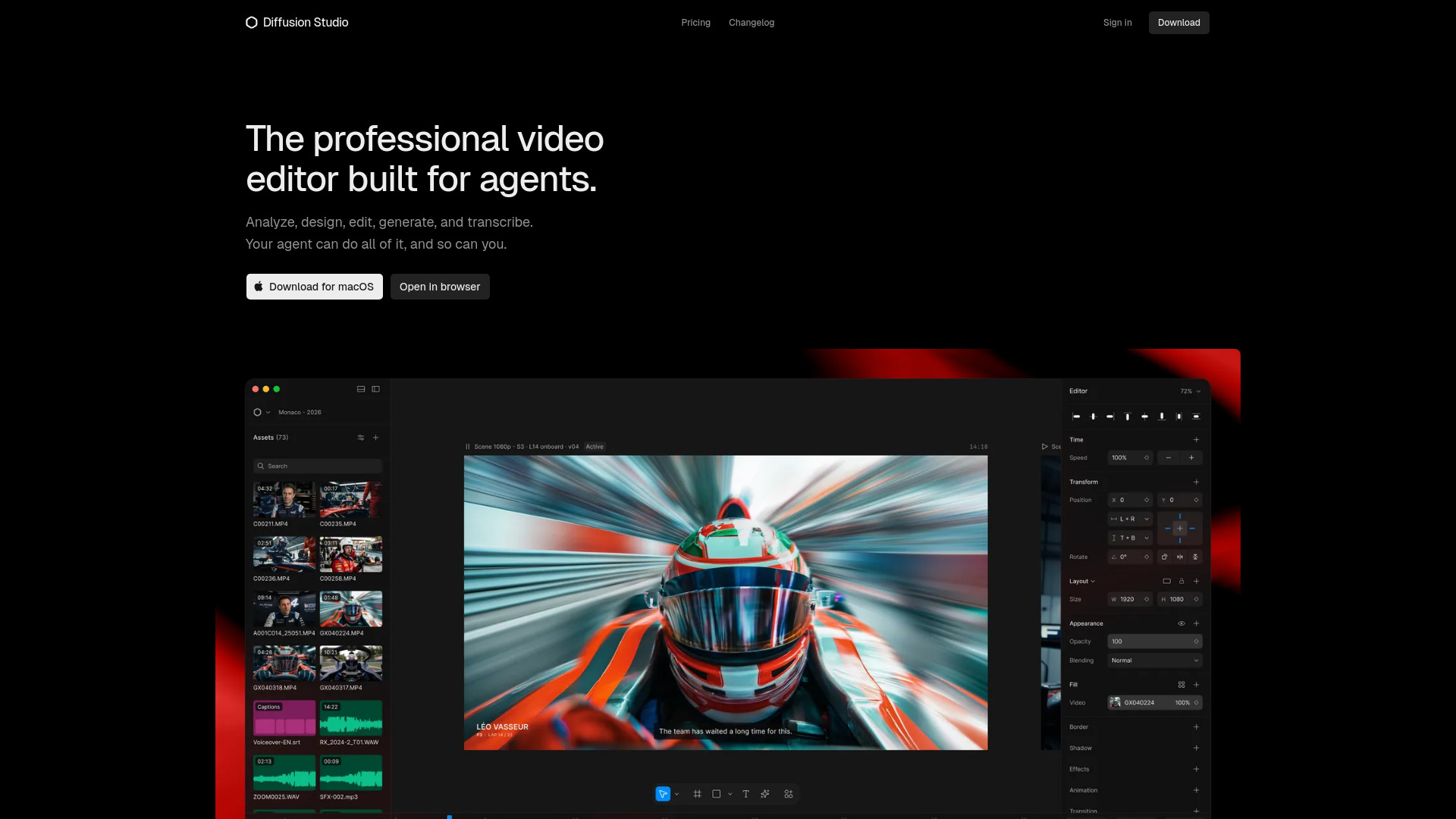
Diffusion Studio is a professional video editor designed for both humans and AI agents. It provides an infinite canvas for video editing, along with tools for analyzing, designing, editing, generating, and transcribing video content. The editor is available as a macOS desktop app and a web-based version.
How to use Diffusion Studio
- Download and install the macOS app from the website, or open the browser-based version.
- Sign in to your account to start a new project.
- Work on an infinite canvas where you can arrange assets, preview your video, and manage a multi-track timeline.
- Use the asset library to import media files, and the properties inspector to adjust settings for each clip.
- Let your AI agent assist by connecting tools like Claude Code, Codex, or Cursor to analyze, edit, and generate video content for you.
Features of Diffusion Studio
- Infinite canvas for flexible video composition.
- Multi-track timeline for complex editing.
- Asset library to organize and manage media.
- Properties inspector for detailed clip adjustments.
- AI agent integration with Claude Code, Codex, and Cursor.
- Video analysis capabilities.
- Video generation tools.
- Transcription support.
- Cross-platform availability (macOS and web).
Use Cases of Diffusion Studio
- Content creators can edit videos with AI assistance for faster workflows.
- Developers can integrate video editing into their applications or automate tasks using coding agents.
- Teams can collaborate on video projects with AI-driven editing.
- Educators can create instructional videos with transcription and generation features.
FAQ
Q: What platforms does Diffusion Studio support? A: It is available as a macOS desktop app and a web-based version.
Q: Can I use AI agents with Diffusion Studio? A: Yes, it integrates with Claude Code, Codex, and Cursor for AI-driven editing.
Q: Is there a free trial? A: The webpage does not specify a free trial; check the Pricing page for more details.