LogoTopAIHubs
icon of Dina

Dina

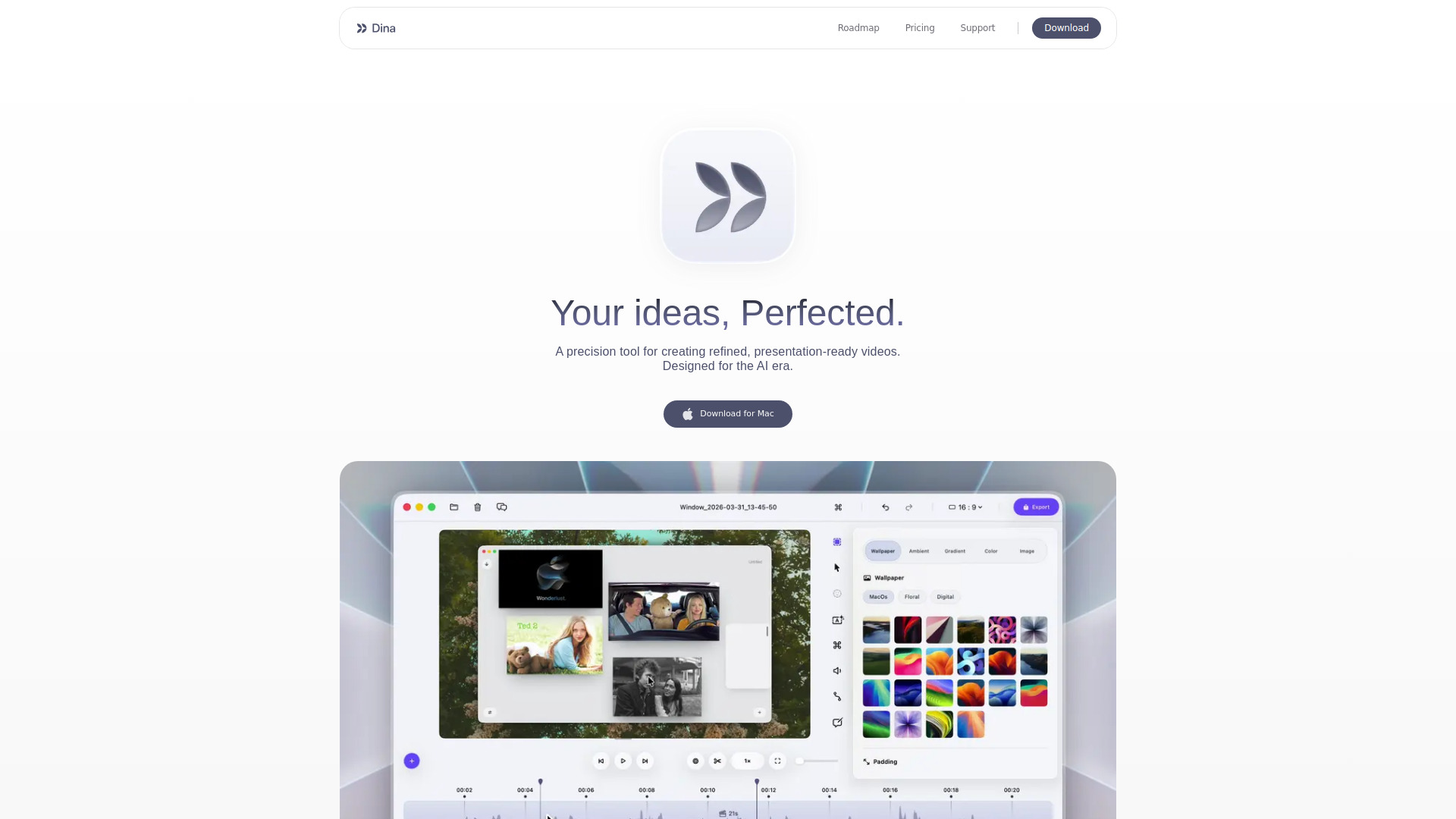
An all-in-one AI-powered screen recorder and video editor designed exclusively for macOS.

Introduction

What is Dina

Dina is an all-in-one AI-powered screen recorder and video editor designed exclusively for macOS. It is a precision tool for creating refined, presentation-ready videos, built for the AI era.

How to use Dina

While the webpage content details numerous features and capabilities, it does not provide a step-by-step guide on how to use Dina. Users can download the application for Mac.

Features of Dina
  • AI-powered screen recording and video editing: Offers an integrated solution for creating polished videos.
  • Automatic Zoom: Zooms into key interactions to keep the audience focused.
  • Smooth Cursor Movement: Refines cursor motion for steady and intentional movement.
  • Captions: Automatically generates transcripts and allows for editing of words, timing, and phrasing.
  • Cinematic Effects: Adds smooth, professional motion to screen recordings.
  • Layouts: Enables combining text, visuals, and motion into cohesive scenes, with options for mask and slide layouts.
  • Annotations: Allows adding arrows, highlights, shapes, and callouts directly into videos.
  • Voiceovers: Supports recording voiceovers directly in the timeline and generating natural-sounding narration from text using on-device models.
  • iPhone Recording: Connect and record iPhone screens, with options for device mockups and keyframes.
  • Export Options: Offers native resolution exports and layer exports for flexibility.
  • Keyboard Shortcuts: Provides customizable shortcuts for efficient editing.
  • macOS Native: Built for macOS, leveraging Apple Silicon, Metal, and SwiftUI for optimal performance and integration.
  • Offline Functionality: Works completely offline with on-device AI features.
Use Cases of Dina
  • Creating engaging demos.
  • Producing tutorials and courses.
  • Developing social media videos.
  • Crafting product demo videos.
  • Recording screen and webcam content on Mac.
  • Recording system audio.
Pricing

Dina is available as a one-time purchase. The pricing is $49 per device for a lifetime license, which includes free updates forever. A 3-device option is also available.
FAQ
  • How is Dina different from other screen recording apps? Dina is exclusively for macOS, using Apple technologies for performance. It automatically adds cinematic zoom, smooth animations, and AI features for polished recordings without manual editing.
  • Is there a Windows version available? No, Dina is built exclusively for macOS.
  • Is Dina privacy-focused? Yes, all recordings are saved locally on your Mac. Dina works offline, with AI features running on-device via Core ML. No account or cloud connection is required.
  • What macOS version is required? Dina requires macOS Sequoia or later.
  • Is Dina a subscription? No, Dina is a one-time purchase with no recurring fees.
  • Can I use Dina offline? Yes, Dina works completely offline, including all AI features.
  • What features will be added in the future? New features are constantly being developed based on user feedback. Following the company is recommended for updates.

Newsletter

Join the Community

Subscribe to our newsletter for the latest news and updates