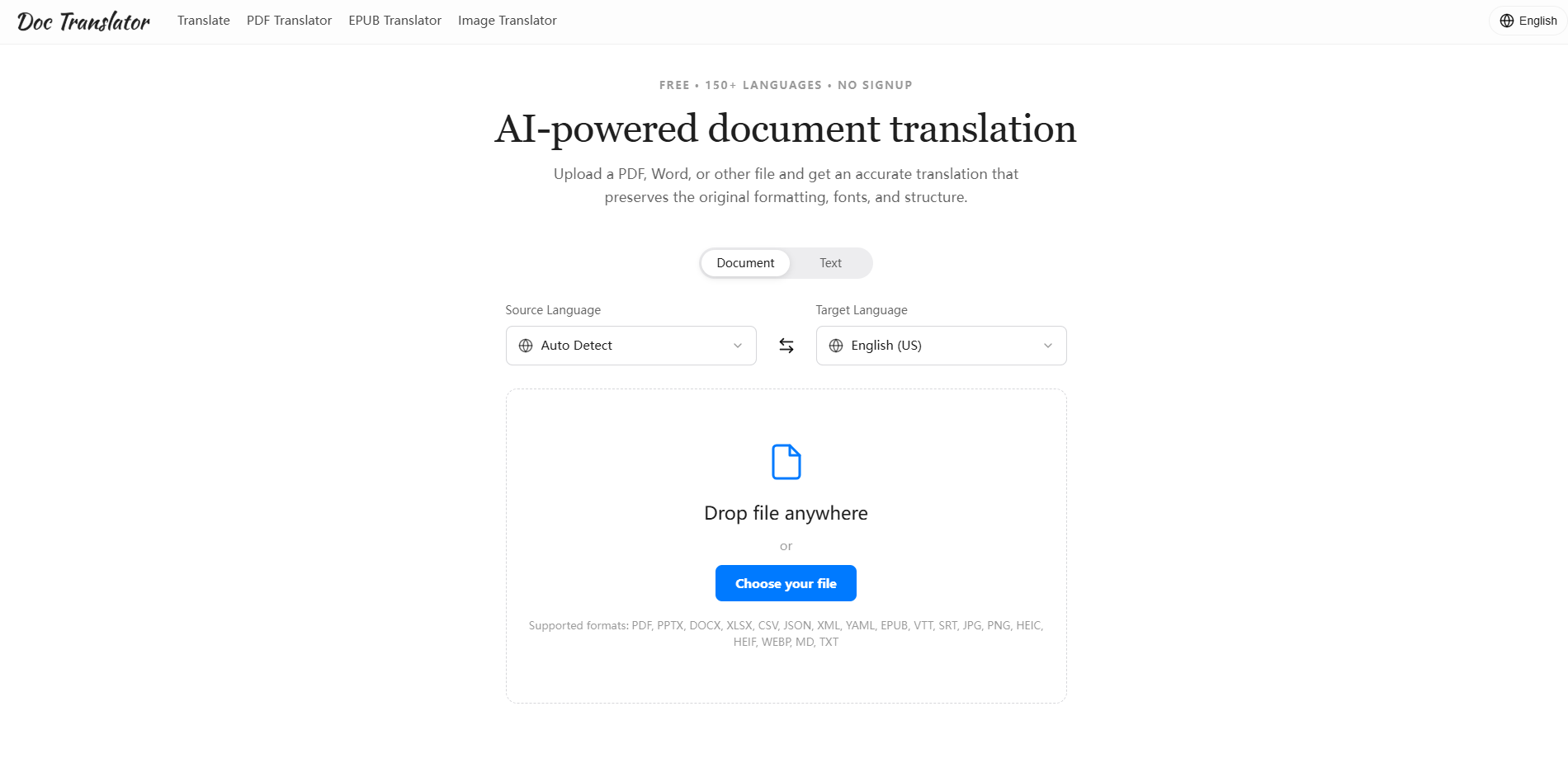
What is Doc Translator
Doc Translator is an AI-powered document translation tool that translates PDFs, Word documents, PowerPoint presentations, Excel spreadsheets, EPUBs, images, subtitles, and more across 150+ languages while preserving the original layout, fonts, and structure. It supports over 50 file formats and offers automatic source-language detection. The service is free to try with no signup required.
How to use Doc Translator
- Select translation mode: Choose between Document or Text mode.
- Set source and target languages: Pick the source language (or leave it on Auto Detect) and choose your target language.
- Upload your file: Drag and drop a file onto the drop zone or click "Choose your file" to select one. Supported formats include PDF, DOCX, PPTX, XLSX, CSV, JSON, XML, YAML, EPUB, SRT, VTT, JPG, PNG, HEIC, HEIF, WEBP, MD, and TXT.
- Translate: Click the Translate button. The AI processes the file and returns a translated version with the original formatting intact.
- Download: Once translation is complete, download the translated file.
Features of Doc Translator
- Pixel-perfect output: Columns, tables, fonts, images, and charts stay exactly where they were placed. The translated file looks identical to the original.
- 50+ file types: Supports PDF, Word, PowerPoint, Excel, CSV, EPUB, Markdown, TXT, JSON, XML, YAML, subtitle files (SRT, VTT), and images (JPG, PNG, WebP, HEIC, HEIF).
- 150+ languages: Translate between over 150 languages with automatic source-language detection.
- Context-aware AI translations: Modern AI understands context, tone, and terminology, producing natural-sounding results.
- No signup required: Try it for free without creating an account or providing a credit card.
- Privacy and security: Files are transferred over encrypted connections, used only for translation, and automatically removed after processing.
Use Cases of Doc Translator
- Localization managers: Translate large documents while preserving layout, saving hours of manual reformatting.
- Product marketers: Translate marketing materials, presentations, and reports across languages.
- Freelance translators: Deliver natural-sounding translations that clients can use immediately.
- Students: Translate academic papers, textbooks, and study materials.
- Global teams: Run files through the translator across the whole team for consistent formatting.
- Engineers: Translate technical documents, manuals, and specifications.
FAQ
Which file types can I translate? Over 50 formats, including PDF, Word (DOCX), PowerPoint (PPTX), Excel (XLSX), CSV, EPUB, Markdown, TXT, JSON, XML, YAML, subtitle files (SRT, VTT), and images such as JPG, PNG, WebP, HEIC, and HEIF.
Will my original formatting be preserved? Yes. The translator rebuilds your document with the same layout, fonts, tables, images, and structure. In most cases the translated file is visually indistinguishable from the original — no manual cleanup needed.
How many languages are supported? More than 150 languages, with automatic source-language detection. Just pick your target language (or let it auto-detect the source) and translate in either direction.
Is it free, and do I need an account? You can try it for free with no signup required. Upload a file, translate it, and download the result — no account, no credit card, no waiting.
Is my data private and secure? Your files are transferred over an encrypted connection and used only to produce your translation. They are not shared or sold, and uploads are removed automatically after processing.
How accurate are the translations? Our AI is context-aware and handles tone and terminology well across most content. For high-stakes material such as legal or medical documents, we recommend a quick human review before publishing.