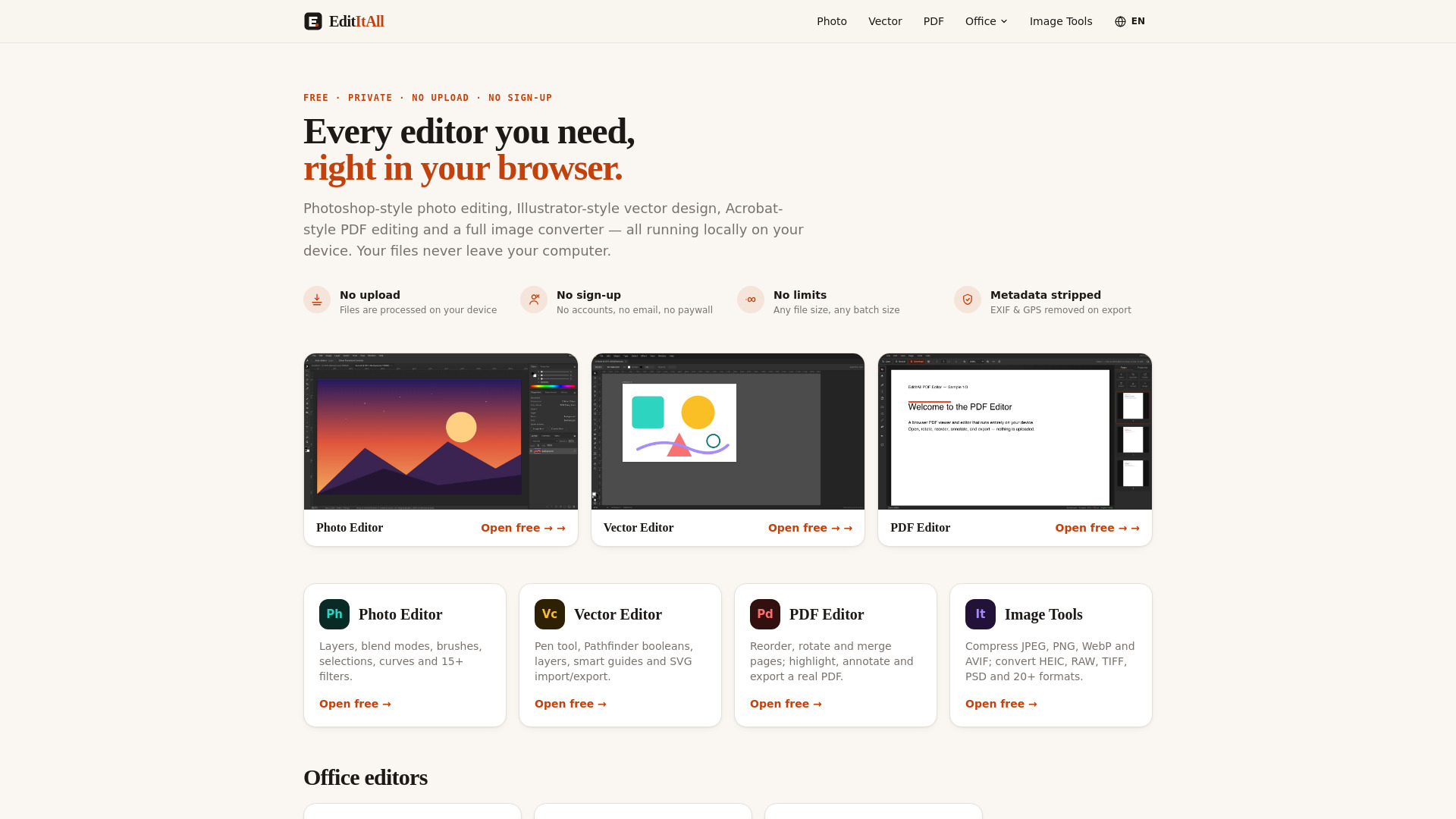
What is EditItAll
EditItAll is a free suite of editing tools that runs entirely in your web browser. It includes a Photoshop-style photo editor with layers, blend modes, selections and filters; an Illustrator-style vector editor with a pen tool, Pathfinder booleans and SVG import/export; an Acrobat-style PDF editor that organizes and annotates documents; and an image converter and compressor covering more than 20 formats, including HEIC, RAW, TIFF and PSD. Every tool processes files locally on your device — nothing is uploaded to a server, which is why EditItAll needs no account, shows no watermark, and keeps working offline once a page has loaded. EditItAll is built and operated by Subcue AI LLC, a U.S. software company, and is free to use without limits.
How to use EditItAll
- Open any editor or tool directly from the homepage (e.g., Photo Editor, Vector Editor, PDF Editor, or Image Tools).
- No sign-up or account is required — you can start working immediately.
- Load your file (e.g., an image, SVG, PDF, or document) into the editor.
- Use the available tools to edit, annotate, convert, or compress your file.
- Export or save your edited file — all processing happens locally on your device, so your files never leave your computer.
Features of EditItAll
- Photo Editor: Layers with 27 Photoshop blend modes, brush, clone stamp, eraser, gradient, paint bucket, marquee/lasso/magic wand selections, levels, curves, hue/saturation, color balance, Gaussian blur, unsharp mask, and 15+ filters. Supports PNG, JPG, WebP and other bitmap formats; exports PNG and JPG.
- Vector Editor: Pen tool with full bezier handle editing, Pathfinder booleans (Unite, Minus Front, Intersect, Exclude), layers panel with visibility/locking/nesting, shape tools (rectangle, ellipse, polygon, star, line), type tool, smart guides, rulers, grid, outline mode, and SVG import/export. Opens SVG, SVGZ, DXF, and PDF-compatible .ai/.eps/.pdf; saves SVG; exports PNG at 2×.
- PDF Editor: Multi-page viewing with zoom, navigation and text search; rotate, reorder, duplicate, extract and delete pages; merge pages from multiple PDFs; highlights, free text, sticky notes, shapes and ink; fill & sign (draw, type, or add signature as image); exports a real PDF that round-trips edits; print via browser.
- Spreadsheet Editor: Formulas (SUM, AVERAGE, COUNT, IF, MIN, MAX, ROUND, POWER, SQRT), range functions with instant recalculation, cell references, keyboard navigation, import CSV/TSV/XLSX/ODS, export CSV/XLSX.
- Document Editor: Rich text formatting (bold, italic, underline, headings, bullet/numbered lists, alignment, fonts, sizes, colors), real page layout with live pagination, import TXT/HTML/Markdown/DOCX/ODT, export TXT/HTML/DOCX, auto-saves to browser with Recent files.
- Presentation Maker: Slides with shapes and text boxes, layouts and snap-align guides, reorder and duplicate slides, full-screen present mode, import/export PPTX, export JSON decks and PNG images of slides.
- Image Tools: 57 image converters, 9 compressors (JPEG, PNG, WebP, AVIF, JPEG XL, GIF, BMP, TIFF, HEIC), and a 19-format encyclopedia. Supports conversion among HEIC, RAW, TIFF, PSD, and 20+ formats.
- Privacy: No upload, no sign-up, no limits, metadata stripped (EXIF & GPS removed on export).
Use Cases of EditItAll
- Photo editing: Edit photos with layers, filters, and retouching tools without installing software.
- Vector design: Create logos, illustrations, or SVG graphics with a pen tool and boolean operations.
- PDF management: Merge, annotate, fill forms, or reorganize pages in PDF documents.
- Office tasks: Create spreadsheets with formulas, write documents with rich formatting, or build presentations.
- Image conversion: Convert HEIC to JPG, WebP to PNG, or compress images for web use.
- Privacy-sensitive work: Edit sensitive files without uploading them to a server.
Pricing
EditItAll is completely free. There are no accounts, watermarks, trial timers, or per-file pricing. All editors and tools are free to use without limits.