What is Feedpik
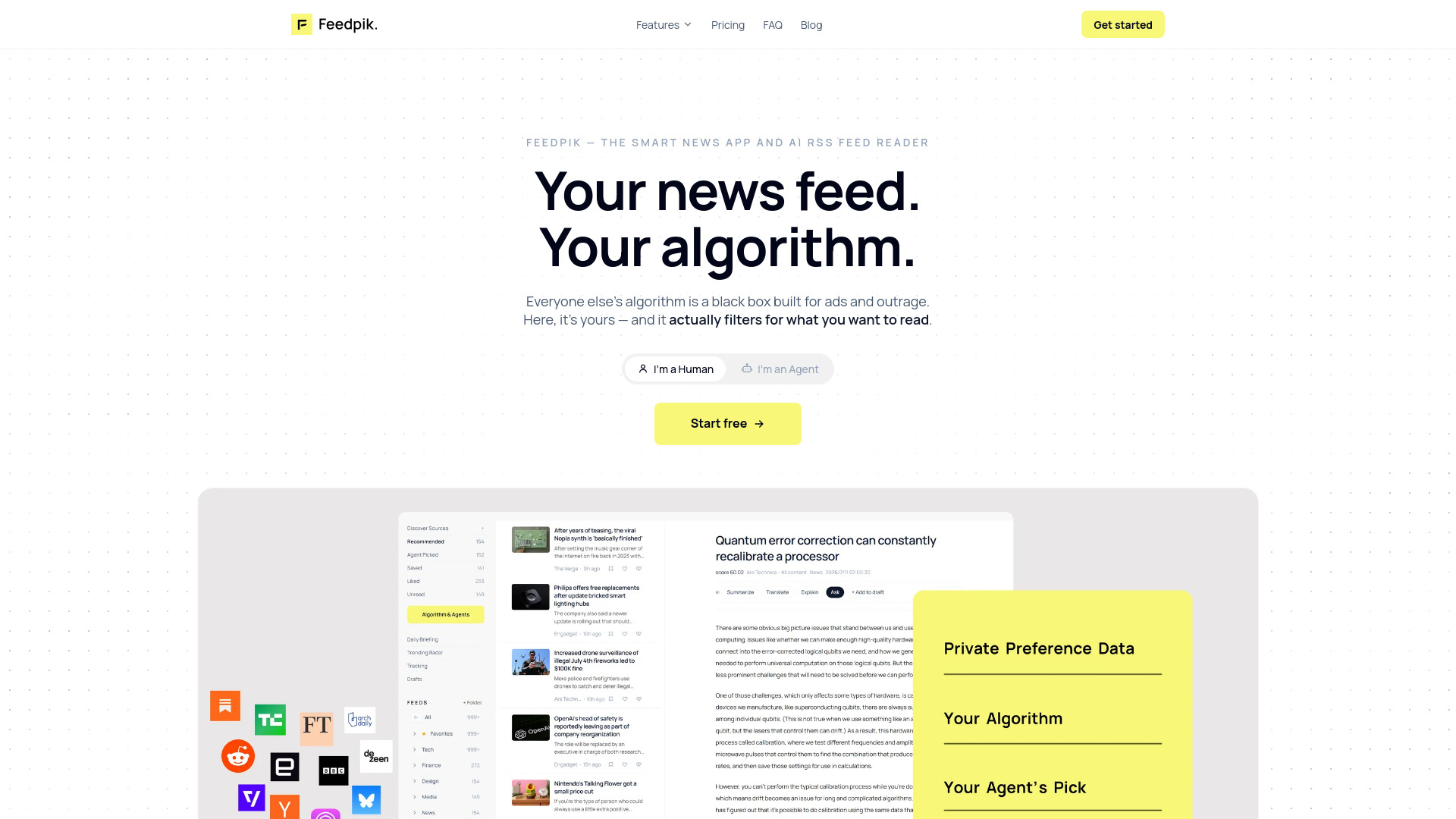
Feedpik is an AI RSS feed reader where you control the algorithm. It allows you to subscribe to any RSS or Atom feed, import your OPML, and tune the ranking in plain language. Unlike traditional readers that show a raw timeline or a black box, Feedpik ranks everything for you and lets you (or your AI agent) control the ranking. It is designed to filter for what you actually want to read, without ads or outrage-driven content.
How to use Feedpik
- Add feeds: Paste a website address and Feedpik will find its feed. You can also use a direct RSS or Atom URL, or search the Discover Sources catalog of over 900 curated feeds. Substack, podcasts, Reddit, Mastodon, and Bluesky accounts resolve automatically.
- Import OPML: Export an OPML file from Feedly, Inoreader, NetNewsWire, or any other RSS reader and import it in one step. Feedpik also exports OPML, so your subscriptions are never locked in.
- Tune your algorithm: Use plain language to tell Feedpik what you want to read more or less of. The AI proposes changes, and you tap Apply.
- Connect your AI agent: Paste a prompt into your agent (Codex, Claude Code, OpenClaw, Hermes, etc.) pointing to feedpik.com/skill.md. After you approve permissions, your agent can read your ranked feed, retune the ranking, and manage sources.
- Read anywhere: Use the web reader, or get daily briefings and trending radar via Telegram or Discord. A mobile app is on the roadmap.
Features of Feedpik
- RSS and Atom feed subscriptions: Follow any source on the open web.
- OPML import and export: Move your subscriptions in and out easily.
- Plain-language algorithm tuning: Adjust ranking weights and filters with natural language.
- AI agent API: Let your AI agent read, retune, and manage your feed with an audit trail.
- Personas: Create multiple personas (e.g., Finance, AI research, Entertainment) each with its own feeds and ranking policy.
- AI summaries: One-tap summaries of long articles.
- AI explanations: Get plain-word explanations of complex topics.
- AI Q&A: Ask questions about an article and get answers grounded in the text.
- Daily Briefing: A synthesized summary of the day's news across your sources.
- Trending Radar: Detects when multiple sources pick up the same story, so you hear about it early.
- Track what matters: Monitor specific topics, tickers, or rivals for coverage spikes and sentiment shifts.
- Privacy-first: Your reading history is never shared when you publish a Persona; only feeds and tuning parameters are shared.
- Data portability: Export feeds as OPML, ranking policies as JSON, and view/edit/delete your behavior data.
Use Cases of Feedpik
- Stay informed without noise: Filter out clickbait and celebrity gossip, and focus on topics like AI research, startup funding, film photography, home cooking, or Premier League.
- Professional monitoring: Track specific companies, industries, or competitors with sentiment analysis and first-to-report alerts.
- AI-assisted reading: Let your AI agent curate a daily list of must-read articles, or ask it to explain complex financial news.
- Community sharing: Publish your Persona (feeds + ranking policy) for others to install, building a following.
- Multi-interest management: Use separate personas for work, investing, and personal hobbies, each with its own tailored feed.
FAQ
Is this just another RSS feed reader?
Under the hood, Feedpik speaks RSS, Atom, and OPML, so you can pull in any source. But it works as an AI RSS feed reader, ranking everything for you and letting you (or your agent) control the ranking. Most readers show a raw timeline or a black box; Feedpik is an RSS feed you actually own.
How do I add an RSS feed?
Paste the website address and Feedpik looks for its feed. A direct RSS or Atom URL always works, and if a site publishes several you pick the one you want. Substack publications, podcasts, Reddit, Mastodon, and Bluesky accounts resolve to a feed automatically. You can also type a name or topic to search Discover Sources, a curated catalog of more than 900 feeds.
Can I import the RSS feeds I already follow?
Yes — export an OPML file from Feedly, Inoreader, NetNewsWire, or any other RSS reader and import it in one step. Feedpik exports OPML too, so your subscriptions are never trapped.
Will my reading history be shared when I publish a Persona?
No — in Feedpik that is structurally impossible. A published Persona contains only RSS feeds and tuning parameters (weights, filters, prompts). Your reading behavior and interest vectors never leave your account.
Can I take my data with me?
Yes. Your RSS feeds export as standard OPML, ranking policies export as JSON, and your behavior data is yours to view, edit, and delete. No lock-in by design.
How does my AI agent connect?
Paste one prompt into your agent — Codex, Claude Code, OpenClaw, Hermes, anything that can open a URL and make HTTP calls. It points your agent at feedpik.com/skill.md, and it connects to your account after you approve the permissions in a browser. Nothing to install. From there it can read your ranked feed, retune the ranking in plain language, and manage your sources; every change it makes is a new version with an audit trail, and write access is only ever what you approved.