What is Formpost
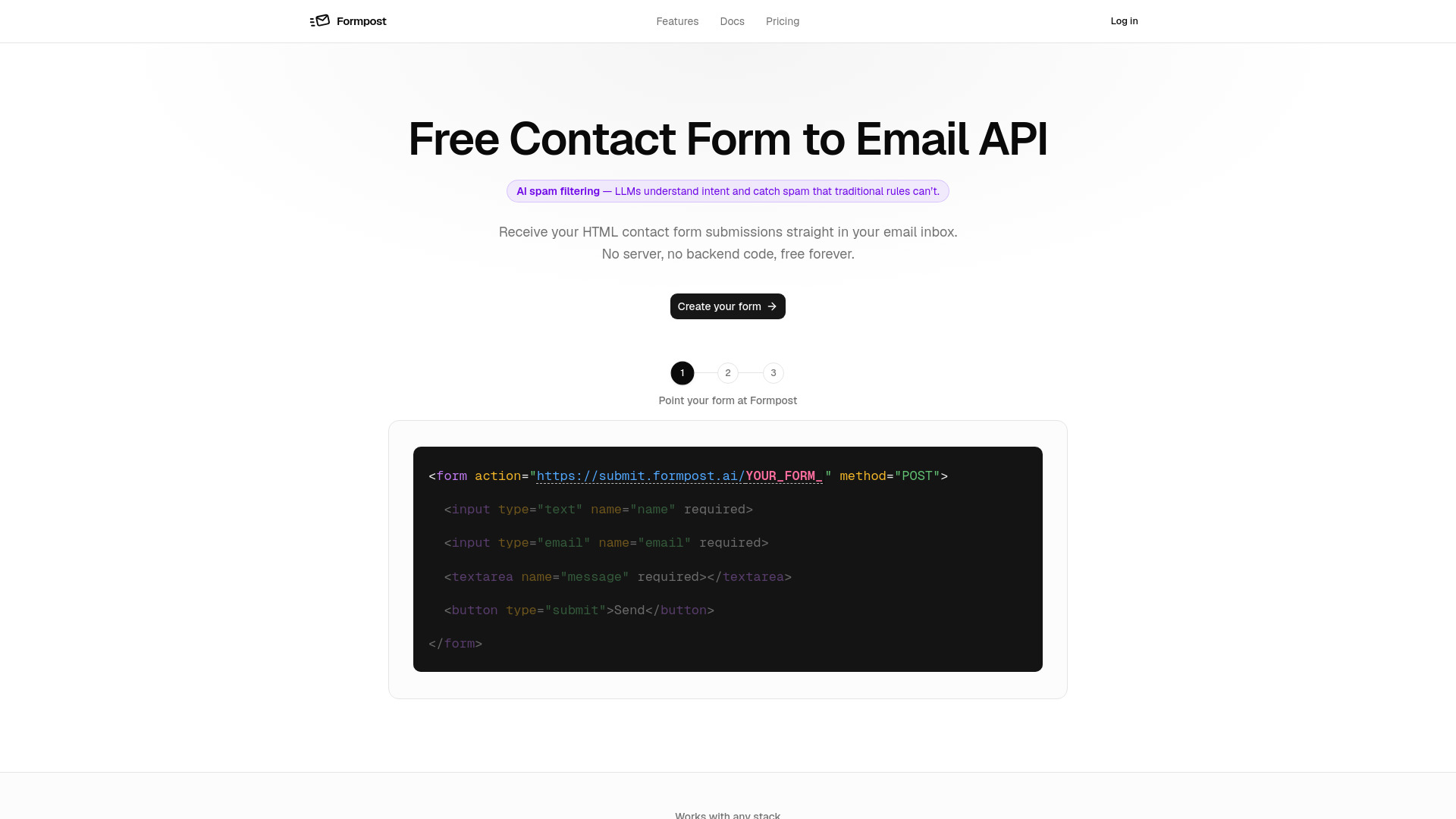
Formpost is a free contact form to email API. It allows you to point your HTML form at a single endpoint, and every submission lands in your inbox—no server or backend code required. It is designed for static sites, JAMstack projects, and any stack where you want to receive form submissions without managing infrastructure.
How to use Formpost
- Create your form: Sign in and create a new form. Each form gets its own unique endpoint URL.
- Configure it: In the dashboard, choose where submissions land, set the subject line, and enable features like spam filtering, autoresponder, and forwarding.
- Paste it into your page: Use the provided HTML snippet with your form's action attribute set to your endpoint. The form works with plain HTML, JavaScript, React, Next.js, Vue, and more.
Features of Formpost
- No backend code: No server to deploy or maintain.
- Secure storage: Submissions are emailed and stored in the dashboard, searchable and exportable (30 days free, 1 year Pro, indefinite Business).
- Encrypted end to end: HTTPS in transit, encrypted at rest, and endpoint restricted to the configured email.
- Style your way: It's an API, not a widget—no iframe or injected styles.
- Built to stay up: Fast Go service for submissions; email and integrations happen asynchronously.
- Attachments on Amazon S3: File uploads stored on managed infrastructure.
- Your data stays yours: No tracking pixels, no selling data; export or delete submissions anytime.
- Redirect anywhere: Send visitors to your own thank-you page.
- Autoresponder: Automatically reply to submitters with customizable content.
- Spam handling: Honeypot, CAPTCHA (Turnstile/hCaptcha/reCAPTCHA), keyword rules, and domain locking.
- Webhooks and chat: Forward submissions as JSON to your endpoint or to Slack, Discord, Telegram.
- Submissions API: Read-only REST endpoint to pull submissions into your own tools.
Use Cases of Formpost
- Contact forms for marketing sites: Receive enquiries directly in your inbox with reply-to set to the sender.
- Job application forms: Enable uploads for CVs; attachments are included in notifications and stored.
- Support and bug reports: Route submissions to Slack or Discord for team visibility, with email as a permanent record.
- Lead capture on landing pages: Add a backend to static landing pages; use the submissions API to sync leads to your CRM.
- Feedback and survey forms: Store any set of fields and format them into readable email; add hidden fields for context.
- Client sites for agencies: Create one form per client site, each with its own delivery address and spam settings; unlimited forms on all plans.
FAQ
Is the contact form service really free? Yes, there is a free plan available.
What are the limits of the free plan? The free plan includes 30 days of submission storage.
How do I add a contact form to my site? Create a form, get your endpoint, and paste the HTML snippet into your page.
Does the contact form work without JavaScript? Yes, it works with plain HTML forms using a POST request.