What is Gemini Omni Video - 1
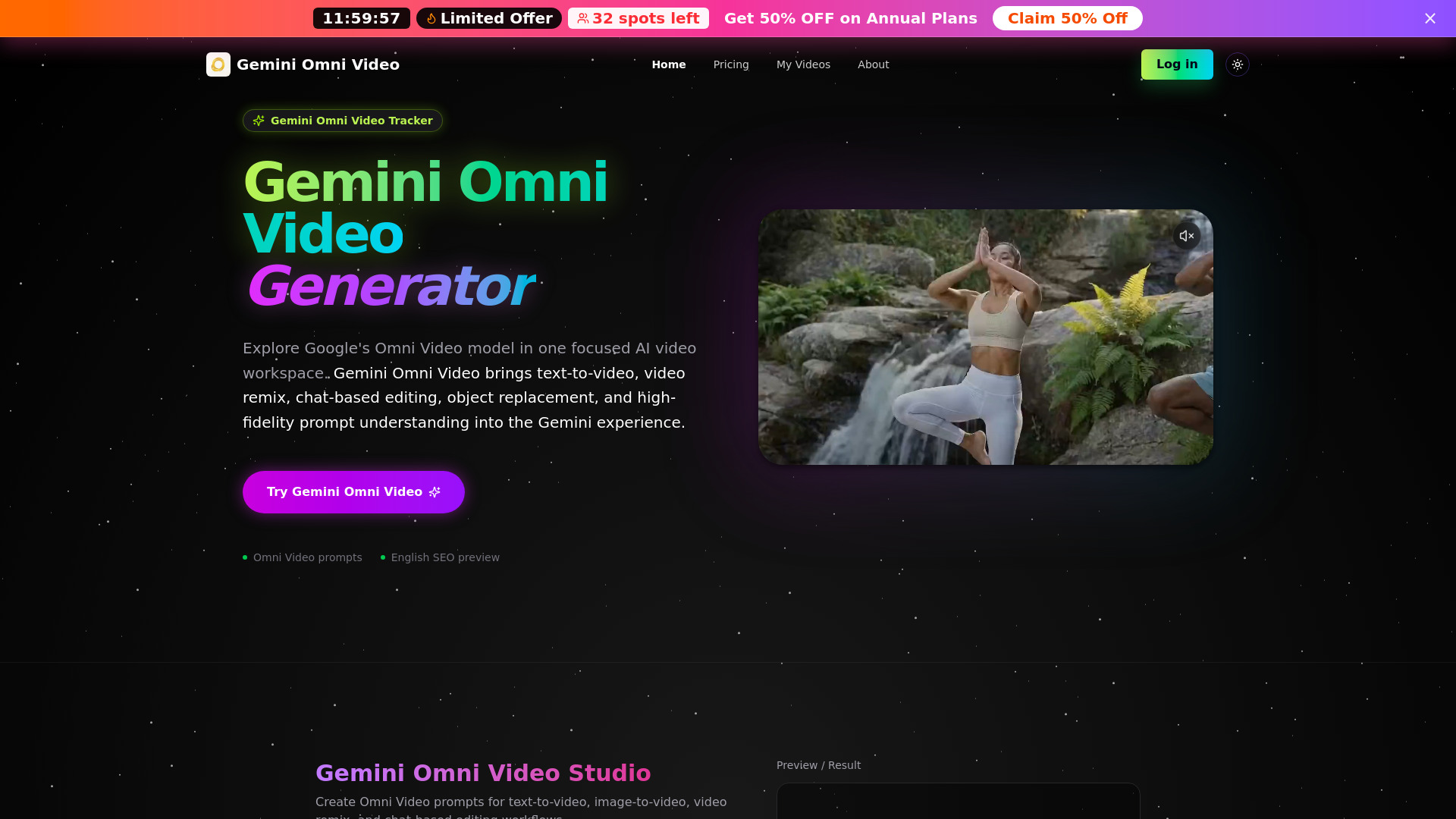
Gemini Omni Video is an AI workspace that offers text-to-video generation, video remixing, and chat-based natural language editing. It is Google's latest Omni Video model, bringing text-to-video, video remix, chat-based editing, object replacement, and high-fidelity prompt understanding into the Gemini experience.
How to use Gemini Omni Video - 1
- Choose an Omni Video Mode: Select between text-to-video, image-to-video, video remix, or chat-based editing.
- Write a Detailed Prompt: Describe the subject, action, camera movement, style, audio intent, text on screen, and any object replacement you want the AI to understand.
- Generate and Refine: Review the generated Omni Video and refine it with follow-up instructions for timing, composition, object edits, style changes, or clearer text rendering.
Features of Gemini Omni Video - 1
- Omni Video Generation: Supports text-to-video and image-to-video prompts.
- Video Remix: Transform existing clips with natural language prompts and reference-based direction.
- Chat-Based Editing: Edit scenes through chat instructions, including object replacement.
- Accurate Text and Formula Videos: Improved prompt reasoning for videos containing readable text and educational scenes.
- High-Fidelity Output: Suitable for social media, ads, and creative workflows.
- Creator-Ready Workflow: Streamlined process from prompt to export.
Use Cases of Gemini Omni Video - 1
- Generating new video scenes from text descriptions.
- Creating video variations from existing clips using prompts.
- Editing video content by describing desired changes in natural language.
- Replacing objects within video scenes via chat instructions.
- Producing videos with readable text, chalkboard writing, and educational content.
Pricing
Gemini Omni Video offers several pricing plans:
Basic (Yearly Plan):
- $9.9/month (billed annually at $118.8)
- 50% OFF discount
- 250 credits per month (3000 credits/year)
- Up to 16 videos per month
- Yearly subscription credits are valid until your annual term ends
- Monthly credits included
- 720p with audio
- Private generations
- Commercial use
- Standard speed
Pro (Yearly Plan):
- $19.9/month (billed annually at $238.8)
- 50% OFF discount
- 600 credits per month (7200 credits/year)
- Up to 40 videos per month
- Yearly subscription credits are valid until your annual term ends
- Monthly credits included
- 720p with audio
- Private generations
- Commercial use
- Faster queue
- Priority support
- History saved
Enterprise (Yearly Plan):
- $59.9/month (billed annually at $718.8)
- 40% OFF discount
- 1900 credits per month (22800 credits/year)
- Up to 126 videos per month
- Yearly subscription credits are valid until your annual term ends
- Monthly credits included
- 720p with audio
- Private generations
- Commercial use
- Fastest queue
- Team-ready support
- Extended history
Credit Packs:
- Available for purchase, with validity periods mentioned for some packs.
FAQ
- What is Gemini Omni Video? Gemini Omni Video is a Google Gemini video model that delivers text-to-video, video remixing, and direct video editing through chat.
- What can Omni Video generate? Gemini Omni Video features include text-to-video, image-to-video, video remix, object replacement, style changes, and stronger handling of readable text or formula-heavy scenes in AI video.
- How is Gemini Omni Video different from Veo? Veo is Google's official video generation model family. Gemini Omni Video is a Gemini-native Omni Video experience that combines generation, remixing, and chat-based editing inside the Gemini app.
- Does Gemini Omni Video support video remix? Gemini Omni Video supports remixing videos and editing directly in conversation, making video remix a core part of the product experience.
- What is the best Gemini Omni Video prompt style? A strong Gemini Omni Video prompt should include the subject, action, camera movement, visual style, timing, text on screen, audio direction, and any specific edit such as object replacement or scene remixing.