What is GenOffice
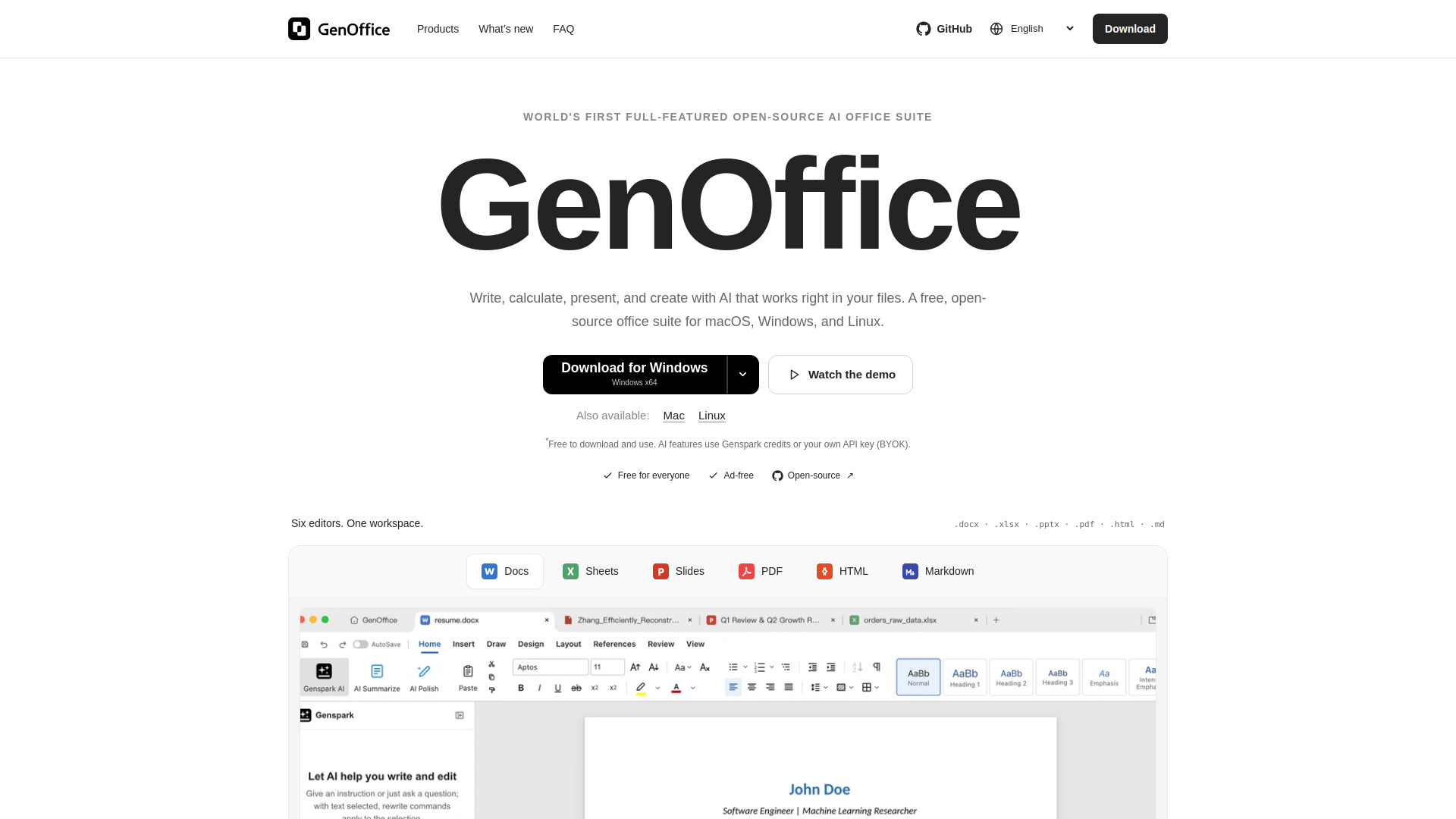
GenOffice is a free, open-source desktop office suite with AI-powered document editors. It is available for macOS, Windows, and Linux. The suite includes six editors: Docs, Sheets, Slides, PDF, HTML, and Markdown. It allows users to edit Word, Excel, PowerPoint, and PDF files with built-in AI. GenOffice is developed by Genspark and is open-source on GitHub.
How to use GenOffice
- Download the appropriate version for your operating system:
- macOS: Apple Silicon or Intel (macOS 11+)
- Windows: Windows x64 (Windows 10+) or Windows ARM64 (Windows 11+)
- Linux: Debian/Ubuntu, AppImage, or Fedora/RHEL (x86_64, glibc 2.34+)
- Install the application on your computer.
- Open the app and choose an editor: Docs, Sheets, Slides, PDF, HTML, or Markdown.
- Open or create a file in the respective format (.docx, .xlsx, .pptx, .pdf, .html, .md).
- Use the built-in AI features by signing in with Genspark or bringing your own API key (BYOK).
- Edit, save, and manage your documents locally.
Features of GenOffice
- Six editors: Docs, Sheets, Slides, PDF, HTML, and Markdown.
- AI built in: Block-level AI edits with snapshots and diffs, and document-aware agents.
- File compatibility: Opens and saves .docx, .xlsx, .pptx, .pdf, .html, and .md files.
- Byte-preserving: Only what you change is rewritten in .docx files.
- In-house .xlsx engine: Supports charts, pivot tables, and slicers.
- Native .pptx: Supports masters, layouts, and smart guides.
- PDF editing: Edit text and images directly, with original fonts preserved.
- PDF conversion: Convert PDF to editable Word, Excel, or PowerPoint locally.
- HTML generation: Create self-contained HTML files for landing pages, reports, or posters.
- Markdown editor: Distraction-free editing with headings, lists, tables, and code blocks.
- AI providers: Built-in support for Claude, OpenAI, Gemini, and custom OpenAI-compatible endpoints.
- Offline capabilities: Opening, editing, saving, and PDF-to-Office conversion run locally.
- Privacy: Online AI sends requests only when used; usage statistics can be turned off.
- Free and ad-free: No license fees, no ads, no watermarks.
Use Cases of GenOffice
- Document drafting: Use AI to draft, restyle, or rewrite sections of .docx files.
- Data analysis: Build budget trackers and generate formulas with AI in Sheets.
- Presentation creation: Describe a topic and get a finished deck in Slides.
- PDF editing and conversion: Edit PDF text and images, or convert PDFs to Word, Excel, or PowerPoint.
- Web page generation: Create landing pages, reports, or posters as HTML files.
- Note-taking: Write structured documents in Markdown.
Pricing
GenOffice is free to download and use. AI features use Genspark credits or your own API key (BYOK). Your provider’s usage charges may apply.
FAQ
Is GenOffice free?
The office apps are free to download and use, with no ads or watermarks. AI features use Genspark credits or your own API key; your provider’s usage charges may apply.
Can I use my existing Office files?
GenOffice opens and saves .docx, .xlsx, and .pptx files, and edits PDF, HTML, and Markdown. Complex formatting can vary; check important files before sharing them.
How do I convert a PDF to Word?
Open your PDF in GenOffice, choose Word from the Convert PDF menu, then edit the resulting .docx. Conversion runs locally for free, without AI credits. Scanned-page OCR is supported on macOS and Windows. Check tables and formatting before sharing.
Can I edit PDF text and images directly?
Yes. GenOffice supports direct text and image editing, annotations and forms. Open the file in the desktop app, make your changes and save locally. Review fonts and layout after editing.
Does it work offline? What about privacy?
Opening, editing, saving, and PDF-to-Office conversion run locally. Online AI sends requests when you use it. Official builds also send limited usage statistics by default; you can turn them off in Settings → General. See the privacy policy for details.
Do I need a Genspark account for AI?
You can sign in with Genspark or bring your own model API key. Built-in providers include Claude, OpenAI, Gemini, and more, with support for custom OpenAI-compatible endpoints.