What is 灵犀
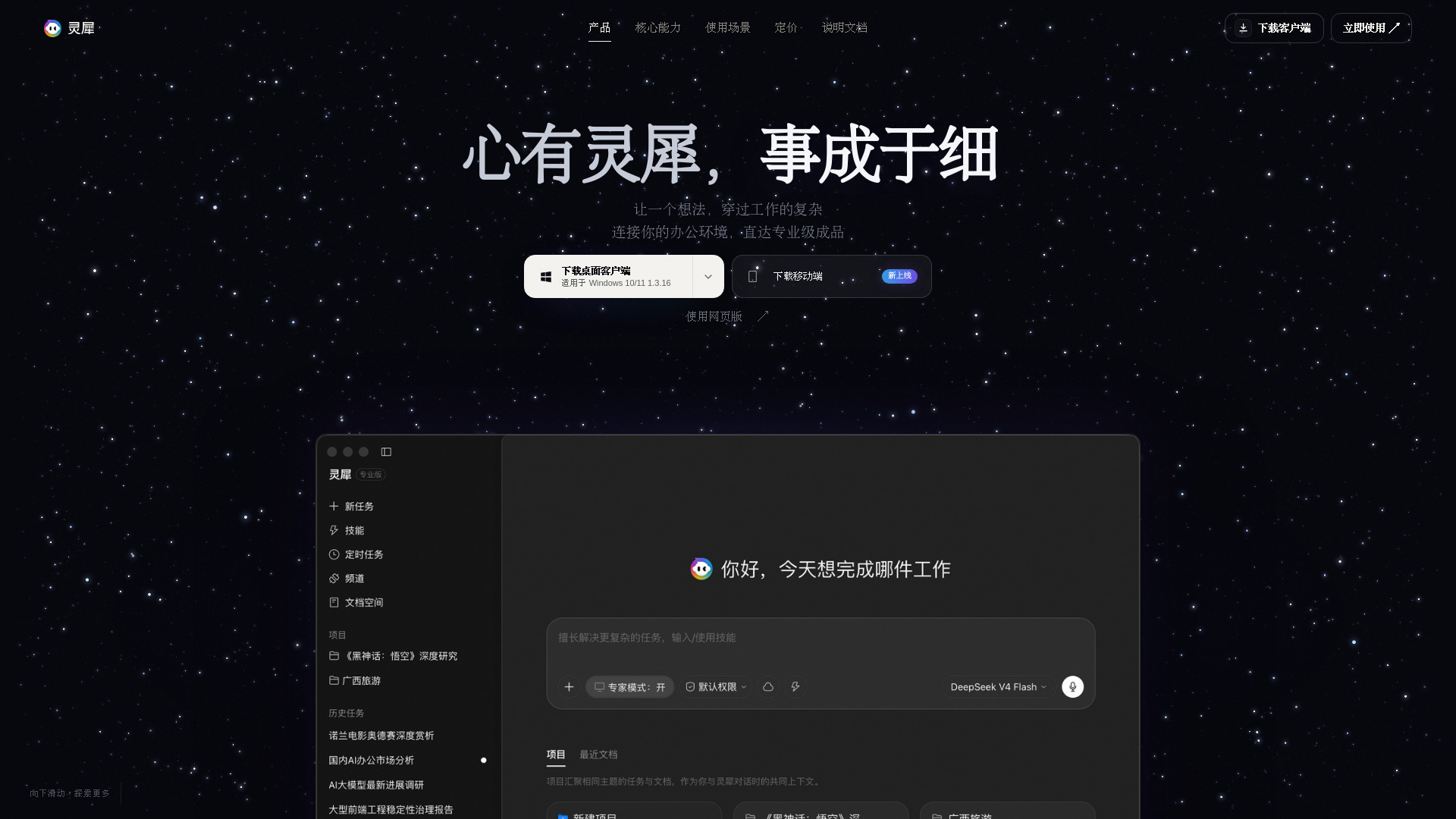
灵犀 is an AI office agent that completes tasks and creates editable office files. It is designed to be your AI assistant for office work, delivering professional-grade results. The product is available as a desktop client for Windows and macOS, as well as a web application and mobile apps for iOS and Android.
How to use 灵犀
- Download and install: Download the desktop client for your operating system (Windows 10/11, macOS with Apple chip, or macOS with Intel chip). Mobile apps are available for iOS and Android. Alternatively, use the web version directly.
- Describe your task: In the input box, describe what you need. For example, you can ask it to complete three tasks: create a strategy report, perform business analysis, and prepare a presentation.
- Let 灵犀 execute: 灵犀 will understand your goal, break down the steps, and execute them continuously. It can connect to your office environment, read shared documents, and update files across applications.
- Receive editable deliverables: 灵犀 delivers finished products such as Word documents, Excel spreadsheets, and PowerPoint presentations that are fully editable and ready to use.
Features of 灵犀
- Memory: Remembers your preferences, project background, and work habits, so you don't need to repeat yourself.
- Connection: Connects across applications. For example, it can read shared data from Kingsoft Docs and update a report in WPS Writer based on a message from WeChat Work.
- Action: Understands goals, breaks down steps, and executes tasks until a usable deliverable is produced.
- Evolution: Learns from your existing workflows and creates reusable skills for future tasks.
- Editable outputs: Generates Word documents, Excel spreadsheets, and PowerPoint presentations that can be further edited.
- Cross-platform availability: Desktop clients for Windows and macOS, web version, and mobile apps for iOS and Android.
Use Cases of 灵犀
- Strategy report: Organize interviews and meeting minutes into a complete report.
- Business analysis: Aggregate sales data, identify anomalies, and perform calculations.
- Presentation preparation: Turn strategy and data into a ready-to-present deck.
- Cross-application tasks: For example, update a weekly business report using the latest data from shared documents, triggered by a message in WeChat Work.
- Workflow automation: Automate repetitive tasks like monthly business reviews by identifying steps, tools, and rules.
Pricing
Pricing information is available on the official pricing page.
FAQ
What platforms does 灵犀 support?
灵犀 is available as a desktop client for Windows 10/11 and macOS (both Apple and Intel chips), as a web application, and as mobile apps for iOS and Android.
Can I edit the files created by 灵犀?
Yes, all deliverables are editable office files, including Word documents, Excel spreadsheets, and PowerPoint presentations.
Does 灵犀 integrate with other office tools?
Yes, 灵犀 can connect with tools like Kingsoft Docs, WPS Writer, and WeChat Work to read data and deliver finished documents.
Is there an Office plugin?
An Office plugin is coming soon.