What is GPT Image 2 — AI Image Generator & Photo Editor
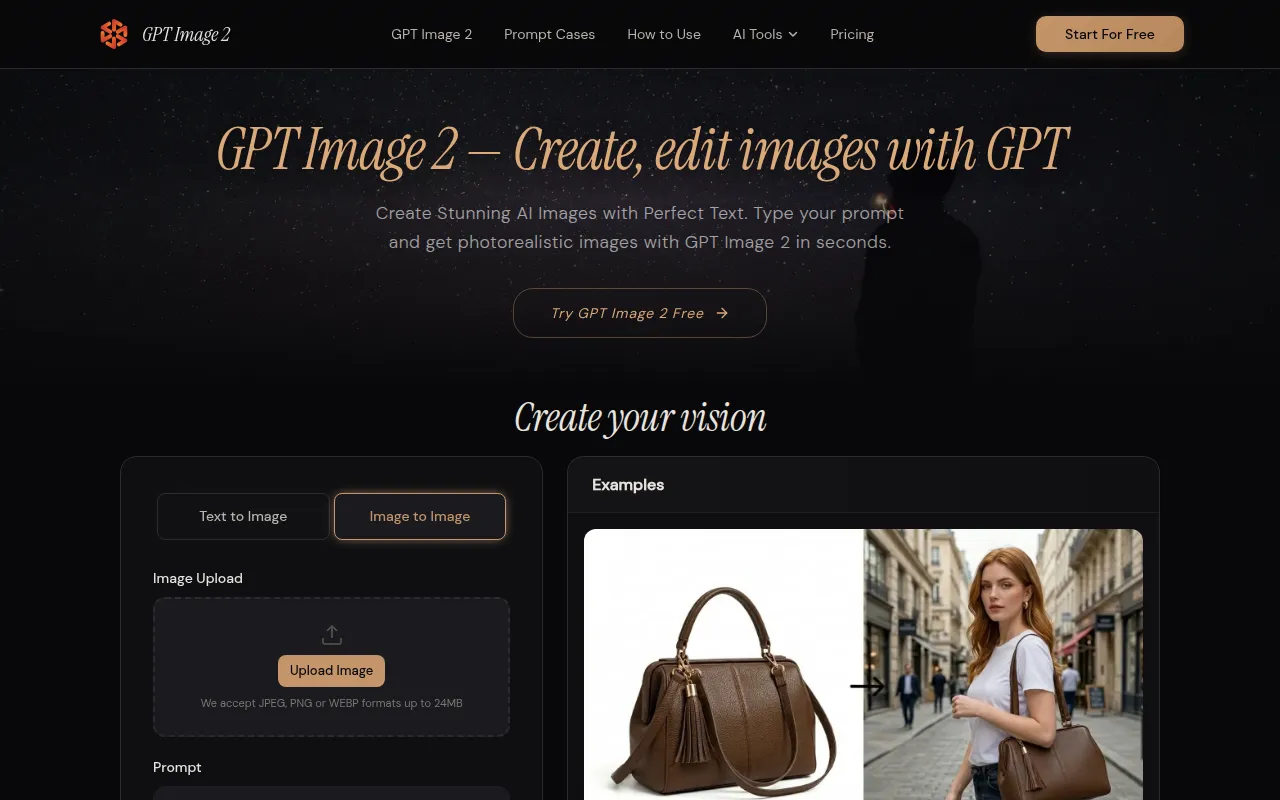
GPT Image 2 is a next-generation AI image generator that utilizes an autoregressive approach. It excels in superior text rendering, precise instruction following, and versatile multi-style image creation within a single platform. It offers photorealistic and multi-style image generation, smart image editing with natural language, transparent background support, and 4K ultra-high resolution output up to 4096x4096. It is ranked #1 on LMArena with an Elo score of 1277.
How to use GPT Image 2 — AI Image Generator & Photo Editor
- Enter Your Prompt: Describe the image you want in natural language, being specific about composition, style, colors, and any text required. GPT Image 2 understands complex prompts and translates them into high-quality visuals.
- Customize Your Settings: Choose your preferred resolution (from standard 1024×1024 up to 4K ultra-high definition), select the output format (PNG, JPEG, or WebP), enable transparent background if needed, and pick a style (e.g., photorealistic, illustration).
- Generate & Download: Click generate to receive your AI-created image. Download in your chosen format, or refine the result with natural language follow-up instructions for iterative refinement.
Features of GPT Image 2 — AI Image Generator & Photo Editor
- Unmatched Text Rendering: Achieves 95%+ accuracy in rendering text within images, suitable for posters, infographics, and product labels.
- Photorealistic & Multi-Style Output: Generates images in various styles including photorealism, digital illustration, anime, oil painting, and flat design.
- Smart Image Editing: Edits existing images using natural language instructions for inpainting, background swapping, and element adjustments without manual masking.
- Transparent Background Support: Instantly generates images with transparent PNG backgrounds, ideal for logos, product cutouts, and UI elements.
- 4K Ultra-High Resolution: Outputs images up to 4096×4096 pixels, with presets for 1024×1024, 1536×1024, and 1024×1536.
Use Cases of GPT Image 2 — AI Image Generator & Photo Editor
- Marketing & Social Media: Creating social media graphics, ad banners, and promotional posters with rendered headlines and CTAs.
- E-commerce Product Photography: Generating photorealistic product images, catalog shots, lifestyle scenes, and packaging mockups.
- Logo & Branding Design: Iterating on logo variations, color palettes, and brand guideline visuals.
- Educational & Presentation Content: Building infographics, teaching illustrations, and slide visuals with clear text and annotations.
- UI/UX Design Prototyping: Visualizing app screens, landing pages, and dashboard layouts.
Pricing
Pricing starts at $0.005 per image. A free tier is available, allowing image generation without sign-up or credit card, with access to standard resolution and quality settings. Premium tiers unlock 4K output, priority processing, and higher daily generation limits.
FAQ
- What is GPT Image 2? It is a next-generation AI image generator using an autoregressive approach for superior text rendering, instruction following, and multi-style image creation.
- How to use GPT Image 2? Type a description, customize settings (resolution, format), generate, and download. Iterative refinement is supported via follow-up prompts.
- What formats and resolutions does GPT Image 2 support? Supports PNG (with transparent backgrounds), JPEG, and WebP. Resolutions include 1024×1024, 1536×1024, 1024×1536, and up to 4096×4096 with upscaling.
- Is GPT Image 2 free? Yes, a free tier is available for generating images without sign-up or credit card, offering standard resolution and quality. Premium tiers provide advanced features.
- Is my data safe with GPT Image 2? Yes, images and prompts are not stored on servers and are automatically deleted within 1 hour. Data is not used for model training or shared with third parties.
- How does GPT Image 2 compare to DALL-E 3 and Midjourney? It surpasses DALL-E 3 in text rendering accuracy (95%+ vs ~60%), maximum resolution, editing capabilities, and cost efficiency. Compared to Midjourney, it offers superior text accuracy, built-in editing, transparent background support, and API access, while Midjourney excels in artistic aesthetic quality.
- Can I use generated images commercially? Yes, all generated images can be used for commercial purposes, with users retaining full rights to their content.