What is Growing Up Video
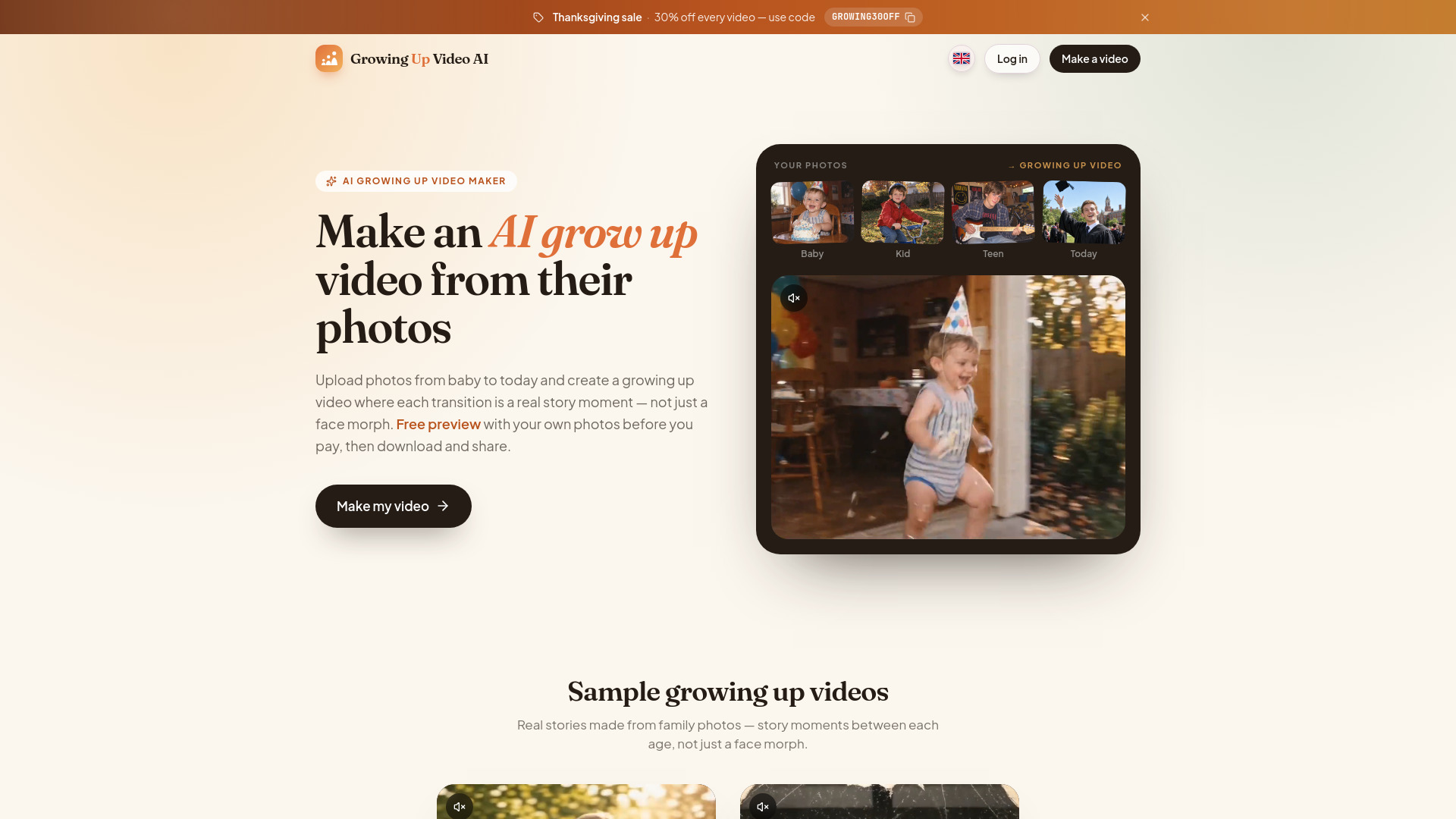
Growing Up Video is an AI-powered video maker that transforms a series of photos from different ages into a nostalgic growing-up video. Unlike simple face-morph apps, it creates story moments between each pair of photos, making it feel like watching someone grow up. The service offers a free preview of the first transition, allowing users to see the quality with their own photos before purchasing. Videos are generated in HD and can be downloaded and shared.
How to use Growing Up Video
- Upload photos from every age: Start with baby pictures up to recent ones. Phone photos and old scans both work.
- Arrange photos in order: Drag and drop photos to arrange them from youngest to oldest. The video will play them left to right.
- AI builds the story: The AI plans a small moment for each transition between photos. You can edit any moment in your own words.
- Preview for free: Watch the first transition for free to see the quality with your own photos.
- Unlock and render: Pay once to unlock the full HD video with an original soundtrack. All transitions render simultaneously, usually taking a few minutes.
- Download and share: Download the MP4 file or share a private link with family and friends.
Features of Growing Up Video
- Story moments, not face morphs: Each 5-second transition shows a small moving moment (e.g., blowing out candles, running into the next chapter) instead of just blending faces.
- You stay in control: Drag photos into the desired order and rewrite any moment before rendering.
- Redo any transition: If a transition doesn't look right, describe what should happen and render it again for free.
- Original soundtrack: AI composes an instrumental soundtrack tailored to your video's length. Choose from styles like warm piano, cinematic strings, lullaby, or upbeat pop. You can also upload your own song.
- Multiple video shapes: Choose from 16:9 (TV & projector), 4:3 (camera photos), 1:1 (Instagram), 3:4 (phone photos), or 9:16 (TikTok & Reels).
- Works with old printed photos: Scan or photograph old prints flat, and crop borders in the editor. HEIC photos from iPhone are supported.
- Free preview: Every account gets a free preview of the first transition.
- No subscription: Pay once per video, no recurring fees.
- Quick turnaround: Story writing takes about 20 seconds; rendering takes a few minutes.
- Download and share: Get an MP4 file or a private share link. Videos are saved for 14 days.
- Privacy: Photos are only used to make your video, never shared or used to train models. You can delete projects anytime.
Use Cases of Growing Up Video
- Milestone birthdays: Play at 18th, 21st, 30th, 50th, or 60th birthday parties. Ten to twelve photos make about a minute-long video.
- Graduation slideshow: Show the journey from kindergarten to cap and gown. Perfect for high school or college graduation parties.
- Wedding & anniversary videos: Show both partners growing up, ending with a photo together. Use the Romantic mood for rehearsal dinners or anniversaries.
- Memorial & tribute videos: A gentle way to remember a whole life at a funeral or celebration of life. The Tribute mood keeps moments soft and the soundtrack calm.
- Baby's first year: One photo per month from newborn to first birthday for a sweet 1-year video.
- Pets growing up: From puppy or kitten to today, using the same process.
- Couples growing up together: Show both individuals' growth.
FAQ
What is a growing up video?
A short video that flows from someone's earliest photo to today, with each pair of photos joined by a small moving moment.
How many photos do I need?
At least 2 and up to 30. One photo per few years works well. Each pair becomes a 5-second transition.
How long is the finished video?
Depends on the number of photos: 4 photos ≈ 15 seconds, 12 photos ≈ 55 seconds, 18 photos ≈ 85 seconds, 24 photos ≈ 115 seconds, 30 photos ≈ 145 seconds.
How do I put the photos in order?
Drag and drop photos into order, youngest first. You can change the order before rendering.
Can I try it before I pay?
Yes, every account gets a free preview of the first transition.
Is it a subscription?
No, you pay once per video.
How long does it take to make?
Story writing takes about 20 seconds; rendering takes a few minutes. You can close the page and come back.
Can I use old printed photos?
Yes, photograph or scan them flat, in good light without glare, then crop the border.
Which video shapes can I choose?
16:9, 4:3, 1:1, 3:4, 9:16.
Can I download and share the video?
Yes, download the MP4 or send a private share link.
How long do you keep my video?
Videos are saved for 14 days, then deleted permanently.
What if a transition does not look right?
Every video includes free redos. Describe what should happen and render again.
Can I add music?
Yes, every paid video includes an original AI-composed soundtrack (3 tries) or you can upload your own song.
Does it work for couples and pets?
Yes, it works for individuals, couples, and pets.
What happens to my photos?
Photos are only used to make your video, never shared or used to train models. You can delete projects anytime.
What if I need help?
Email ethancarterbusy5@gmail.com for support, usually within a day.