What is Handsy AI
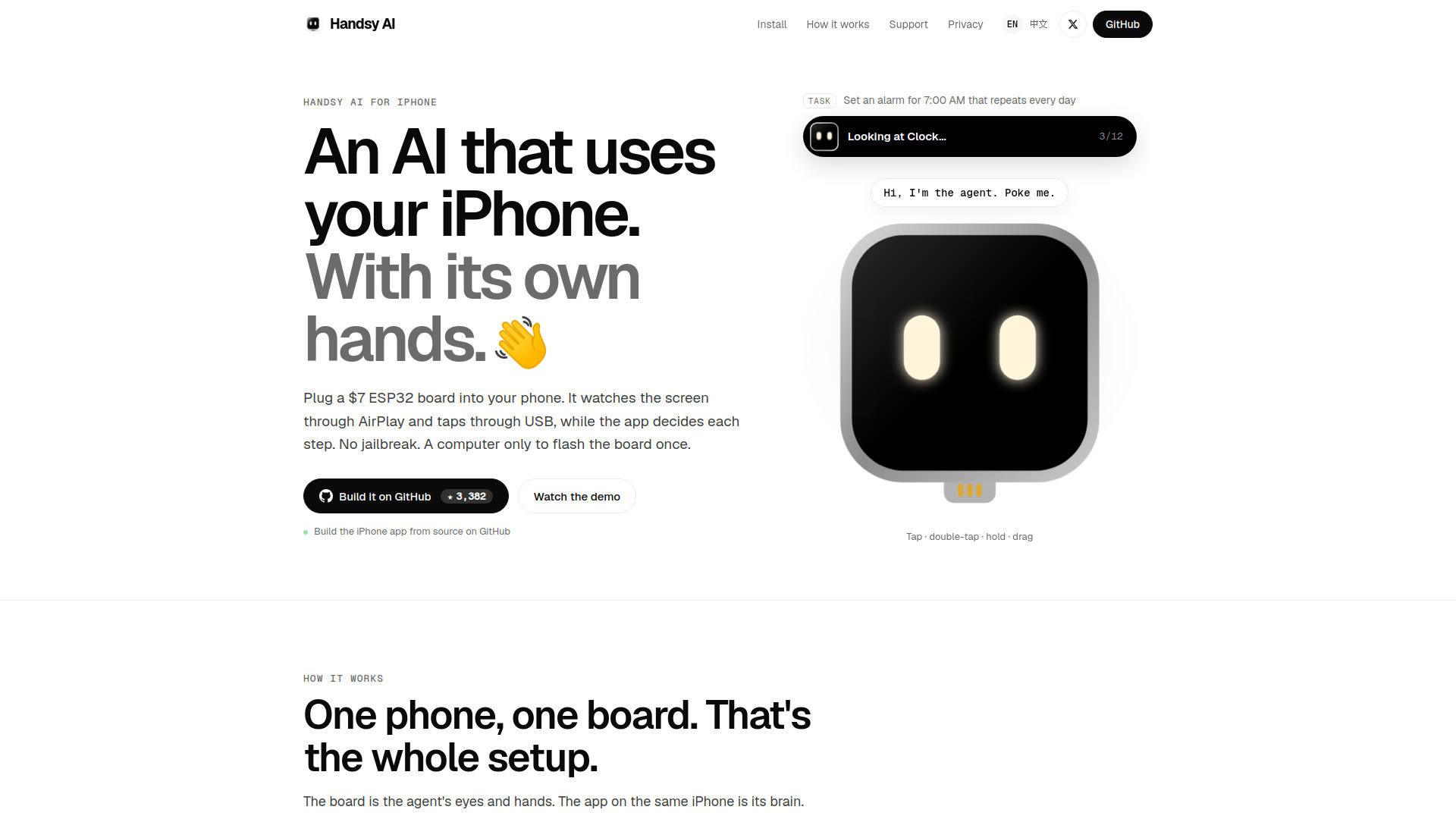
Handsy AI is an open-source AI agent that controls a real iPhone using a $7 ESP32 board. The board acts as the agent's eyes and hands: it receives the iPhone's screen via AirPlay and taps through USB as a mouse and keyboard. The accompanying app on the same iPhone serves as the brain, using a vision model to plan each step. No jailbreak is required, and a computer is only needed once to flash the board.
How to use Handsy AI
- Flash the ESP32 board – Use a computer to flash the firmware onto the XIAO ESP32S3 board (or any ESP32-S3 with native USB and PSRAM).
- Connect the board to the iPhone – Plug the board into the iPhone's USB-C port (or use a USB camera adapter for Lightning models).
- Enable AssistiveTouch – Turn on AssistiveTouch on the iPhone so the board's mouse clicks become taps and drags become swipes.
- Set up screen mirroring – The board opens its own Wi-Fi network and appears in Screen Mirroring. Select it to start streaming the iPhone's screen to the board.
- Install the app – Build the iPhone app from source (available on GitHub) and install it on the same iPhone.
- Configure the vision model – In the app, choose the vision model you want to use. The app sends screenshots to the model, plans the next step, and verifies that the screen changed.
- Start automating – Give the agent a task (e.g., "Set an alarm for 7:00 AM that repeats every day") and let it perform the actions on your iPhone.
Features of Handsy AI
- No jailbreak required – Works with stock iOS 18 on iPhone XS or newer.
- Low-cost hardware – Uses a $7 XIAO ESP32S3 board as the interface.
- Screen capture via AirPlay – The board receives the iPhone's screen over its own Wi-Fi network and passes it to the app over Bluetooth.
- USB mouse and keyboard emulation – The board acts as a standard USB mouse and keyboard, enabling taps and swipes through AssistiveTouch.
- Vision-based decision making – The app uses a vision model to analyze screenshots and decide the next action.
- Step verification – After each action, the app checks that the screen actually changed.
- Open source – The project is open source (MIT license, except the firmware's AirPlay receiver which is GPL-3.0).
- Local operation – Can run entirely on a local network without cloud APIs (as demonstrated with a local vision model).
Use Cases of Handsy AI
- Automating repetitive tasks – Set alarms, send messages, or navigate apps hands-free.
- Accessibility – Provide an alternative way to control an iPhone for users with limited mobility.
- Testing and development – Automate UI interactions for app testing or demos.
- AI research – Experiment with vision-language models in real-world phone control scenarios.
- Personal assistant – Delegate simple phone-based tasks to an AI agent.
Pricing
- Hardware cost: Approximately $7 for the XIAO ESP32S3 board.
- Software: Free and open source (MIT license, with GPL-3.0 for the AirPlay receiver component).
- Additional requirements: An iPhone (XS or newer) and a USB-C to USB-C data cable (or USB camera adapter for Lightning models).
FAQ
Do I need to jailbreak my iPhone?
No, Handsy AI works with stock iOS 18 without any jailbreak.
What iPhone models are supported?
Any iPhone on iOS 18, specifically iPhone XS or newer. USB-C models plug directly; Lightning models require a USB camera adapter.
Do I need a computer?
A computer is only needed once to flash the firmware onto the ESP32 board. After that, everything runs on the iPhone and the board.
What board do I need?
A XIAO ESP32S3 (about $7) or any ESP32-S3 with native USB and PSRAM.
How does the AI see the screen?
The board receives the iPhone's screen via AirPlay over its own Wi-Fi network and passes it to the app over Bluetooth.
How does the AI interact with the phone?
The board acts as a USB mouse and keyboard. With AssistiveTouch enabled, clicks become taps and drags become swipes.
Can I use my own vision model?
Yes, the app lets you choose the vision model. It can run locally (e.g., on a LAN) or potentially with cloud APIs.
Is it really open source?
Yes, the project is open source under the MIT license, except for the firmware's AirPlay receiver which is GPL-3.0.