What is ImageTextEditor
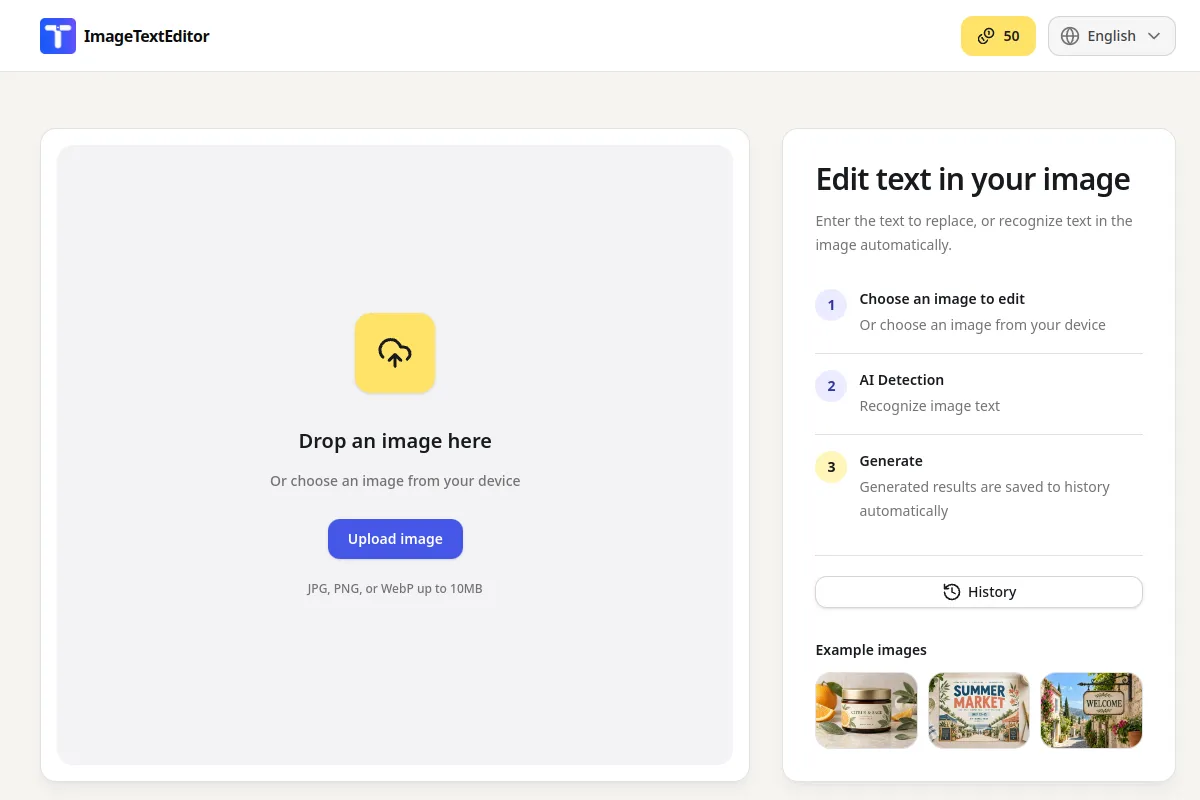
ImageTextEditor is a web-based tool that allows users to edit text embedded within image files directly from their browser. It supports common image formats like JPG, PNG, and WebP, enabling users to modify existing text, add new text, remove unwanted text, extract text into an editable format, or translate text within an image.
How to use ImageTextEditor
- Upload the image: Start by uploading the JPG, PNG, or other image file containing the text you wish to modify.
- Select the text: Identify the specific text within the image that needs editing. This could involve selecting text to replace, add, remove, extract, or translate.
- Review and download: After making the desired changes, review the updated image and download the final result.
Features of ImageTextEditor
- Edit existing words within an image.
- Add new text to image content.
- Remove unwanted text from image content.
- Extract text from image content into editable text.
- Translate text within image content.
- Browser-based workflow, no separate design file required.
- Supports JPG, PNG, and WebP file formats.
- Free to try with daily credits.
Use Cases of ImageTextEditor
- Correcting typos in finished visuals like posters or social graphics.
- Updating product and marketing images with new offers or captions.
- Working with multilingual content by translating text in images.
- Extracting text from screenshots, signs, or printed materials.
FAQ
Can I edit text in images online?
Yes. ImageTextEditor is designed for editing text in image files through a browser workflow. Upload an image, work with the text inside it, review the result, and download the updated file.
How do I edit text in a picture when I do not have the original design file?
Start with the finished image you do have. ImageTextEditor focuses on the text embedded in that image, so you can make a targeted change without rebuilding the complete design project.
Can I add text to image content?
Yes. Adding text to image content is one of the confirmed image text workflows. Use it when a social post, product visual, announcement, or personal image needs a new caption.
Can I remove text from image content?
Yes. Remove text from image content when wording is outdated or unwanted, then review the surrounding background before downloading the result.
Can I extract text from image content into editable text?
Yes. ImageTextEditor supports extracting text from image content into editable, copyable text for screenshots, signs, printed materials, and other visual references.
Can I translate text in image content?
Yes. Translate text in image workflows when you need to prepare visual content for another language, while keeping the original image context available for review.
What kinds of projects use an image text editor?
Common examples include social graphics, posters, product visuals, screenshots, announcements, study materials, and multilingual content. The best fit is a task involving text that is already inside an image.
Do I need Photoshop to edit text in image files?
No separate Photoshop project is required for the browser workflow described here. Start with the image file you have and use ImageTextEditor for the text-focused task.
Is ImageTextEditor free to try?
Yes. ImageTextEditor is free to try with daily credits that reset according to the available service allowance. The exact allowance can depend on the current product terms.
Does ImageTextEditor work for users outside one country?
ImageTextEditor is positioned for global users and multilingual image text workflows. Availability, supported languages, and current service limits should be checked in the live product experience.