What is Video Object Remover
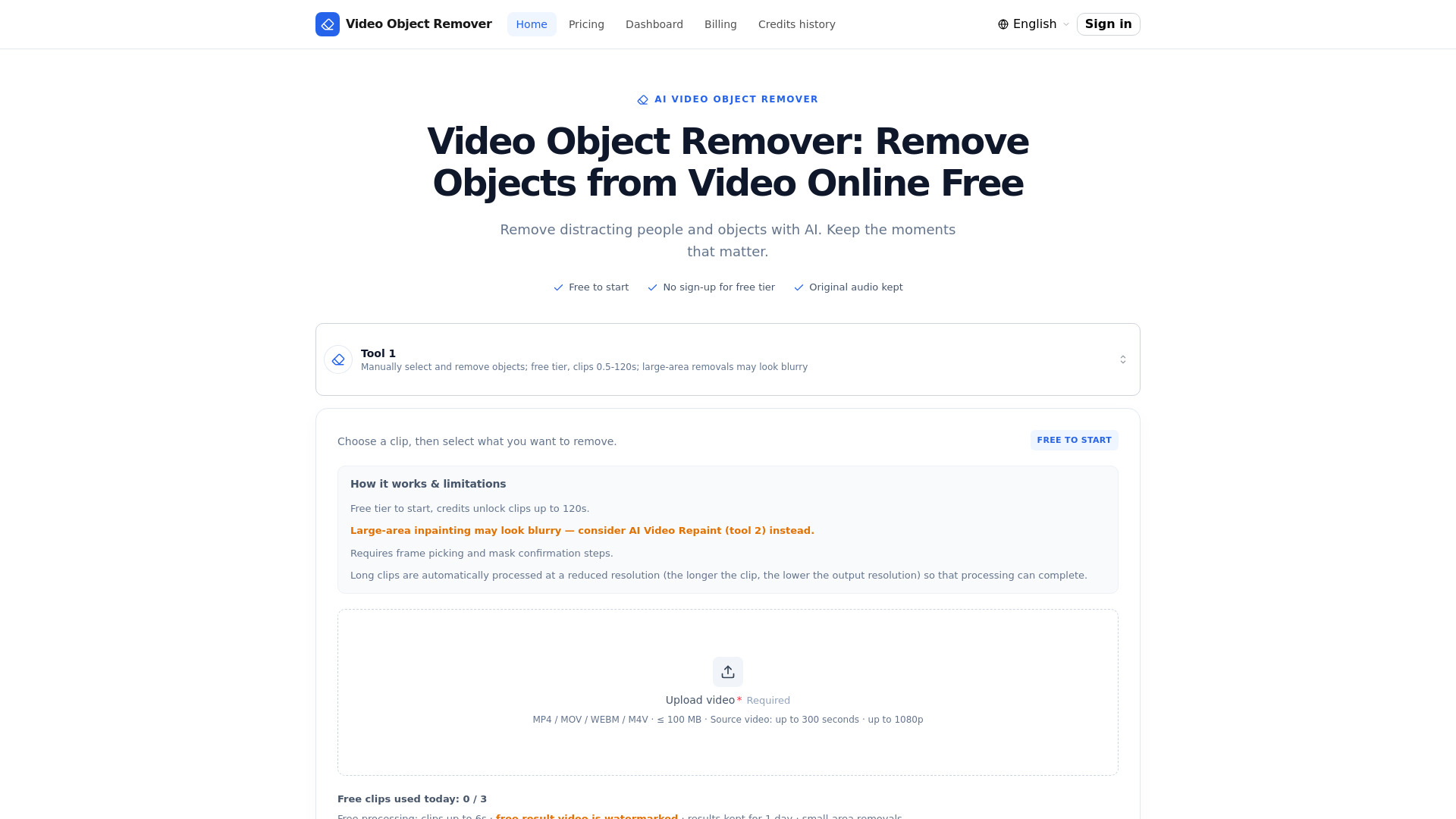
Video Object Remover is a browser-based AI tool that removes unwanted people, objects, logos, and timestamps from videos. It uses AI segmentation and inpainting to identify the target and rebuild the background frame by frame, without requiring any software installation. The service runs in the cloud and preserves the original audio track.
How to use Video Object Remover
- Upload & trim: Choose a video and trim your clip. Free tier supports up to 6 seconds; credits unlock clips up to 120 seconds.
- Pick a frame & describe: Select a clear frame where the object is visible and describe the object in any language.
- Confirm the green mask: Preview the AI-generated mask over the object and confirm it covers the target correctly.
- Download the clean video: Background inpainting and audio remux run in the background. Download the result when ready.
Features of Video Object Remover
- AI-powered selection: Describe the target in plain words; the AI locks onto people, logos, and objects across the whole clip.
- Clean background restore: The background is rebuilt frame by frame, so removed areas look like nothing was ever there.
- Original audio kept: The soundtrack is extracted and remuxed back into the clean video automatically.
- Free tier, no sign up: Remove objects from short clips for free, right in your browser — no account or credit card needed.
- Browser-based: Runs in the browser, nothing to install.
- Per-second pricing: Pay only for the clip you process.
- Watermark-free output on paid tiers.
- Processing continues even if you close the page.
Use Cases of Video Object Remover
- Remove distracting people or passers-by from videos.
- Remove unwanted objects, logos, watermarks, or timestamps.
- Clean up footage for personal or professional projects.
- Edit media you own or are permitted to edit.
Pricing
The free tier allows processing 3 short clips (up to 6 seconds) per day with a watermark, no account required. Paid credits unlock clips up to 120 seconds and watermark-free standard output. Credits are charged per processed clip length and resolution (minimum 1 credit) and never expire. Credit packs:
- Starter: $2.99 for 2 credits (≈ 2 standard videos)
- Standard: $6.99 for 7 credits (≈ 7 standard videos)
- Basic: $9.99 for 12 credits (≈ 12 standard videos)
- Pro: $24.99 for 36 credits (≈ 36 standard videos)
- Enterprise: $49.99 for 84 credits (≈ 84 standard videos)
1 credit ≈ one 6-second short video (standard quality). No subscription; pay-as-you-go.
FAQ
Is this video object remover free to use?
Yes. The free tier lets you process 3 short clips (up to 6s) per day with a watermark, no account required.
Do I need to sign up?
Not for the free tier. Sign in only to buy credits for longer clips and watermark-free standard output.
What can I remove from a video?
People, passers-by, logos, watermarks, timestamps and other unwanted objects — anything the AI mask can cover.
Which language should I describe the object in?
Any language. Non-English descriptions are automatically translated to English before recognition — keep it short for the best results.
How long can my videos be?
Uploads up to 300 seconds and 1080p are accepted. The free tier processes clips up to 6s; credits unlock clips up to 120s.
What happens to my uploads?
Everything is processed in the cloud. Free-tier results are automatically deleted after one day.
How are credits charged?
By the length and resolution of the clip you process: 0.08 credits per second (minimum 1 credit) for clips up to 720p, and 1.5× that for higher resolutions up to 1080p. A 6-second 1080p clip costs about 1 credit. Free-tier processing never consumes credits.
Do credits expire?
No. Credits never expire — buy them once and use them whenever you need.
What payment methods are accepted?
Payments are processed by Stripe: major credit and debit cards, plus the local payment options Stripe supports in your region.
Can I get a refund?
A purchase can be refunded while none of its credits have been used, within 30 days of payment. The refund is net of payment-processing fees and taxes, and partially used packs are non-refundable.