What is Impeccable
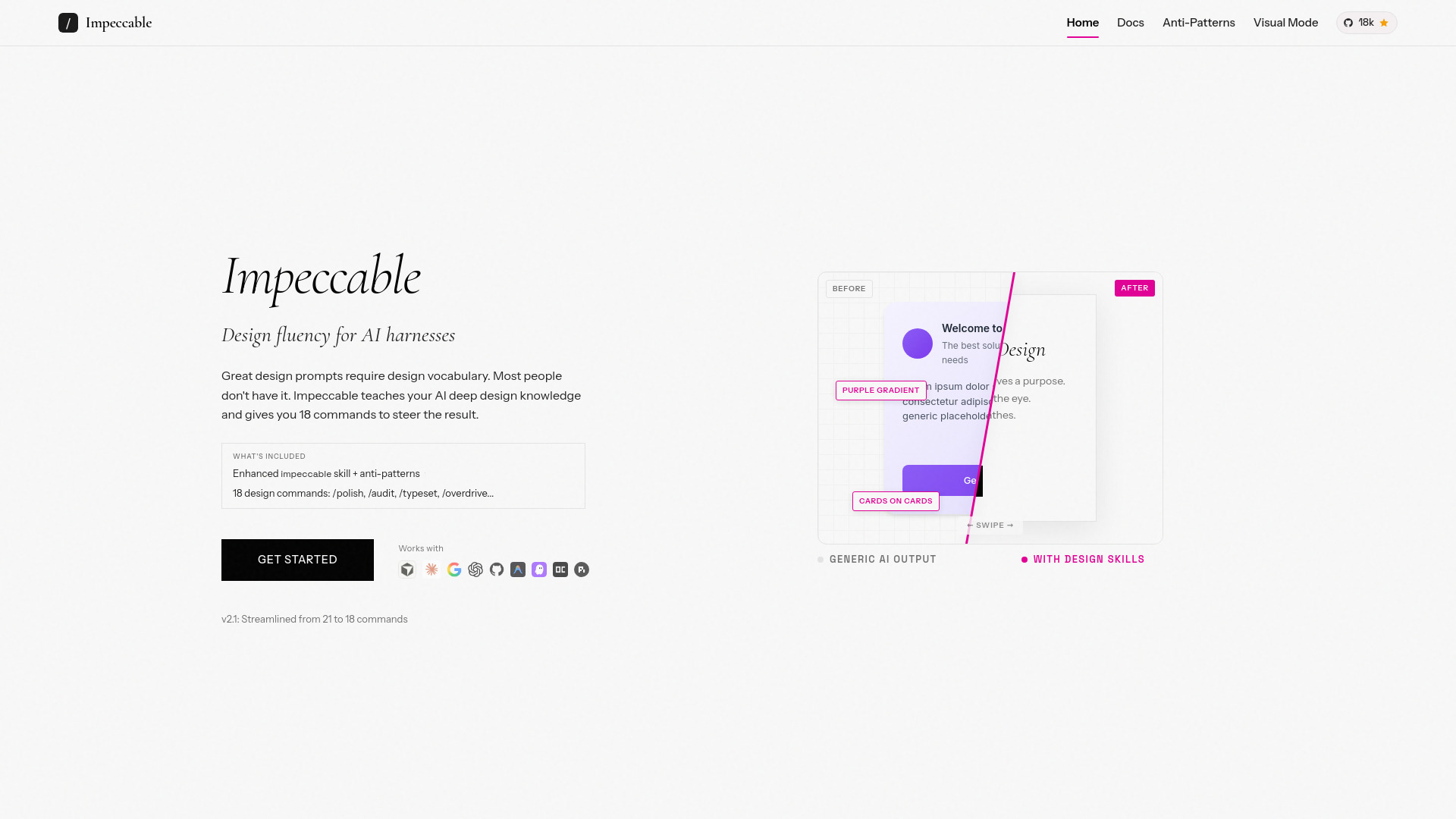
Impeccable is a tool that provides professional design skills and anti-pattern detection for AI coding assistants. It aims to teach AI deep design knowledge and offers commands to steer design results, enhancing the quality of AI-generated code.
How to use Impeccable
- Install the skills: Run
npx skills add pbakaus/impeccableto install the core skills. For Claude Code, use/plugin marketplace add pbakaus/impeccable. - Set project context: Run
/impeccable teachonce to establish the design context for your project. All subsequent commands will benefit from this. - Use commands: Utilize the 18 available commands (e.g.,
/polish,/audit,/typeset,/overdrive) to guide AI in specific design tasks. - Detect anti-patterns: Use the CLI tool (
npx impeccable detect) or the browser extension to identify and highlight common design mistakes in code or on live web pages. - Visual Mode: Employ the Chrome extension or the
/critiquecommand with its live browser overlay to see design issues directly on the page.
Features of Impeccable
- Enhanced AI Skill: Provides 1 skill with 18 commands and curated anti-patterns.
- Design Vocabulary: Teaches AI deep design knowledge across 7 dimensions.
- Command Set: Offers 18 distinct commands for precise design steering (e.g.,
/polish,/audit,/typeset,/overdrive). - Anti-Pattern Detection: Identifies and helps avoid common design mistakes learned from AI training data.
- Visual Mode: Highlights design issues directly on web pages via a Chrome extension or browser overlay.
- Cross-Tool Compatibility: Works with AI coding assistants like Cursor, Claude Code, Gemini CLI, Codex CLI, VS Code Copilot, and more.
- CLI Tool:
npx impeccable detectfor scanning files, directories, or live URLs for anti-patterns. - Browser Extension: Available for Chrome, allowing on-page detection.
- Open Source: Licensed under Apache 2.0.
Use Cases of Impeccable
- Improving the design quality of AI-generated frontend code.
- Providing AI coding assistants with a deep understanding of design principles.
- Steering AI output with specific design commands for precise control.
- Identifying and rectifying common design flaws (anti-patterns) in web development.
- Visualizing design issues directly on web pages for easier debugging.
- Integrating design checks into CI/CD pipelines using the CLI tool.
FAQ
- Where do I put the downloaded files? Use
npx skills add pbakaus/impeccablefor automatic placement. If using a downloaded ZIP, extract it to your project root (e.g., alongsidepackage.json). - How do I update? Run
npx impeccable skills updateor reinstall usingnpx skills add pbakaus/impeccable. - Commands/skills not appearing? Check file locations. For commands, type
/in your AI harness. For skills, explicitly mention