What is Janus-
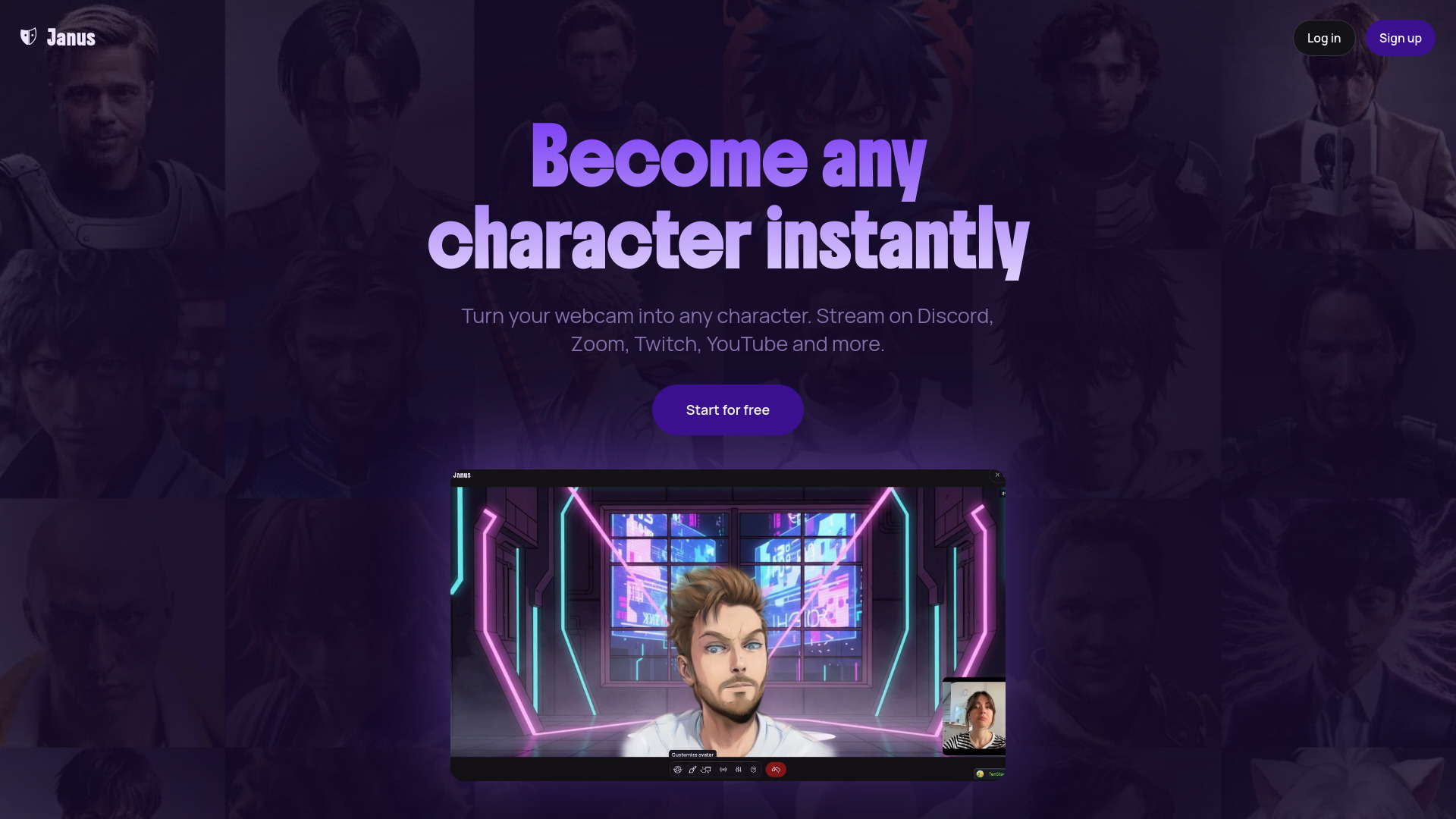
Janus is a real-time AI avatar platform that transforms your webcam feed into any character instantly. It allows users to stream on platforms like Twitch, Discord, and YouTube as any character they desire, without complex setup or expensive hardware. The technology works entirely through the browser or a Chrome extension, processing facial tracking and animation locally on the user's device.
How to use Janus-
- Take a photo of yourself: Upload a photo or take a selfie.
- Start streaming: Connect your webcam and microphone.
- Go live: Use the Chrome extension or OBS to broadcast to your favorite platform.
Features of Janus-
- Real-time AI character transformation
- Client-side avatar rendering at 1080p+ 60+fps
- Unlimited streaming time
- Multi-platform streaming support
- AI character creator
- Webcam integration
- OBS integration
- Instant loading of avatars
- Runs locally on the device for zero lag
- Customization of outfits, hairstyles, and accessories
- Green screen support
- No watermarks
- Expression customization
Use Cases of Janus-
- Streaming: Stream on Twitch, Discord, YouTube, and other platforms as any character.
- Video Calls: Transform your appearance in video calls on platforms like Zoom and Google Meet.
- Content Creation: Create engaging content with a unique digital avatar.
- Gaming: Enhance your gaming streams with a personalized character.
Pricing
Janus offers a free tier with 25 credits on sign-up for avatar creation and video generation. Streaming is free with unlimited time. Premium plans offer access to advanced features:
-
Free Tier:
- $0/month
- Unlimited streaming
- 25 free credits for avatar creation and videos
- Access to all styles & accessories
- Top up credits anytime
- No commitment required
-
Pro Tier:
- $0/month (after 7-day trial)
- 60fps+ streaming
- Green screen support
- Unlimited length video generation
- No watermarks
- Expression customization
- Monthly credits (details not specified, but implied to be more than free tier)
FAQ
- What is Janus? Janus is a real-time character animation platform that lets you become any character using just your webcam. Your avatar is rendered directly in your browser, driven by your facial expressions and movements. Use it on Discord, Zoom, Twitch, YouTube, and more — no special hardware or setup required.
- How does Janus work? Janus generates a 3D avatar from a photo or prompt, then renders it directly in your browser. Your webcam tracks your facial expressions and movements, animating the avatar in real-time at 1080p+. No cloud servers are needed during streaming — everything runs locally on your device.
- What platforms does Janus work with? Janus works with all major streaming and video conferencing platforms including Discord, Twitch, YouTube, Zoom, Google Meet, OBS Studio, and any application that supports virtual cameras. You can use it for gaming, streaming, video calls, content creation, and more.
- Do I need special equipment or hardware? No special equipment is needed! All you need is a standard webcam and microphone. Janus works with any webcam, including built-in laptop cameras. Your avatar renders directly in your browser — no expensive GPU hardware or motion capture equipment required.
- Do you store my photos? No. We don't store the photos you upload to generate the avatars. We only send them to our image generation providers for processing.
- Is Janus free to use? Janus offers a free tier with credits to get you started and unlimited streaming time. You only pay for avatar creation and video generation — streaming is always free with no time limits. For access to greenscreen support, and no watermarks & 60+ fps streaming, you can upgrade to Pro.
- How does Janus handle my privacy and data? Your privacy is our priority. All facial tracking happens in real-time and we don't store your webcam footage. We only process the data needed to animate your character during your active session. You maintain full control over when your camera is active and what gets shared. Images uploaded when creating an avatar from an image are also not stored on our servers, they are only used in transit to generate the final avatar.
- What are the technical requirements? Janus works best with a modern computer and a recent version of Chrome or a Chromium-based browser. A webcam with at least 720p resolution will give you the best results, though it works with any webcam. Since avatars render locally in your browser, a reasonably capable device will ensure smooth performance.
- Does Janus work on Mac? Yes! Janus works perfectly on Mac (macOS), including MacBook Pro, MacBook Air, iMac, and Mac Studio. Avatars render directly in your browser as Gaussian splats, so any modern Mac handles it with ease. It also works seamlessly on Windows, Linux, and even mobile devices. Whether you're on an M1/M2/M3 Mac or Intel Mac, you can stream with any character using just your built-in webcam and Chrome browser.